
Logo

Cash Practice® Systems Help Center

Search our knowledge base to get answers to your questions, access video training & more!

Settings: How do I turn on the Pay Online/ Update Billing buttons?

Auto-Debit System® (Frictionless Payments)

Settings: How do I turn on the Pay Online/ Update Billing buttons?

Last updated on 13 Sept, 2025

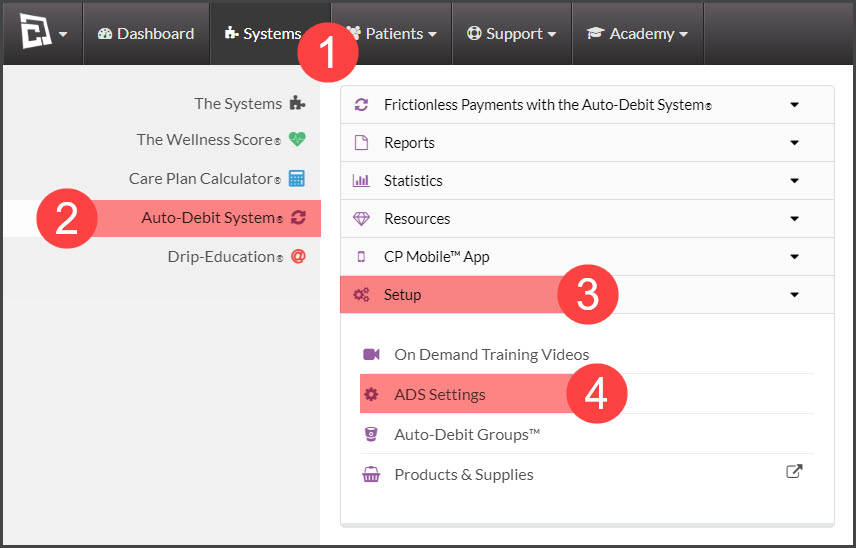
Step 1: Go to the [Systems] menu→ [Auto-Debit System®] → [Setup]→ [ADS Settings].
Image

Go to Step 2: Alerts

Image

Step 3: Add Button for Patient To Open CP Online Form

Select the CP Online Forms™ to be triggered for Expired Cards and/or Declined Payments. We recommend using both as pictured below.

Image

Step 4: Click the [Save Step/Next] button.

Did you find this article helpful?
Previous

Auto-Debits: How do I get more patients on auto-debits or to use EFT?

Next

© 2026 Cash Practice Systems. All rights reserved.
