
What are the Auto-Debit System® Email Notices?
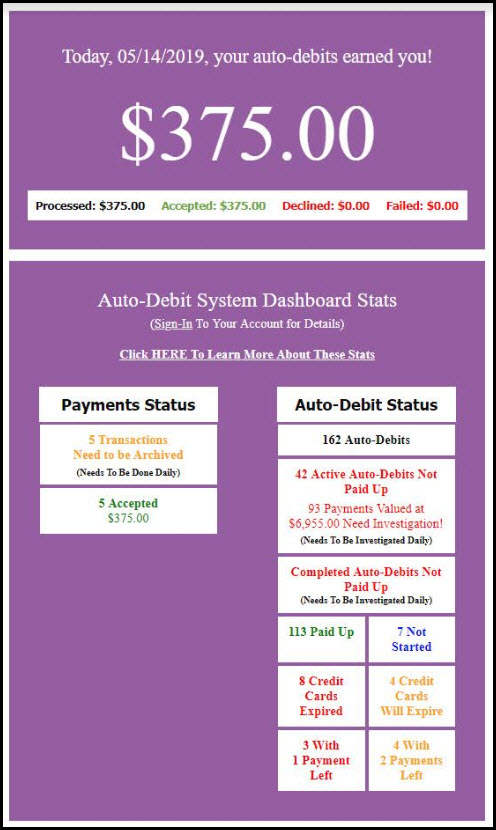
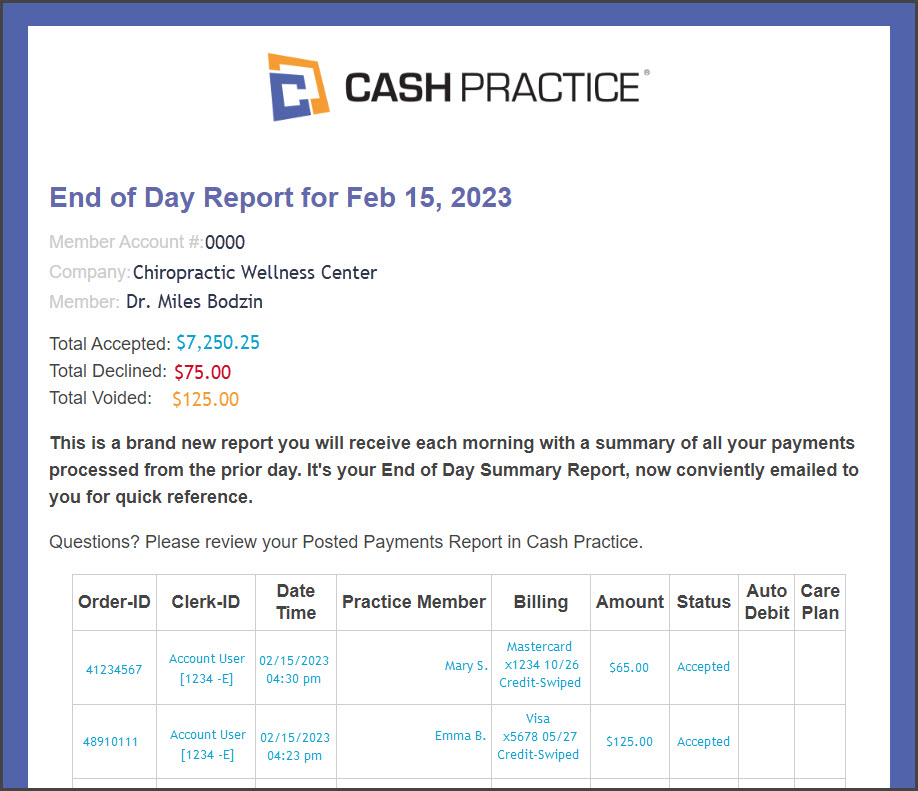
Each night, an email is sent to the account Admin/Owner and any account users included, notifying them of the processing of scheduled auto-debits. These emails are only sent on the days when scheduled auto-debits are processed.
The email alert provides a convenient way to monitor accepted or declined payments. However, it does not provide specific details about each processed payment. It is important to note that emails are not always guaranteed to be delivered and may get lost in cyberspace. Therefore, the Auto-Debit System® Alert email should be used solely for notification purposes and should not be relied upon.
For best practices, we strongly recommend logging into your account and accessing the Posted Payment Report to review your payments each business day and take action on any declines.
*Note: Accessing the System Setup is an administrative privilege and requires permission for account users. See more information here.
Getting started:
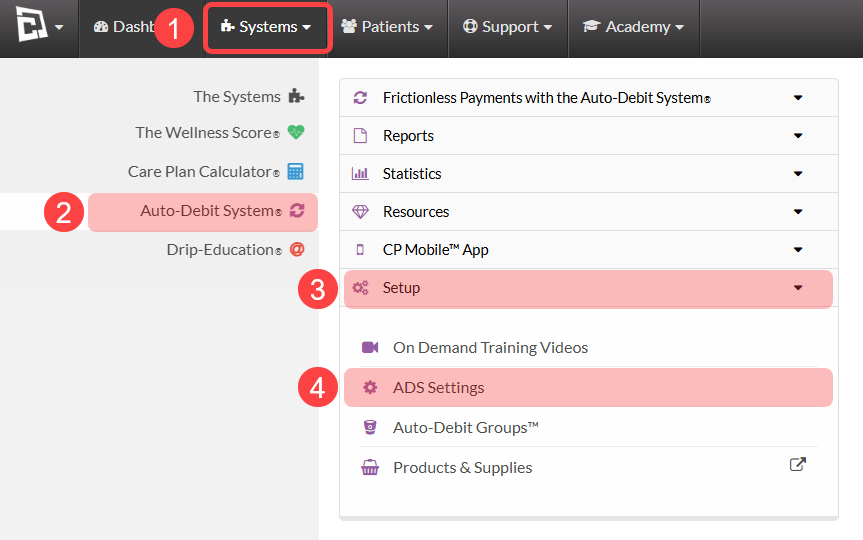
Step 1: To access your Auto-Debit System Settings, follow the sequence below.
Click on the [Systems] menu
Select [Auto-Debit System®]
Choose [Setup]
Click [ADS Settings]
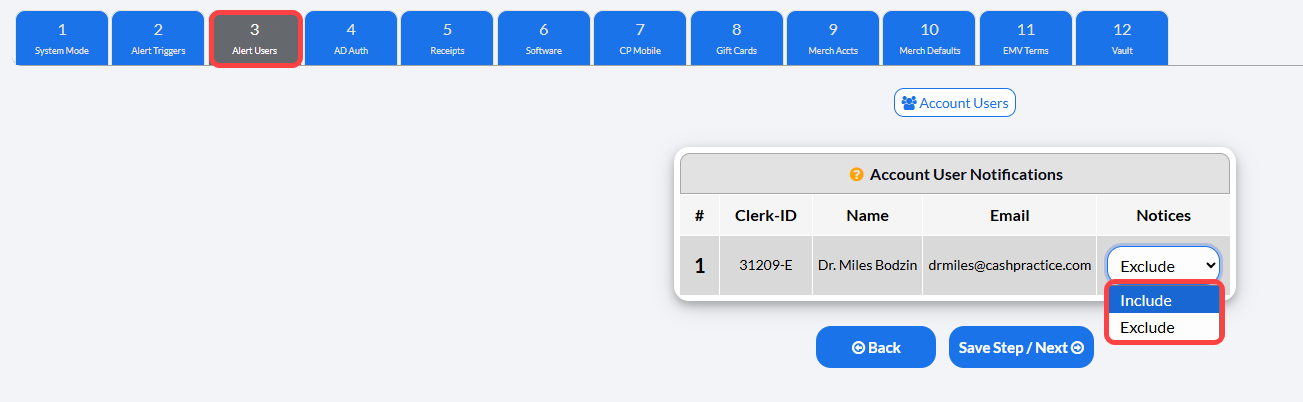
Step 2: Select [3. Alert Users]
Account administrators automatically get emails summarizing processed auto-debits. Email alerts also include: CP Online Form confirmations and Expired Credit Card reports.
To send Auto-Debit Email Notifications or daily report copies to specific team members (like your Office Manager or Billing Dept):
Set their Account User Notification setting to:
Include: The account user will receive the emailed Auto-Debit System reports
Exclude: The account user will not receive the emailed Auto-Debit System reports.
Then, click [Save Step / Next].
Please note, this email does not replace reviewing daily Posted Payments Reports for reconciliation.
See this article for full details about email notices: Alerts: Detailed Email Notices for Admin and Staff
Examples of Emailed Auto-Debit Reports: