

Step 1: From the campaign editor composition page, you will have the ability to add an audio file to your email content. For steps on how to access the campaign editor, click HERE.
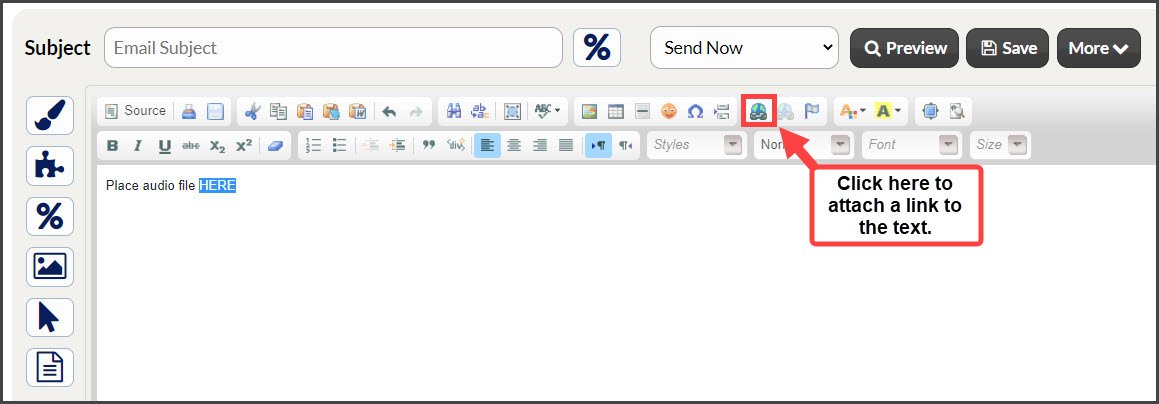
Step 2: Highlight the text you desire to add a link to → select the [Link] option from your email editor menu. This will display the link properties window.
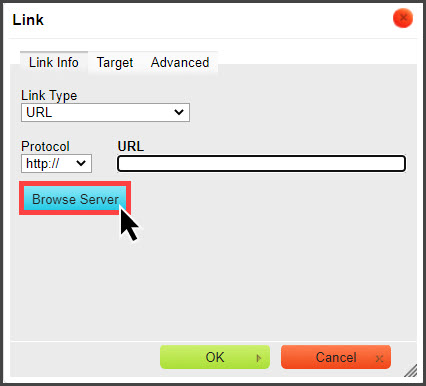
Step 3: Select [Browse Server] and locate the file you have saved to your computer's hard drive → select [OK] at the bottom to upload the file.
Now, when your patients click on the text, it will take them to the audio file you uploaded.