Logo

Cash Practice® Systems Help Center

Search our knowledge base to get answers to your questions, access video training & more!

Drip-Education® Email Marketing System (Frequent Contact)

Managing Campaigns: How do I archive a Drip-Ed™ campaign?

Why archive a campaign? In some instances, content may be old or no longer relevant to the practice and rather than deleting it, archiving offers a storage solution so you may go back and reference it at any time.

Last updated on 13 Sept, 2025

Getting started:

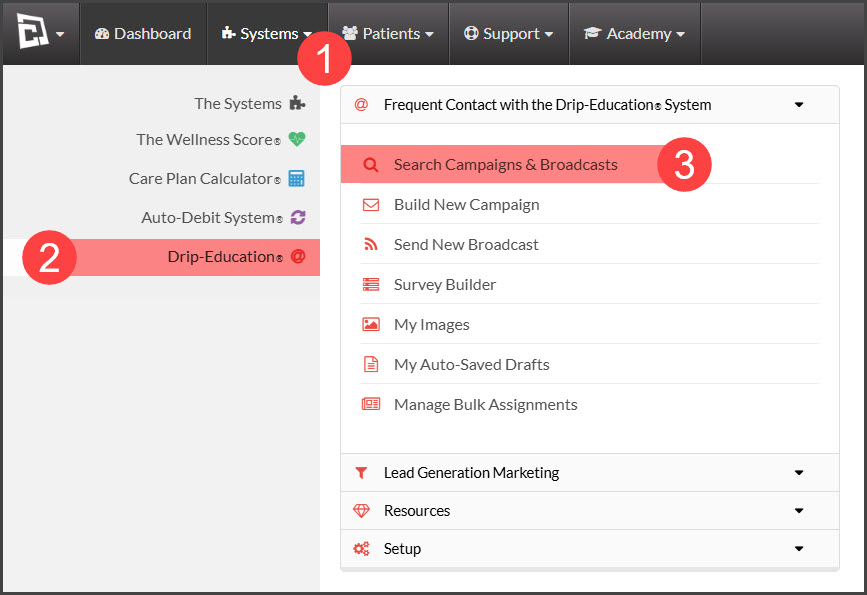
Step 1: Hover over [Systems] → click on [Drip-Education®] →  [Search Campaigns & Broadcasts].
Image

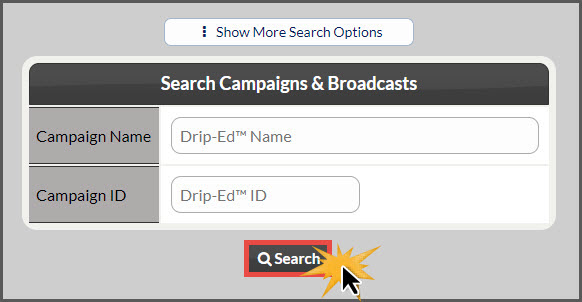
Step 2: Use the search options page to refine your search for the campaign you are looking for→ click the [Search] button
Image

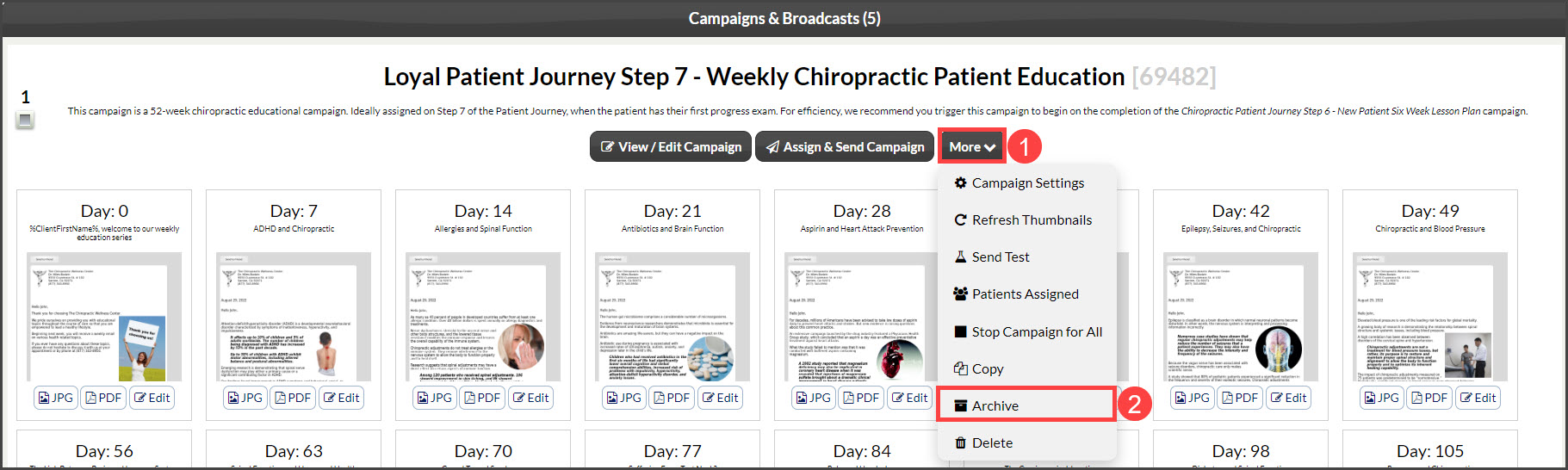
Step 3: Click the [More] →[Archive] for the campaign you would like to Archive.
Image

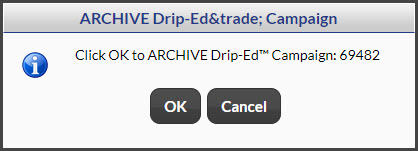
Step 4: Click [OK] to ARCHIVE.

Image

Step 5: You will receive a message stating whether or not you have successfully archived the campaign.

Image

NOTE: Archiving campaigns do not delete them, it simply files them away. You will have the option to search for archived campaigns from the search page in the [Campaigns & Broadcasts] section of your account.

Did you find this article helpful?
Previous

Managing Campaigns: How do I test a Drip-Ed™ campaign?

Next

© 2026 Cash Practice Systems. All rights reserved.