

The Drip-Ed™ Campaign Library is where you can find all the pre-made Drip-Ed™ Campaigns that we have provided for you with your membership. This includes Educational Campaigns, Marketing Campaigns, and Templates. These campaigns are ready for you to use as-is. However, you will also have the ability to edit and customize them if you choose to.
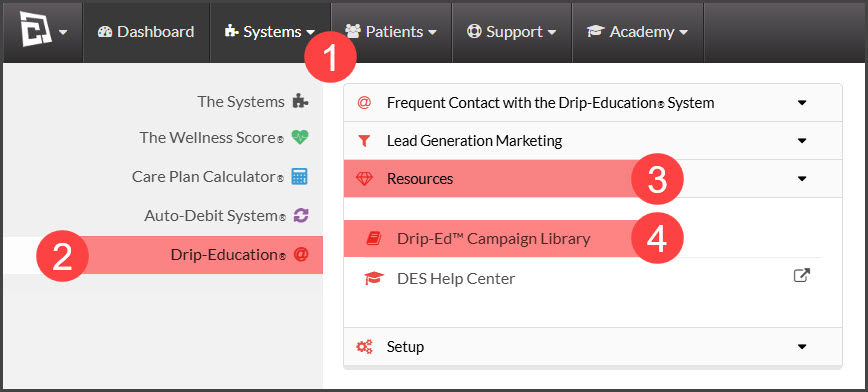
To access the Campaign Library™:
Step 1: Go to the [Systems] menu→ [Drip-Education®] → click on the [Resources] menu→ select [Drip-Ed™ Campaign Library]
Use as many of the pre-made campaigns as you'd like! Once they're saved into your account you can edit them or use them as-is!
*Note: If you're using any email campaigns associated with selling gift cards, make sure you're using or no-fee gift card program to make online sales easy!
Not yet using the Drip-Ed System and want to learn more? Click HERE for details.