

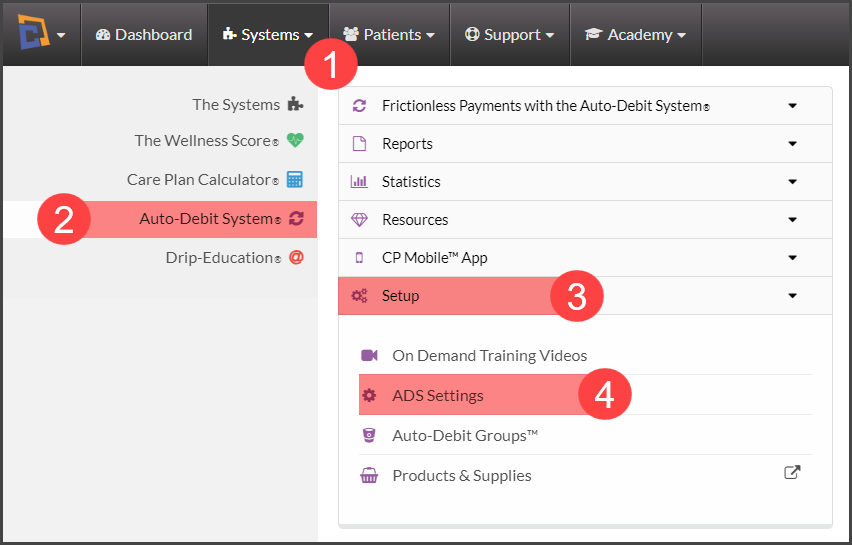
Step 1: Head to the [Systems] menu →[Auto-Debit System®] →[Setup] → [ADS Settings].
Step 2: Select [Step 2 Alert Triggers].
The Auto-Debit System® can email your patients a payment receipt each time you process a payment with any of the Auto-Debit System® tools or when scheduled auto-debits automatically run. You can also have alerts sent when a payment gets refunded, declined, returned unpaid (EFT/Bank Account), or voided.
Include Patient Email Alert Header or Footer: Here you can create a customized header or footer. It's a great way to educate patients on your services, and products, wish them a happy holiday, or even add in any changes to your business hours.
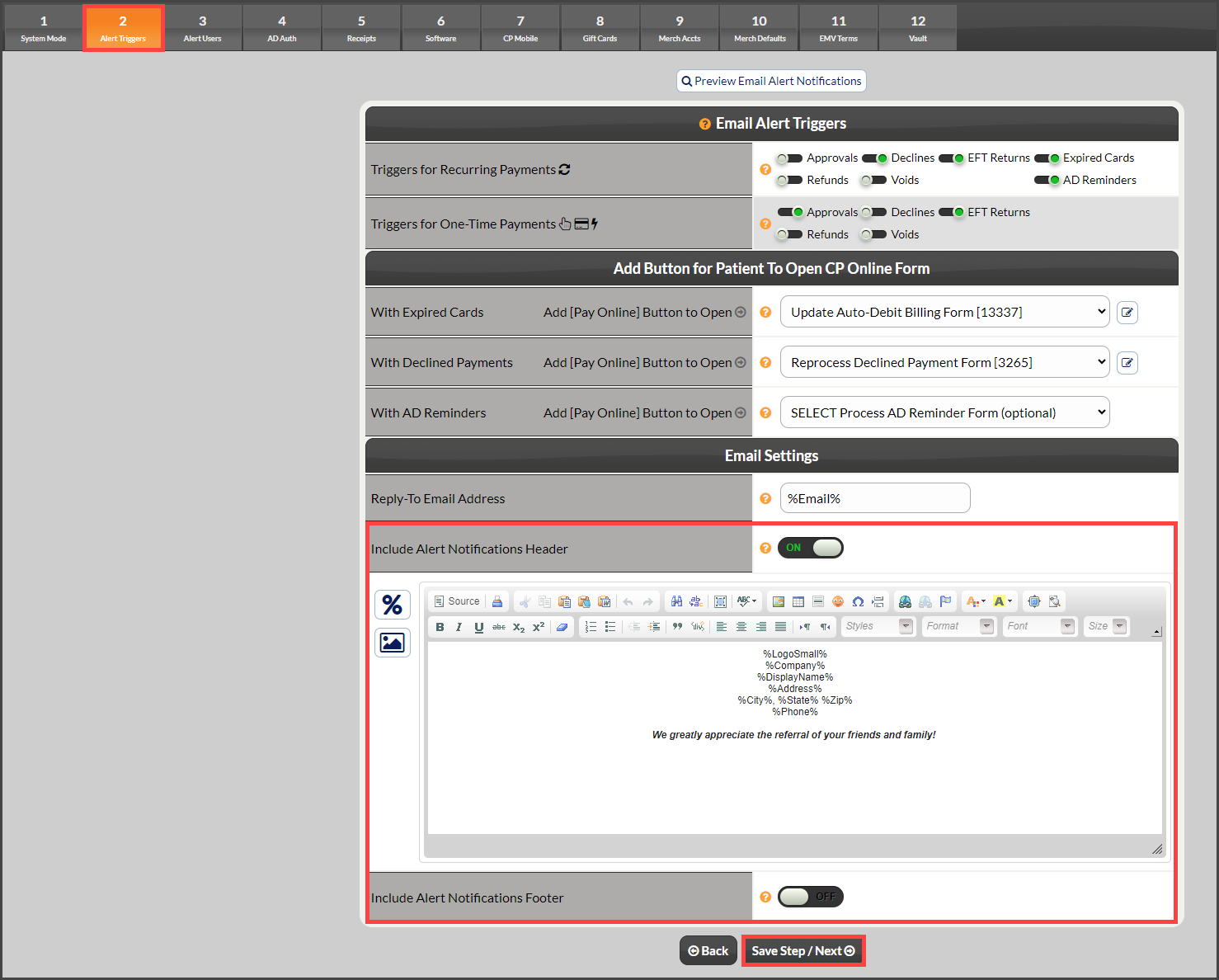
Step 3: Be sure to select [Save/Next Step] to save the changes.