

What are Drip-Ed™ Email Footer Defaults?
Your Drip-Ed™ Email Footer Defaults are what will appear automatically at the bottom of each of the emails that you send out to your patients through the Drip-Ed™ System. Follow these instructions to learn how to make edits to your email footer defaults.
Every email that gets sent out by the Drip-Education Email Marketing System™ will have two footers- a Privacy Statement and a Disclaimer Statement- appended to the bottom of the email.
To edit the content of the Privacy and Liability disclaimers, follow these instructions:
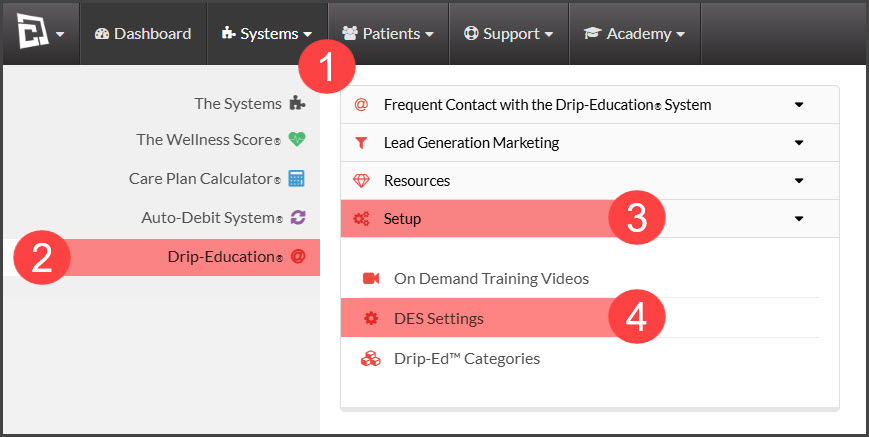
Step 1: From the navigation menu → go to [Systems] → [Drip-Education ®] → [Setup] → [DES Settings].
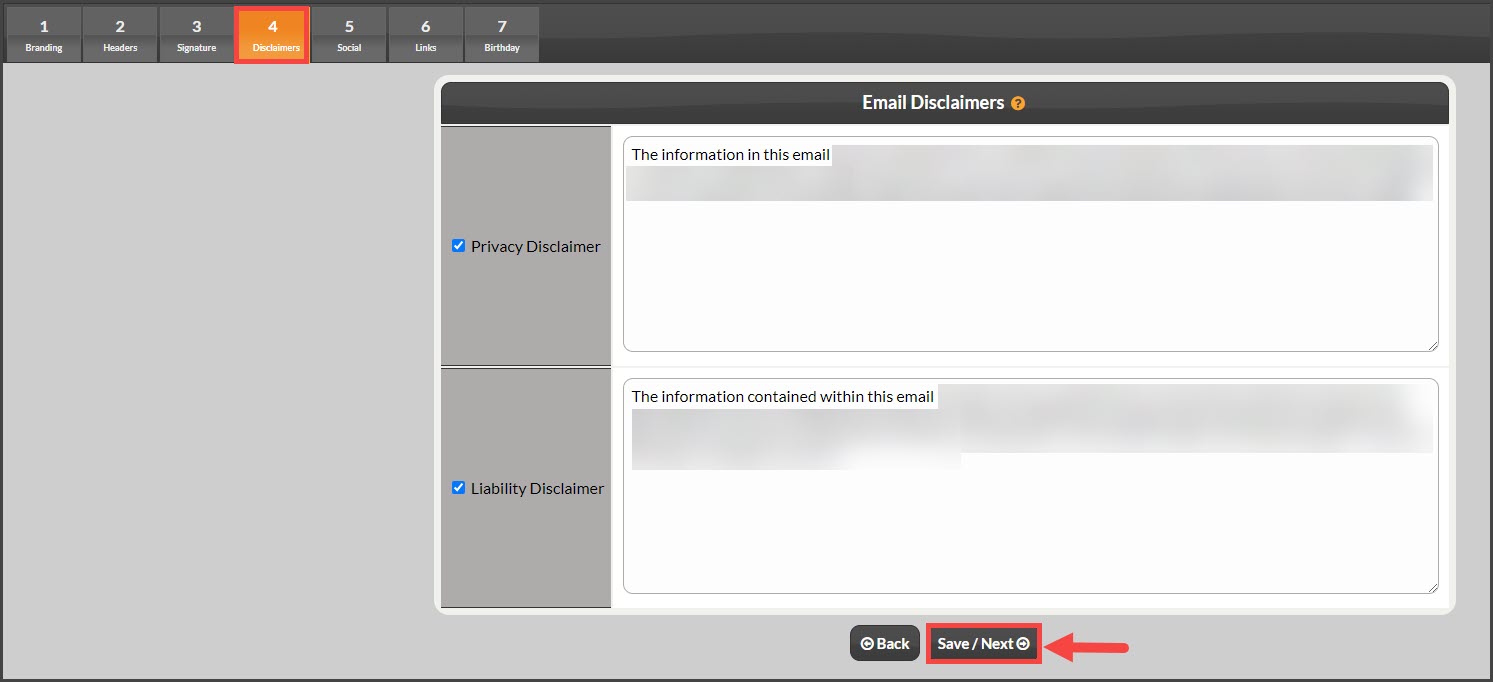
Step 2: Click [Step 4 Disclaimers]. Review the disclaimers and if you make any changes be sure to click [Save/Next].
In addition to the above footers, all emails are appended with your company contact info as well as links for the recipient to Update/Remove their email address. This is required by the SPAM laws.