

Why Assign or Un-Assign Health Categories To Parameter Sets?
Health Categories appear on your Wellness Score® Reports in order to effectively communicate with your patients why what you have measured and scored affects their overall health.
All Parameters are assigned to Categories, and those Categories appear on every Wellness Score® Report. Now we've made it possible for you to choose which Categories you would like to include or exclude on your Wellness Score® Report so that the grade is not heavily weighted in one category versus another.
Getting started:
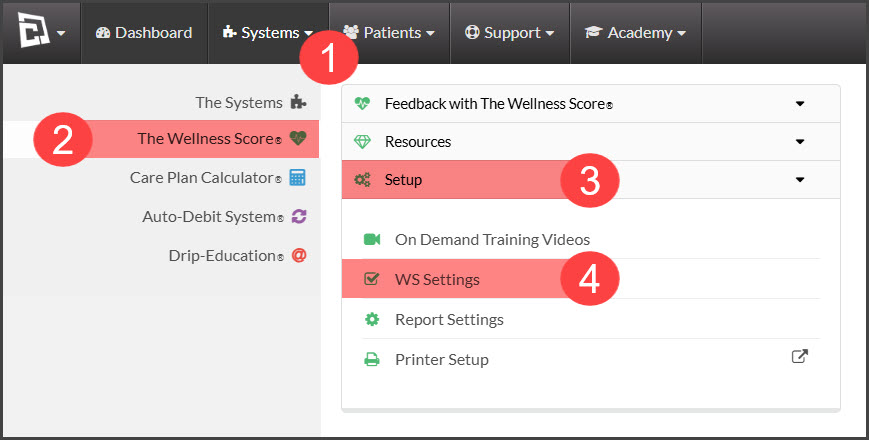
Step 1: Hover over the [Systems] menu → [The Wellness Score®] menu → click on [Setup] → select [WS Settings].
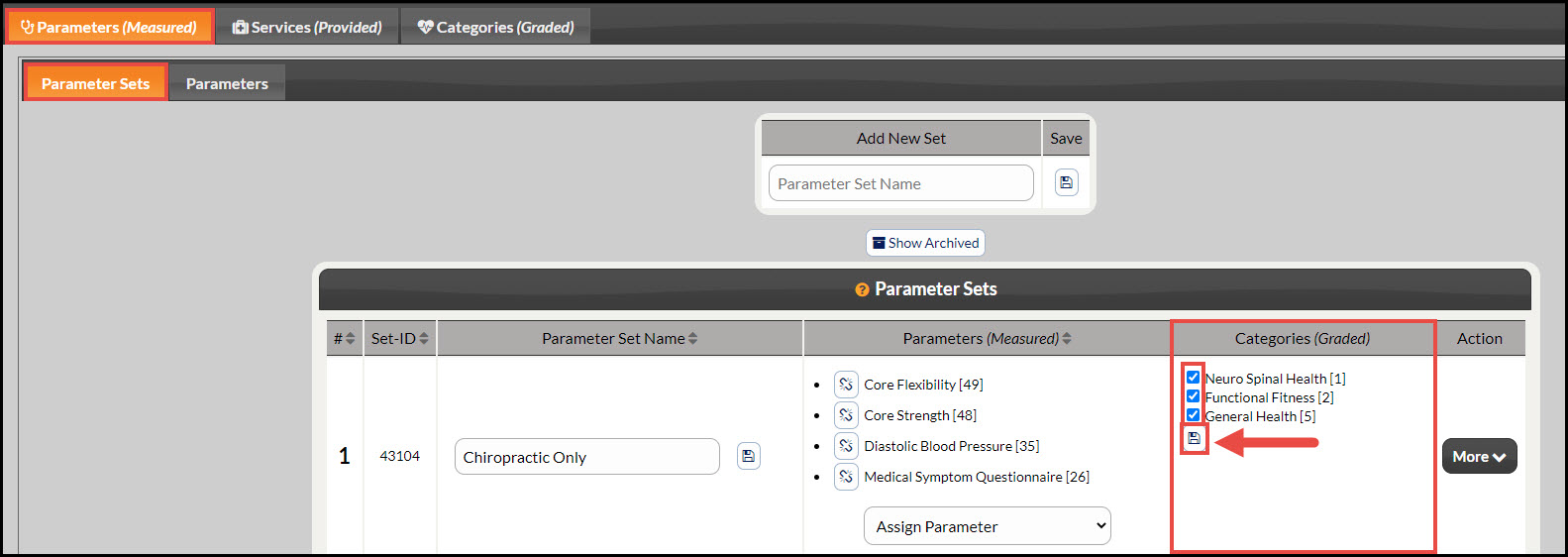
Step 2: Note: The page will automatically load under the tabs [Parameters (Measured)] → [Parameter Sets]. As you're creating a [Parameter Set], you will check or un-check categories under the [Categories (Graded)] column. Once finished, click the [Save] icon. (See image below for details.)
NOTES:
Every time you assign a parameter to the [Parameter Set], ALL of the Category boxes will get checked. Therefore, you should not uncheck any Categories until you are finished assigning the parameters for that set.
Once you run an exam with that [Parameter Set], it will be locked and you will not be able to make any changes to it unless you delete any exams used with that set.