

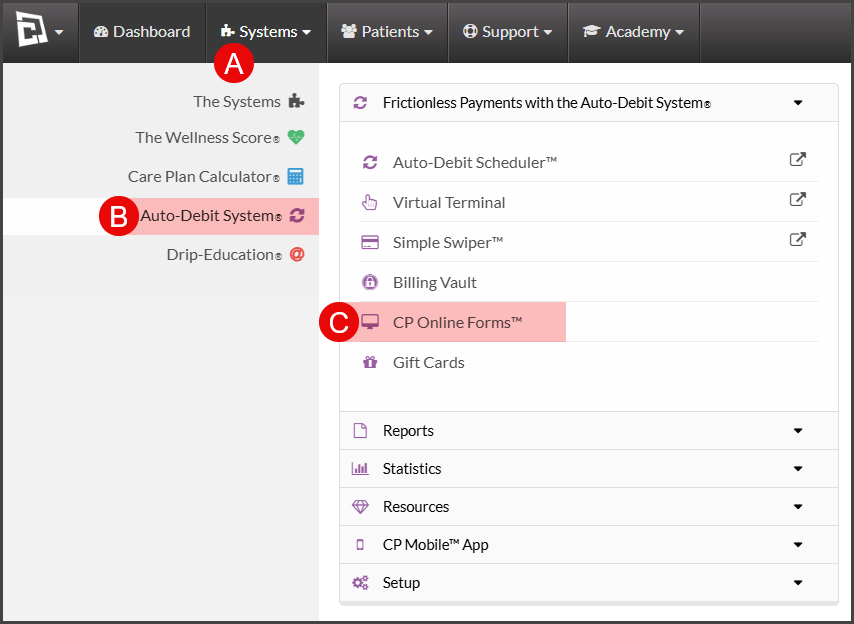
To get started, follow the sequence below.
A: Hover over [Systems]
B: Click on System]
C: Select [CP Online Forms™]
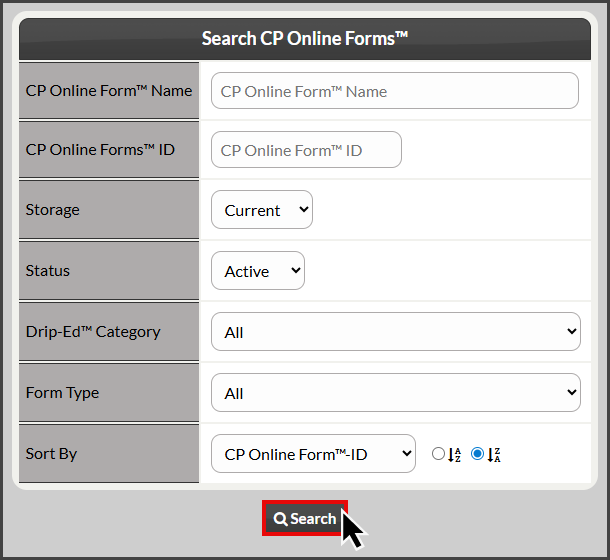
Step 1: Fill in your search criteria and click [Search].
Step 2: Locate your online form and click on the [Edit Form] button.

Step 3:
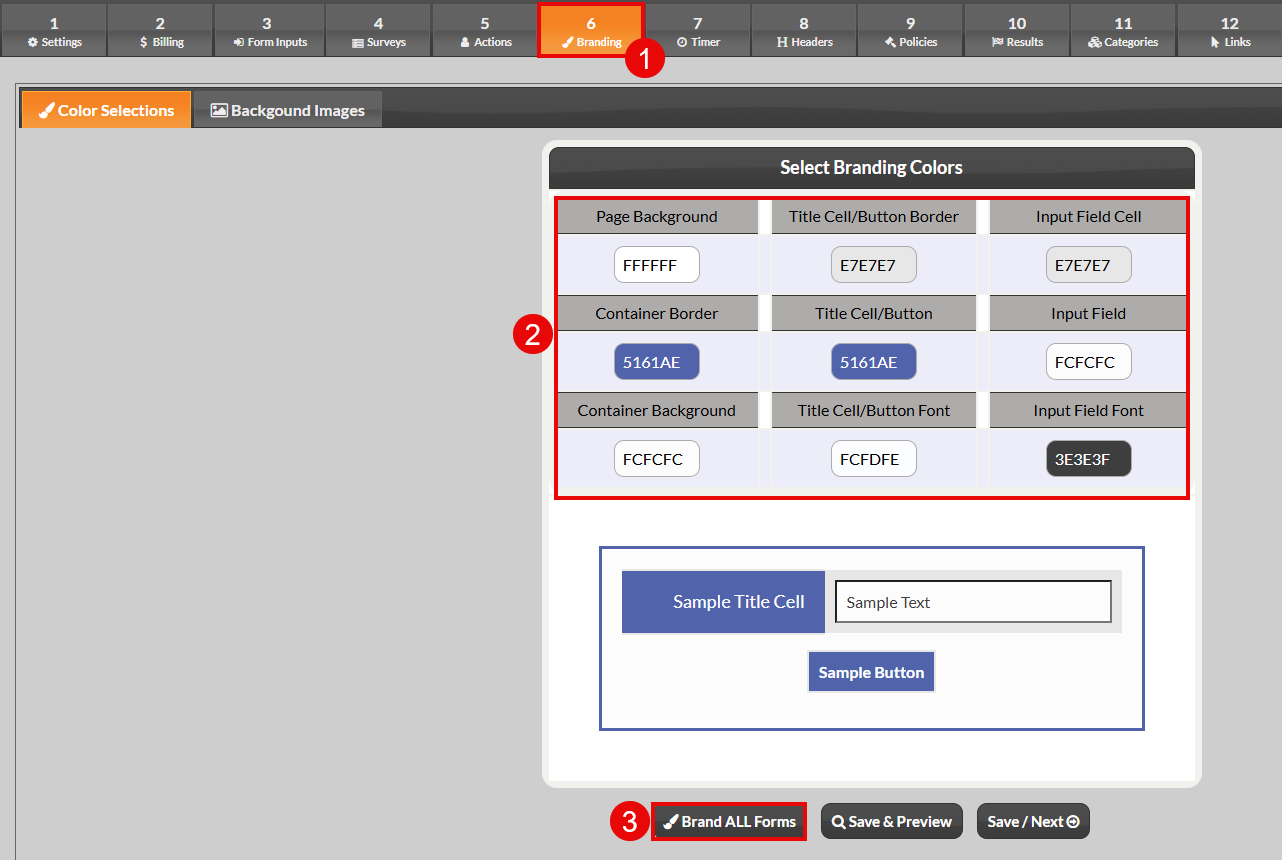
Click on [Step 6 Branding].
Edit your branding colors.
Click on [Brand ALL Forms] to easily update all CP Online™ Forms with the same branding.
NOTE: It is also recommended to upload your company logo to your profile to help validate your online forms. CLICK HERE to learn more!