
Logo

Cash Practice® Systems Help Center

Search our knowledge base to get answers to your questions, access video training & more!

Auto-Debits: Where to view/edit an auto-debit in a patient's account

Auto-Debit System® (Frictionless Payments)

Auto-Debits: Where to view/edit an auto-debit in a patient's account

Last updated on 13 Sept, 2025

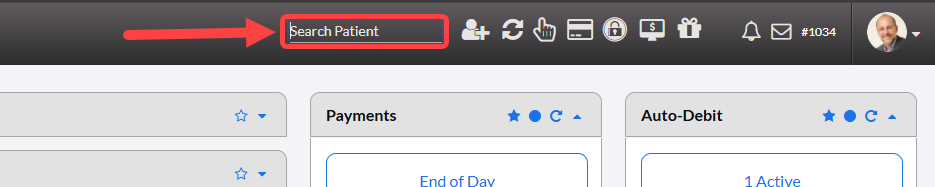
Step 1: From the top-right side of the Dashboard screen, head to [Search Patient], type the name of the person you are looking for, and select their name from the drop-down menu. This will redirect you to the Patient Record. 
Image

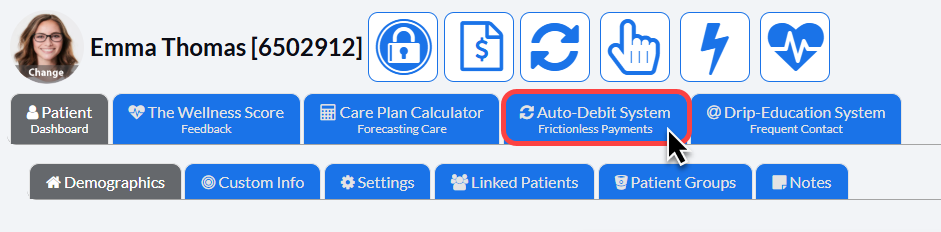
Step 2: Click on the [Auto-Debit System] tab.
Image

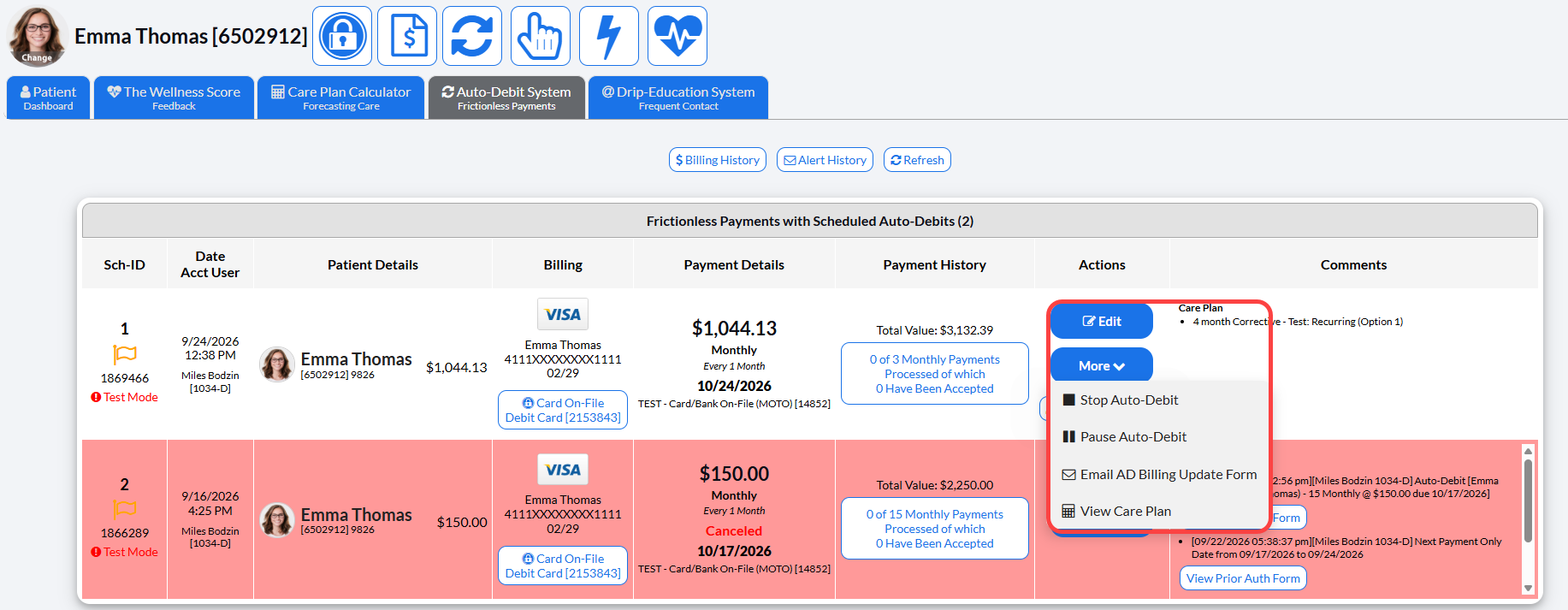
Step 3: Once the auto-debit appears, you can view its details, or take action on it if you need to make any changes. 
Image

Did you find this article helpful?
Previous

Payments: The transaction status is PENDING, what do I do now?

Next

© 2026 Cash Practice Systems. All rights reserved.
