
Logo

Cash Practice® Systems Help Center

Search our knowledge base to get answers to your questions, access video training & more!

Managing Assigned Campaigns: How to stop all emails for a specific campaign

Drip-Education® Email Marketing System (Frequent Contact)

Managing Assigned Campaigns: How to stop all emails for a specific campaign

Last updated on 13 Sept, 2025

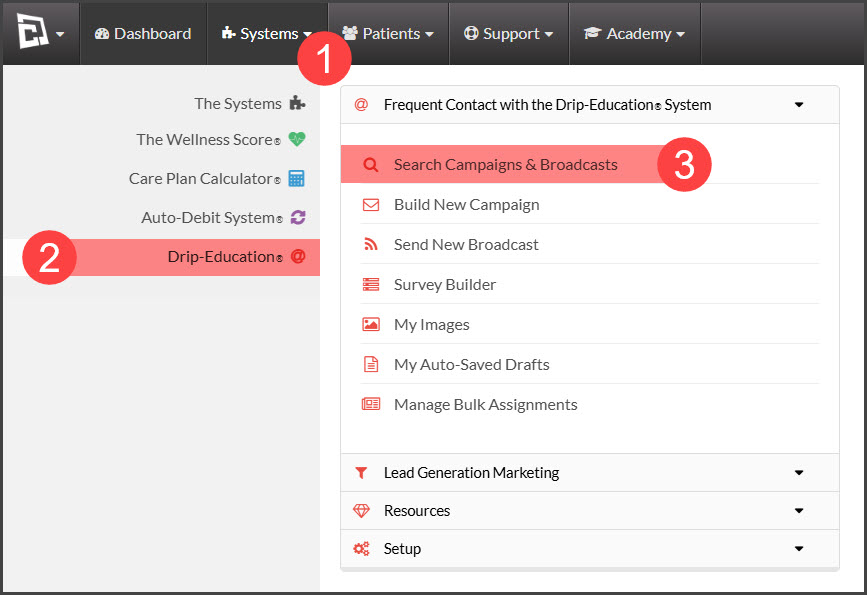
Step 1: Hover over [Systems] → click on [Drip-Education] → select [Search Campaigns & Broadcasts].
Image

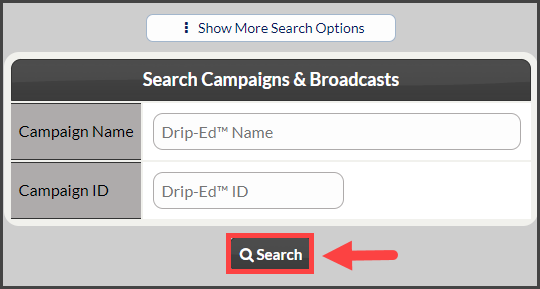
Step 2: Use the search options to refine the search for the campaign you are looking for→ click the [Search] button. 
Image

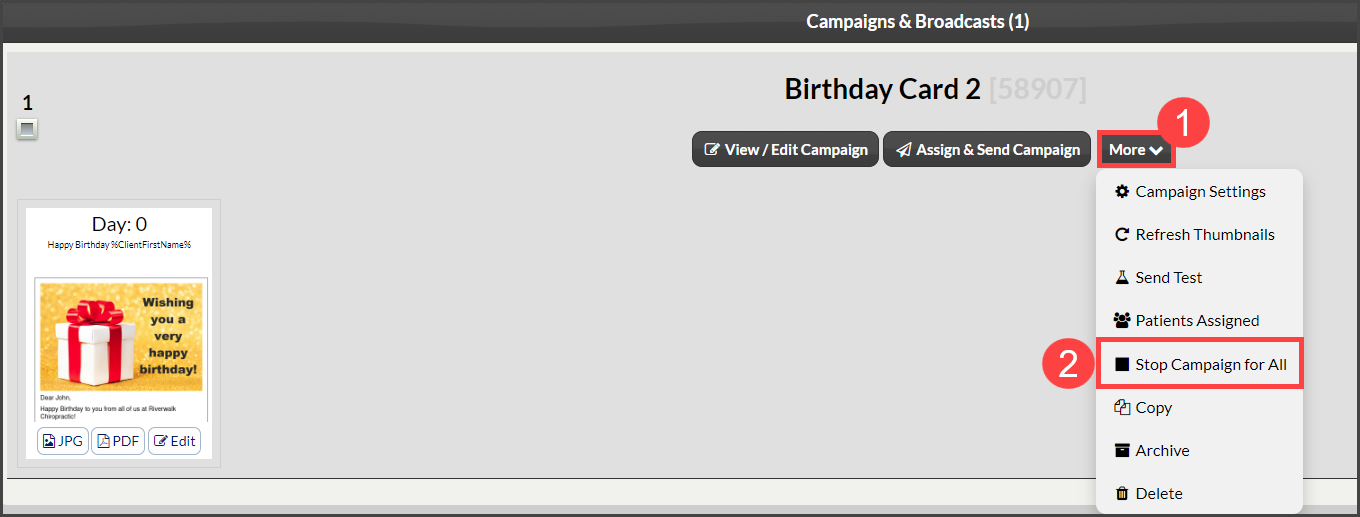
Step 3: Once you have located the campaign you wish to stop, click on the [More] drop-down → select [Stop Campaign for All].
Image

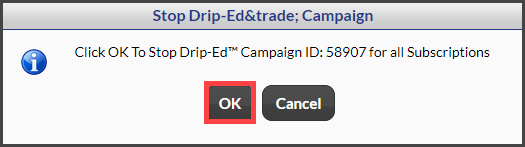
Step 4: Click [OK] to officially stop all emails within the campaign. 
Image

Did you find this article helpful?
Previous

Surveys: How to create a new Survey

Next

© 2026 Cash Practice Systems. All rights reserved.