

Option 1: Ask the patient for the total amount they would like to charge to their card before collecting the payment: "Your massage was $70, would you like me to process your card for that amount?”
Example: If the massage is $70 and the patient wants to tip $15. You would run the card for $85. In the patient ledger, you would post the service for $70 and post the charge of "misc." or "tip" for the amount of $15.
Option 2: Create a payment slip for the charges that include a tip. Hand the payment slip to the patient before processing the payment. This allows you to run the payment for one amount. See Example →
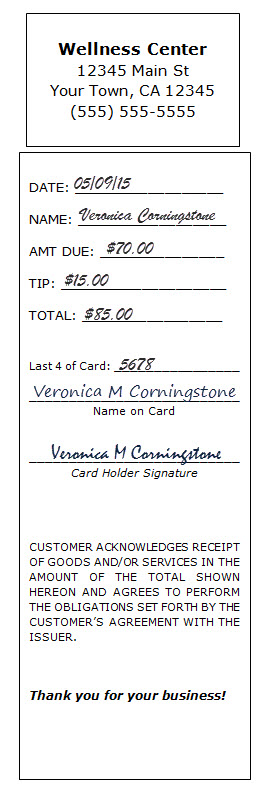
Optional: You may download and customize this receipt template to use HERE.