
Logo

Cash Practice® Systems Help Center

Search our knowledge base to get answers to your questions, access video training & more!

Auto-Debit System® (Frictionless Payments)

Stats: What are my Posted Payments Stats?

Last updated on 13 Sept, 2025

With this easy-to-use tool, you can evaluate your past income.

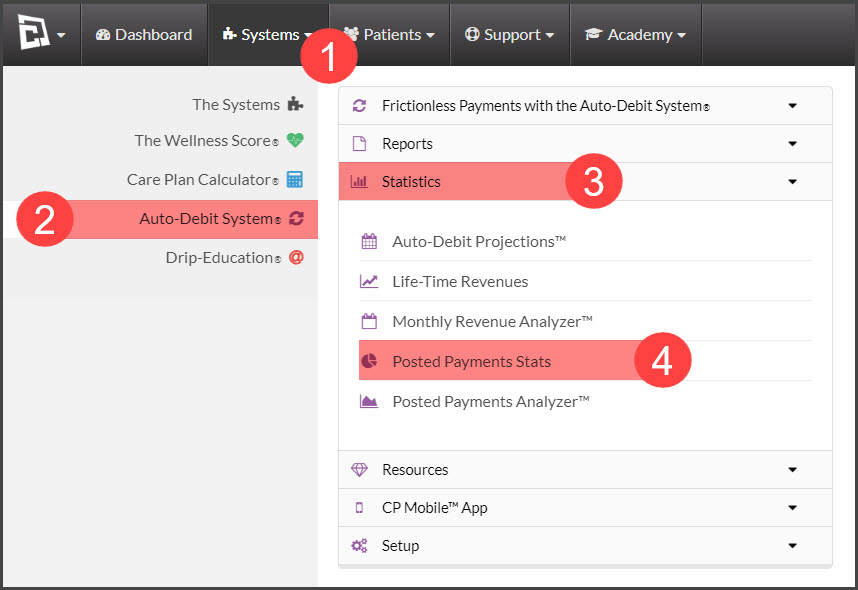
Step 1: Hover over [Systems] → select [Auto-Debit System®] → [Statistics] → [Posted Payments Stats].
Image

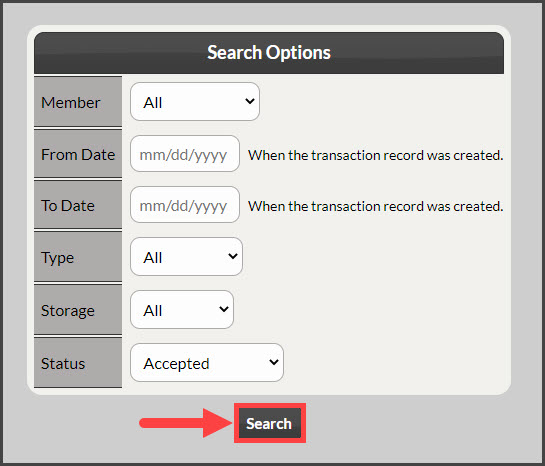
Step 2: Enter in search criteria to narrow down your search of the desired range.
 

Image

Step 3: Click [Search].

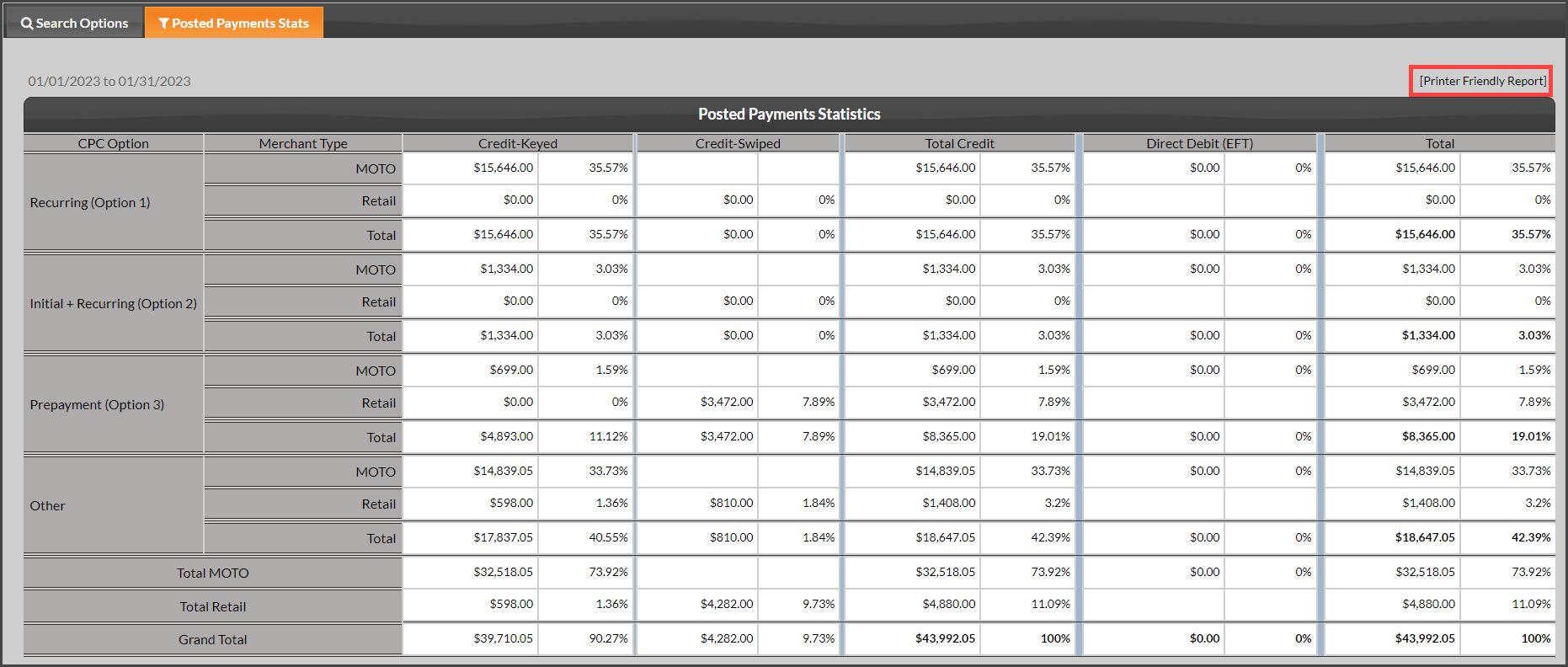
Step 4: The Posted Payments Statistics will load, you can print by selecting the [Printer Friendly Report] option on the right side of the page to print. 
Image


Did you find this article helpful?
Previous

Stats: What is the Posted Payments Analyzer?

Next

© 2026 Cash Practice Systems. All rights reserved.