

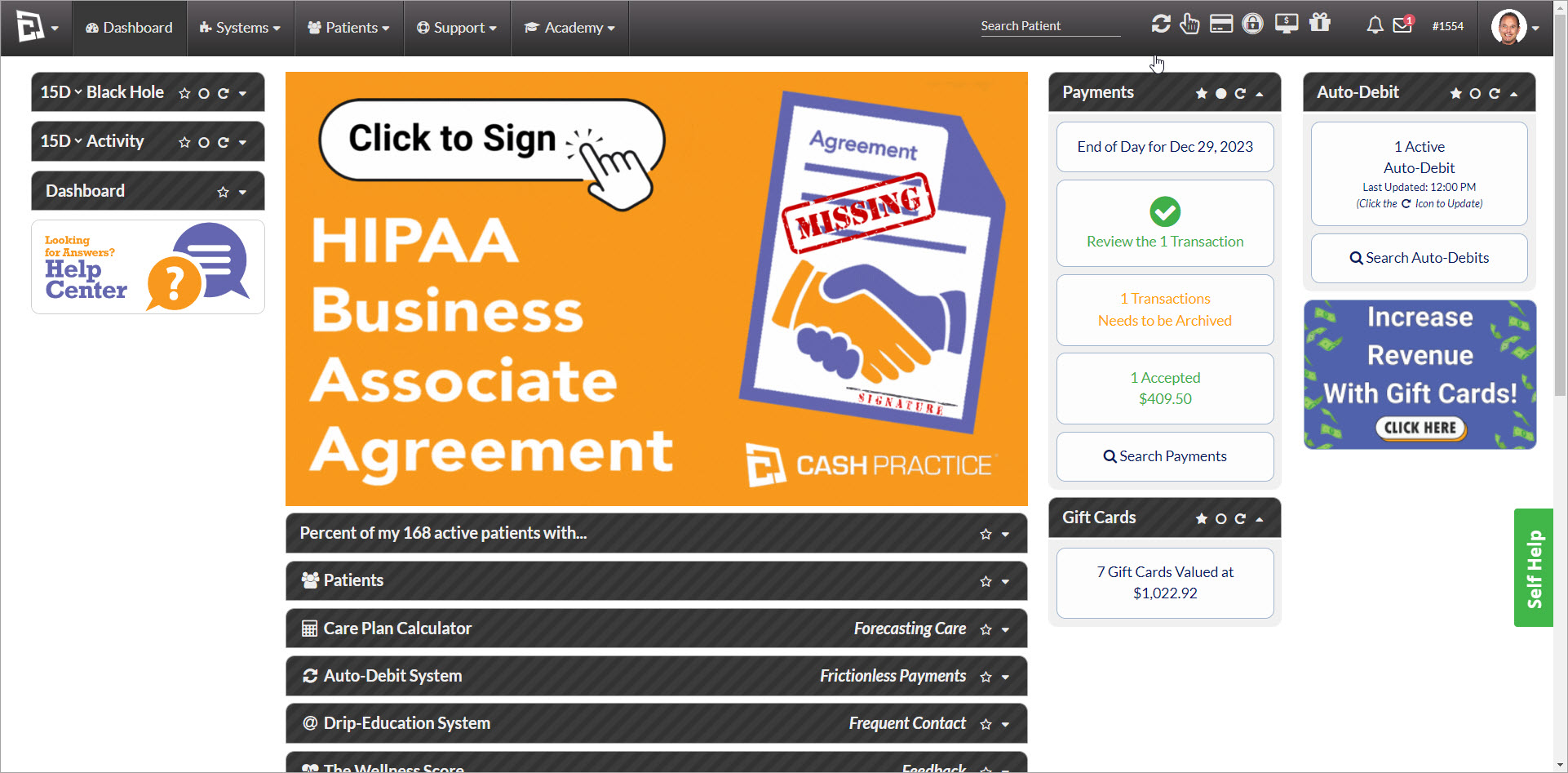
If you see a banner on your dashboard that says [Click to Sign] the HIPAA BAA (like the image below), simply click on the button to sign.
If you do not see the banner on the dashboard, it means you or another account user have signed, and no further action is needed. (Thank you!)
A BAA is a legal contract that outlines the responsibilities of both Cash Practice Systems and your practice in safeguarding patient information. It ensures that we handle PHI in compliance with HIPAA regulations.
By signing the BAA, you can rest assured that your practice is taking proactive steps to protect sensitive patient data. We understand the importance of patient privacy and are committed to maintaining the strictest confidentiality.
Who should sign? Your office's Compliance Officer or another authorized individual (i.e., account owner/ admin) is required to sign this agreement. Follow the instructions below:
Getting started:
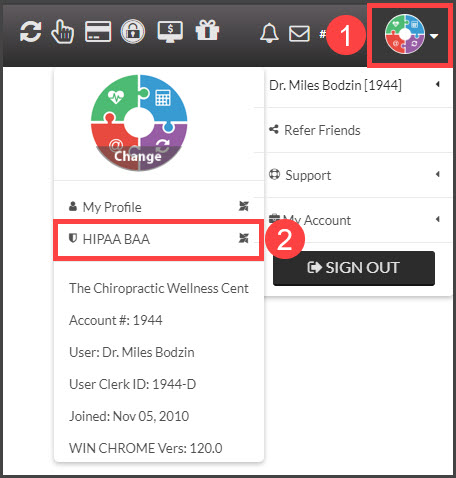
Step 1: While logged into a user account, hover over the [User Profile] displayed in the upper-right-hand corner of the web page → Then hover over your name → Click on [HIPAA BAA].
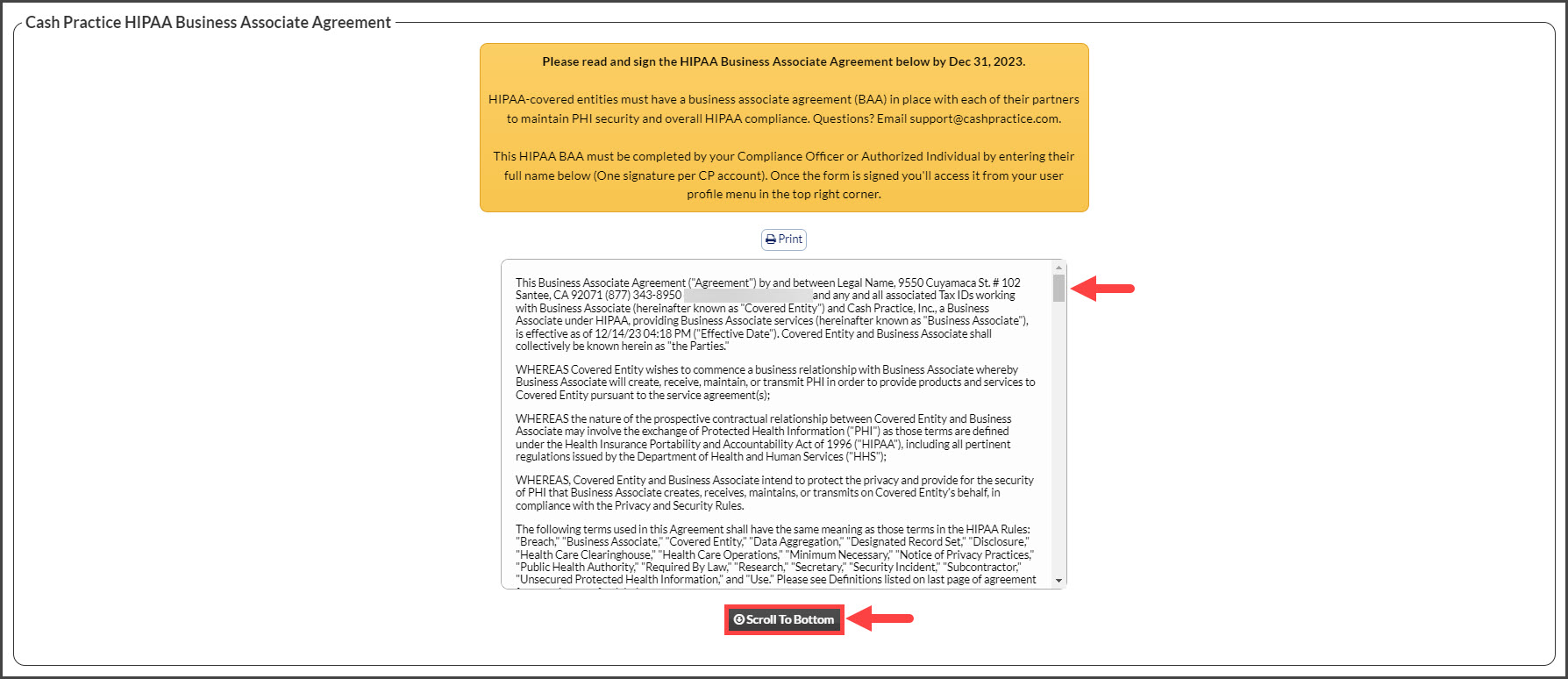
Step 2: Scroll and read through the entire agreement.
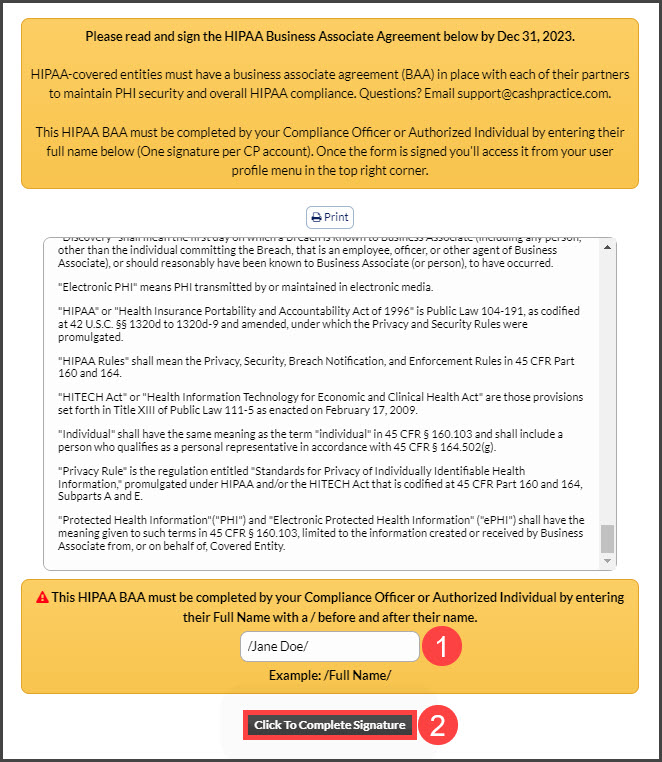
Step 3: Once at the bottom, the Compliance Officer or another other authorized individual will type their name to sign. For example, if their name is Jane Doe, they will type /Jane Doe/ in the box.
Then select [Click To Complete Signature]
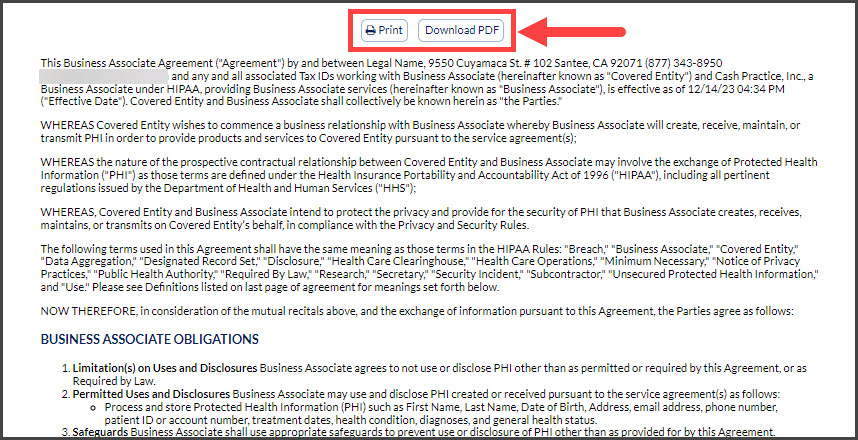
Step 4: Choose to either print this agreement or download it as a PDF to your device.
Additional information below:
"The Privacy Rule allows covered providers and health plans to disclose protected health information to these “business associates” if the providers or plans obtain satisfactory assurances that the business associate will use the information only for the purposes for which it was engaged by the covered entity, will safeguard the information from misuse, and will help the covered entity comply with some of the covered entity’s duties under the Privacy Rule. https://www.hhs.gov/hipaa/for-professionals/privacy/guidance/business-associates/index.html"
With this in mind, please refer to our Privacy Statement https://www.cashpractice.com/privacy/. This copy of our policy may serve as obtaining satisfactory assurances of our process to safeguard protected health information until the revised Business Associate Agreement is available.
If you have any questions, please contact Support@CashPractice.com or (877) 343-8950 x102.