
Logo

Cash Practice® Systems Help Center

Search our knowledge base to get answers to your questions, access video training & more!

Drip-Education® Email Marketing System (Frequent Contact)

Where do I find patient email history?

How to view your patient's Drip-Education email history.

Last updated on 13 Sept, 2025

To view your patient's email history, begin by searching for the patient.

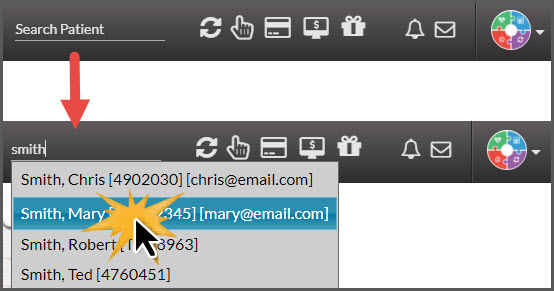
Step 1: Begin typing in your patient's First or Last name in the [Search Patient] bar near the top-right corner of the Dashboard → select the patient record from the drop-down menu.
Image

Step 2: Click on the [Drip-Education® Emails] tab → then select the [Email History] button.

Image


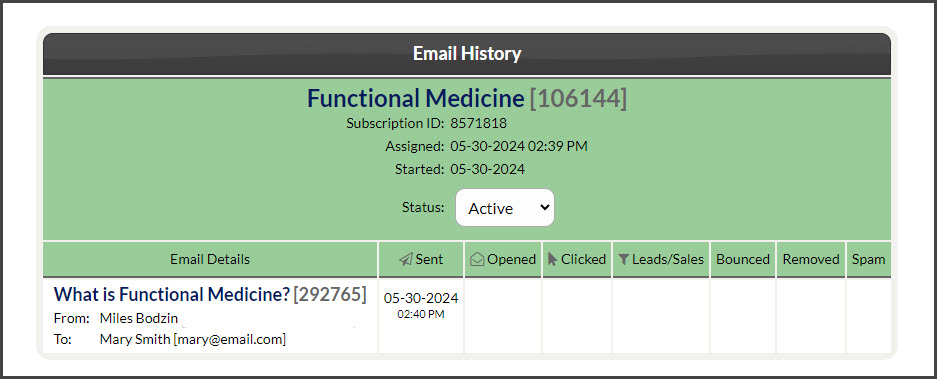
Step 3: Here you'll find both active and past campaigns and broadcasts.
Image

Did you find this article helpful?
Previous

CP Online™ Forms

Next

© 2026 Cash Practice Systems. All rights reserved.