
Logo

Cash Practice® Systems Help Center

Search our knowledge base to get answers to your questions, access video training & more!

FAQ: How Can I Purchase a Product from the Shopping Cart?

Auto-Debit System® (Frictionless Payments)

FAQ: How Can I Purchase a Product from the Shopping Cart?

Last updated on 13 Sept, 2025

Log in to your account via CashPractice.com and proceed to the Shopping Cart.

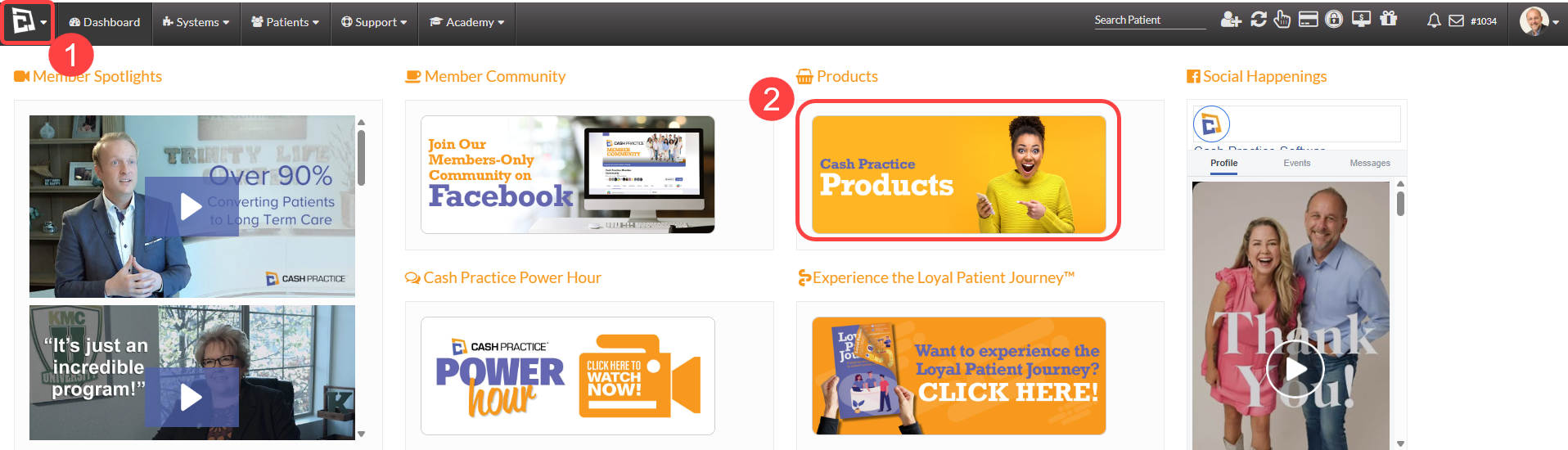
Step 1: Hover over the Cash Practice® Logo at the top left-hand side of the page and click on [Cash Practice Products].
Image

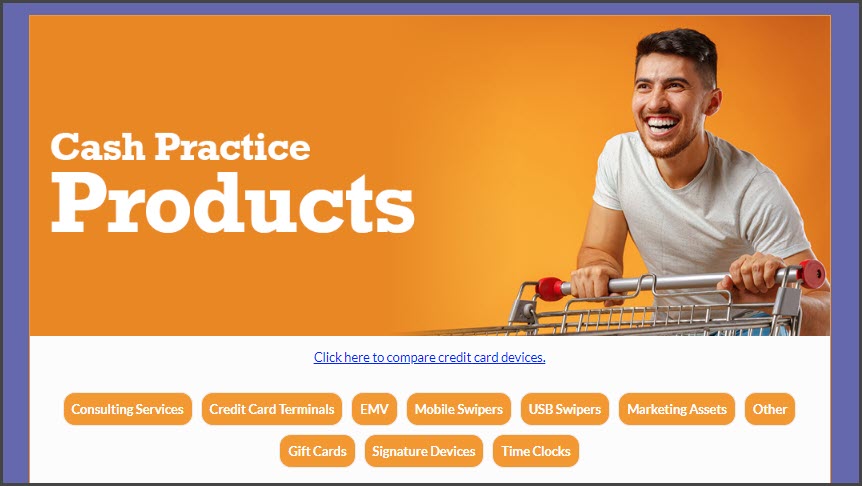
Step 2: This will bring you to the Cash Practice® Products page. You will select an item by clicking on [Add To Cart].
Image

Note: If you want to order more than one product, click [Continue Shopping], and you can add more items to the shopping cart.

Did you find this article helpful?
Previous

Receipts: How can I customize my email receipts header and footer?

Next

© 2026 Cash Practice Systems. All rights reserved.