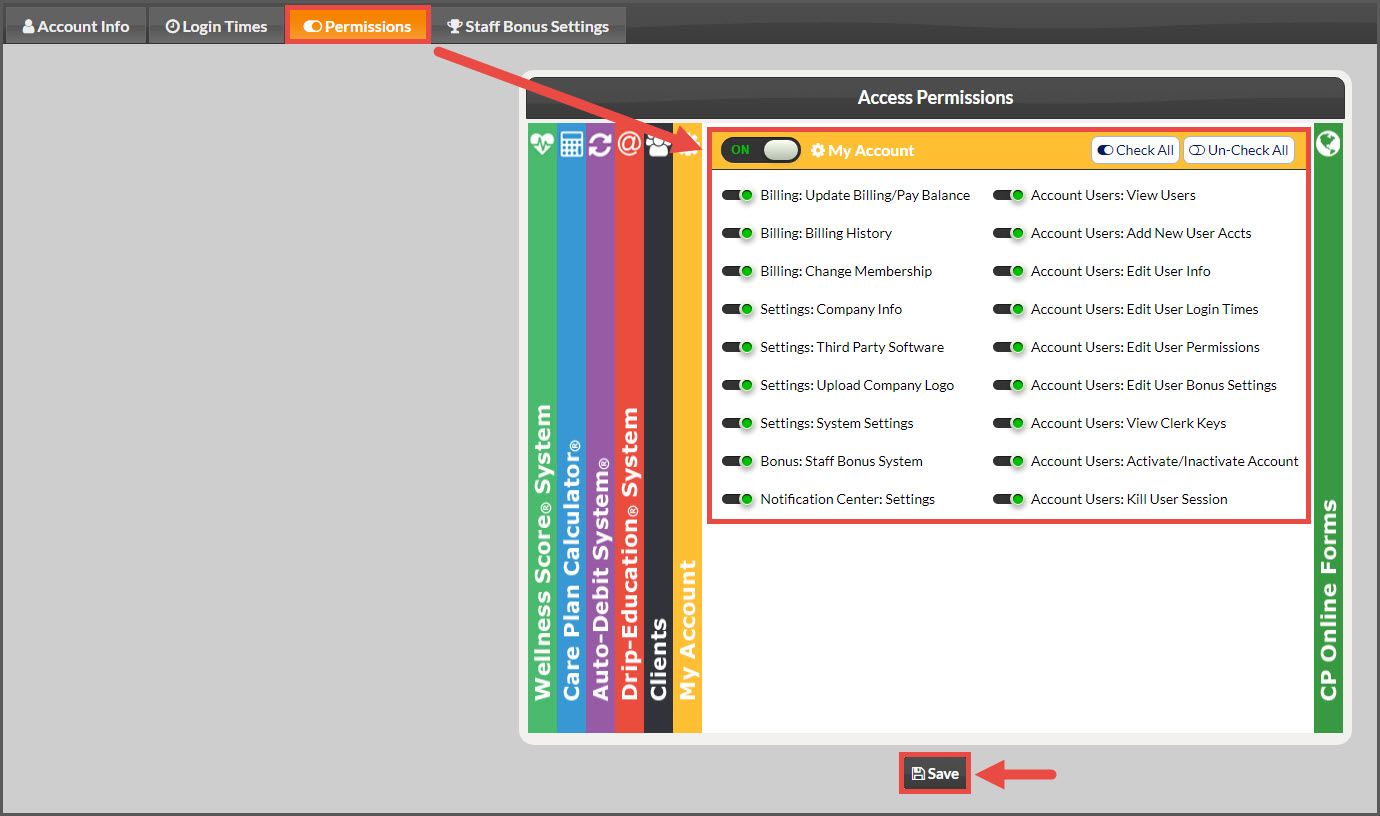
The Admin/Owner always has access to the [My Account] section of the User Profile. Account users will only have access to the [My Account] section if they are given permission.
Why?
The office manager needs to be able to create new account users, edit existing user permissions, access Third Party Software settings, etc without involving Admin/Owner.
How?
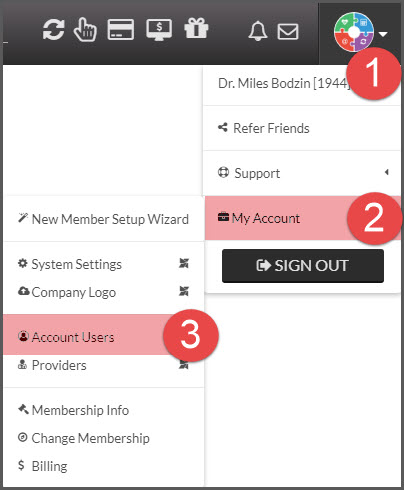
Step 1: From the [User Profile] menu → hover over [My Account] → click on [Account Users].
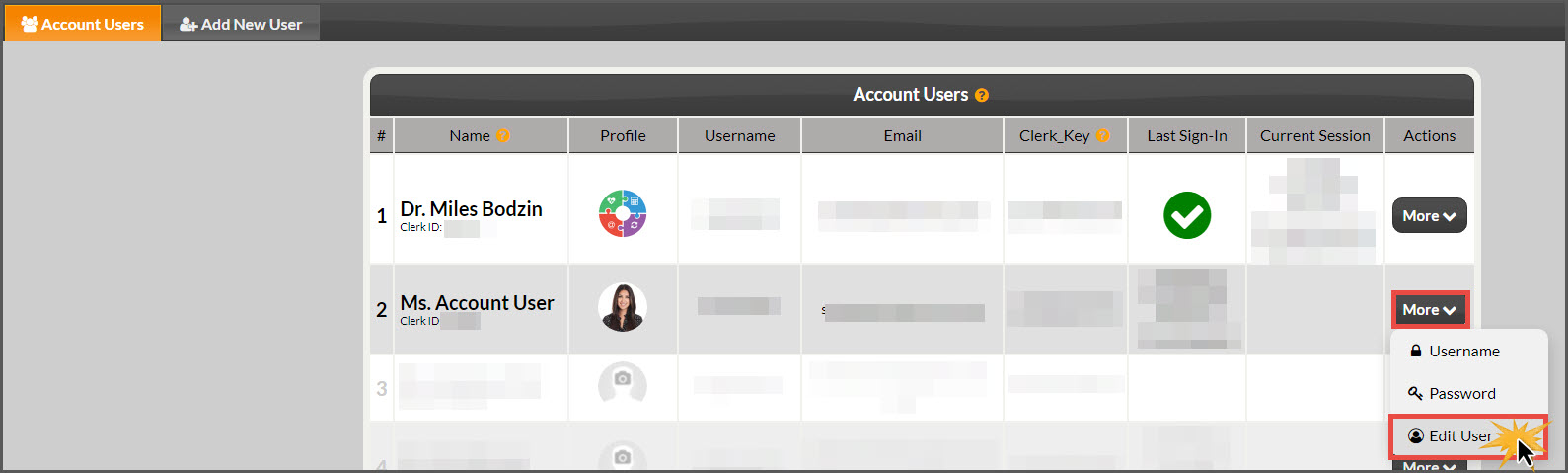
Step 2: Click [Actions] and select [Edit User] for the account user you want to give permissions to.
Step 3: Click on the [Permissions] tab→ select the [My Account] section→ switch the radio icon to [ON] to grant access→ check the boxes for the permissions you want the user to have access to→ click [Save].