

If you use SBC Global/Yahoo/Att.net/AOL as your Email Service Provider and are not getting ADS email alerts, the emails are likely being marked as spam and deleted before reaching your Inbox.
Please note that the ADS email reports do not provide detailed payment information for security reasons. You should regularly log into your cashpractice.com account to review your Posted Payment Report.
While Cash Practice® strives to ensure email delivery, we cannot guarantee that your Email Service Provider will deliver all emails. This is a common issue for many email system administrators, not just CashPractice.com.
Here is how to help prevent the emails from being marked as spam:
Step 1: Log on to your SBC Global (or Yahoo) email account, then follow the sequence below:
A. Open the [Settings] menu.
B. Click on [Rules].
C. Choose the [Add New Rule] button.
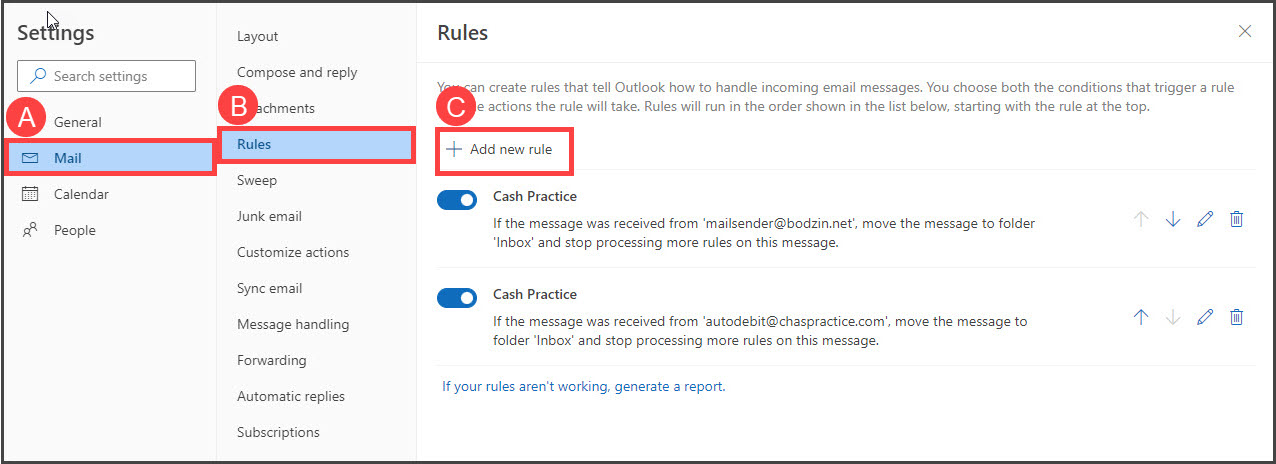
Step 2: Now, you will be prompted to complete the following:
A. Name the Rule (Filter) "Cash Practice".
B. Next, under [Add a condition] ensure the drop-down menu says "From", then type in AutoDebit@CashPractice.com
C. Then, in the [Add an action] section, select the options to [Move to] your [Inbox]
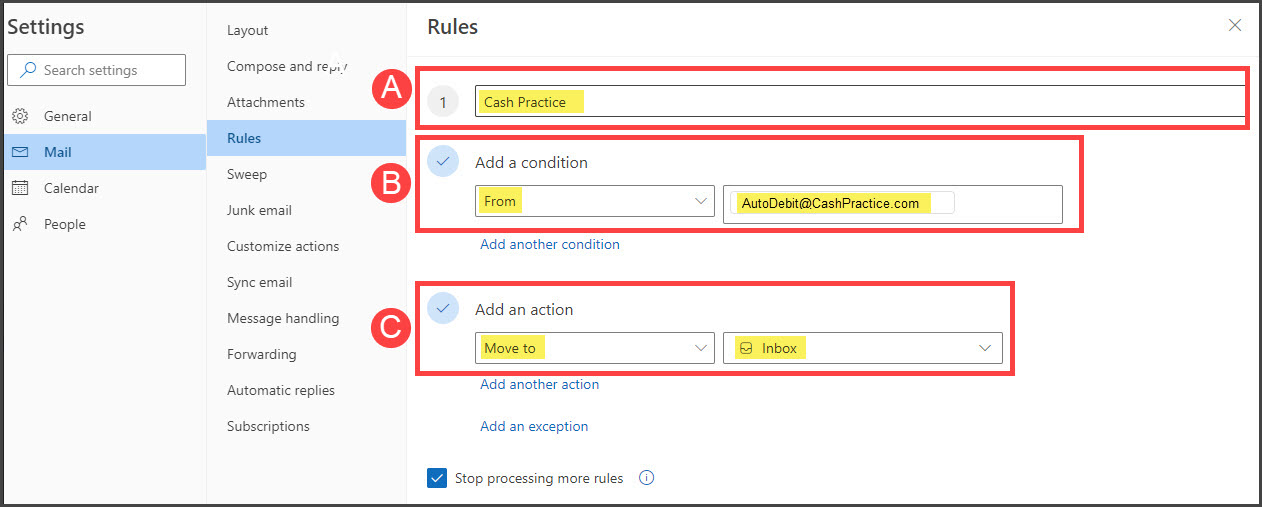
Step 3: Repeat the steps by adding another rule for MailSender@Bodzin.net