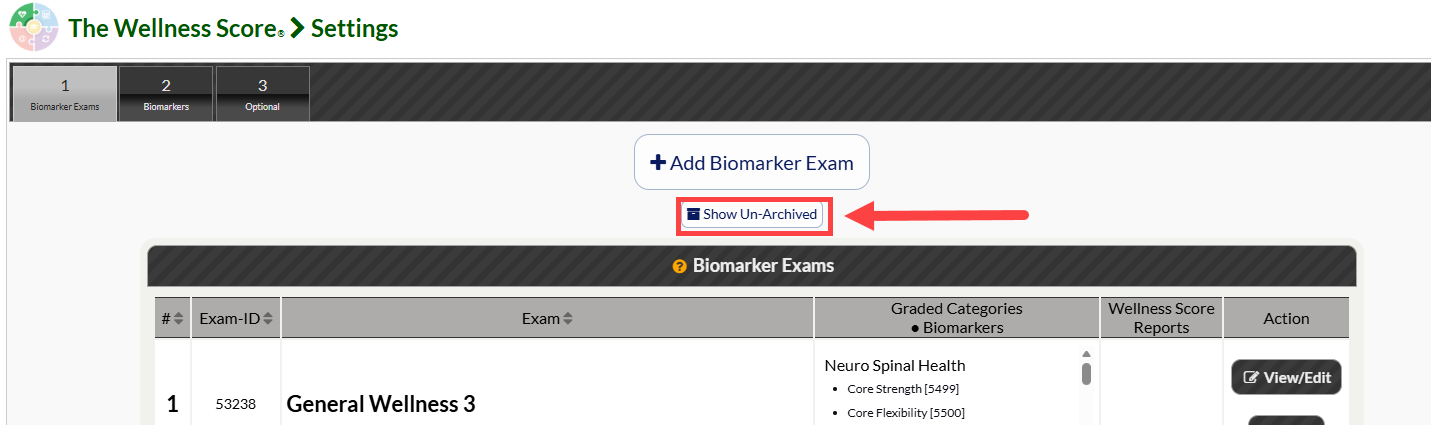
In this tutorial, you will learn how to archive or unarchive a biomarker exam from your dashboard.
Start here:
Step 1: Follow the sequence below to access your WS Settings:
Hover over the [Systems] menu
Click on [The Wellness Score®]
Select [Setup]
Click on [WS Settings].
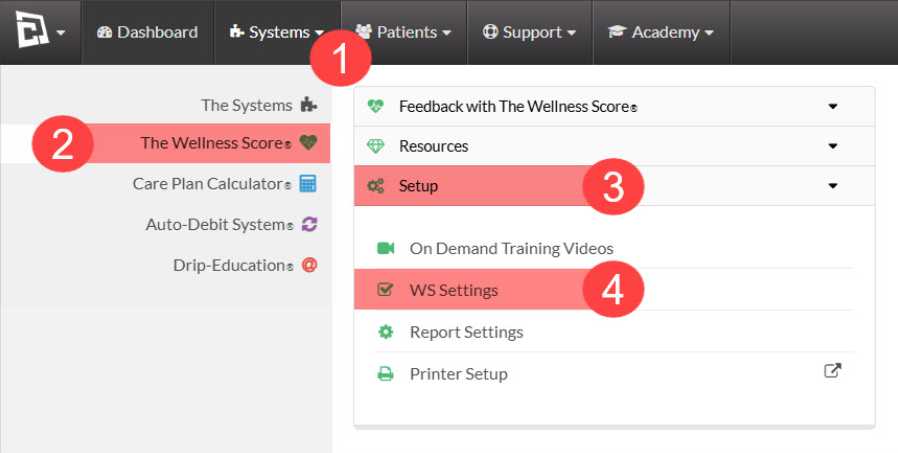
The page will automatically load under the [Biomarker Exam] tab once you click on WS Settings.
To Archive a Biomarker Exam:
Step 2: From the list of Biomarker Exams, select the [More] button and next to the Biomarker Exam you'd like to archive. Then select [Archive]. Click OK on the pop up notification continue.
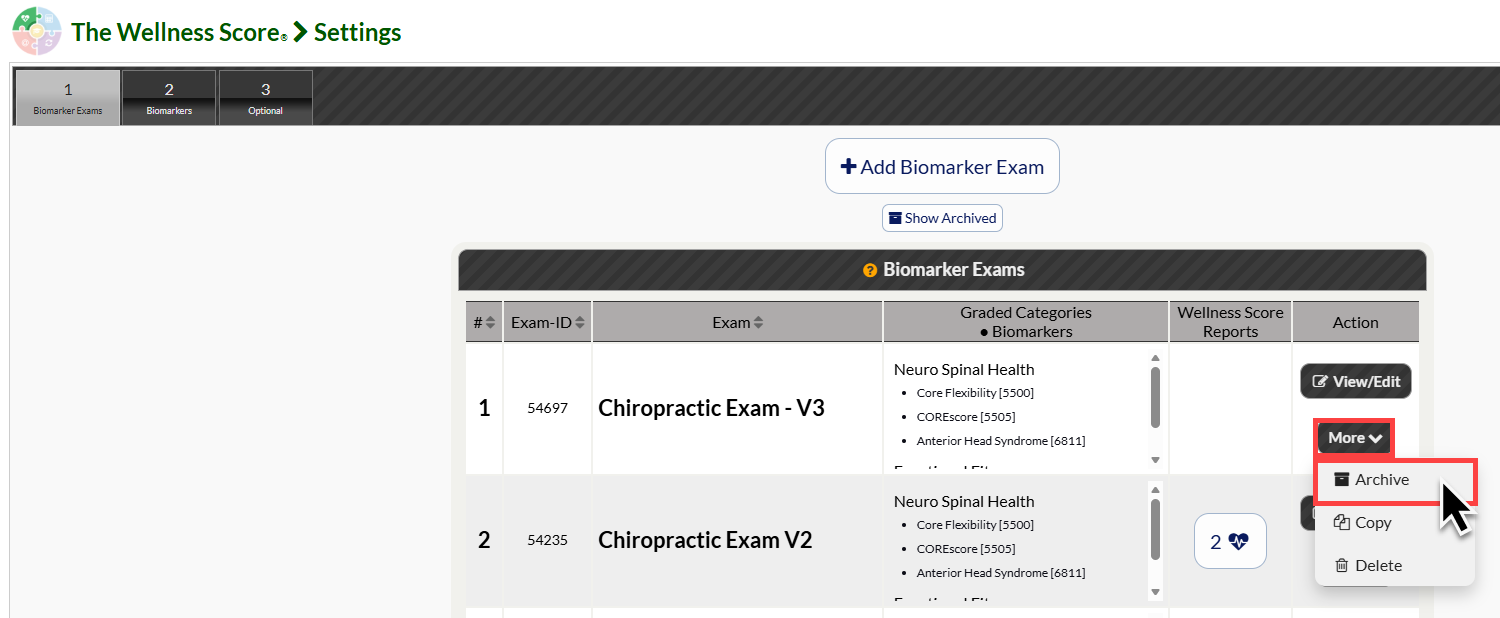
You will see a green notification that confirms the Biomarker Exam has been successfully archived.

To Un-Archive Biomarker Exam & Access Archived Biomarker Exams:
Step 2: Click on the [Show Archived] button to access the list of archived Biomarker Exams.
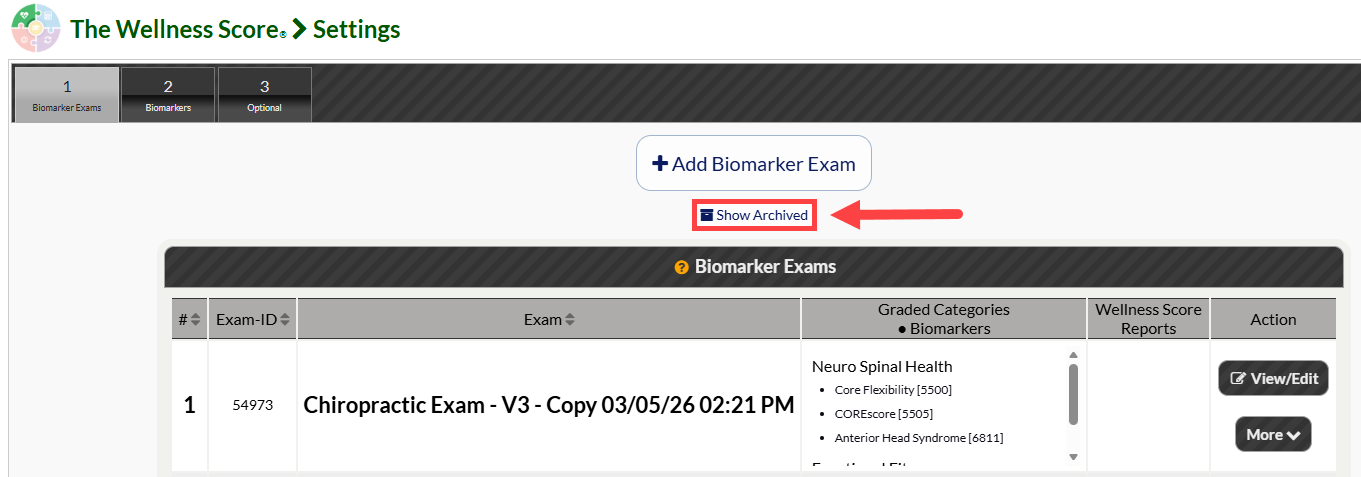
Step 3: Click on the [More] button next to the Biomarker Exam you'd like to Un-Archive, then select [Un-Archive]. Click OK on the pop up notification continue.
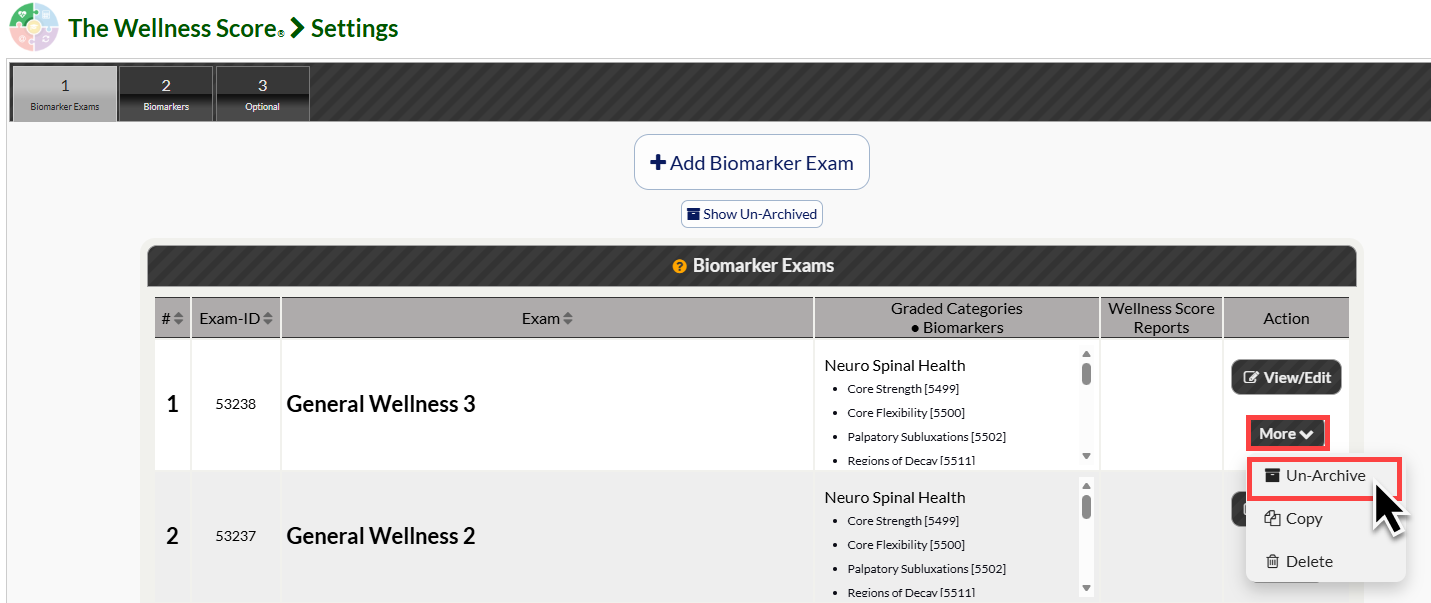
You will see a green notification that confirms the Biomarker Exam has been successfully un-archived.

(Optional) Step 4: To return back to the list of Un-Archived Biomarker Exams, simply click the [Show Un-Archived] button.