

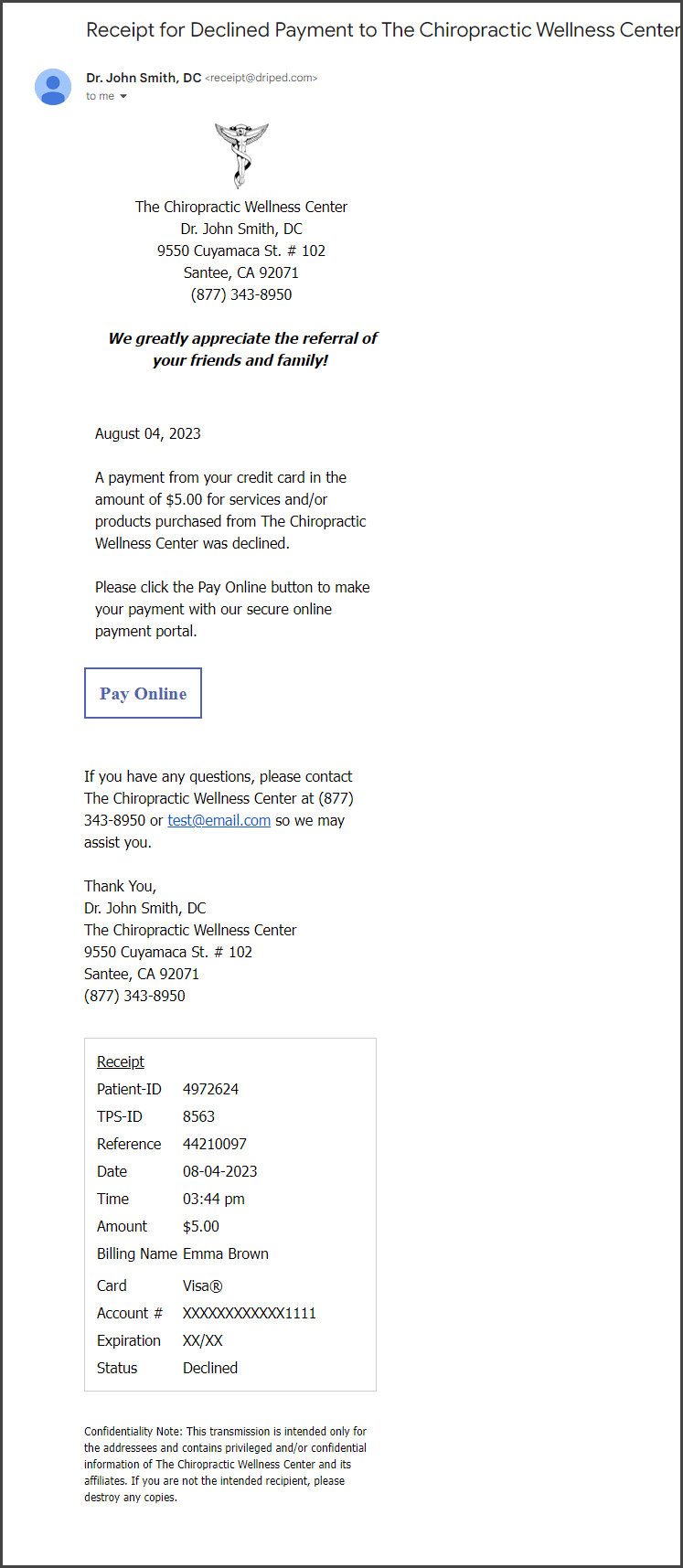
Your account has the ability to have patients receive an email when their payment is declined, which instructs them to take action and reprocess the payment online.
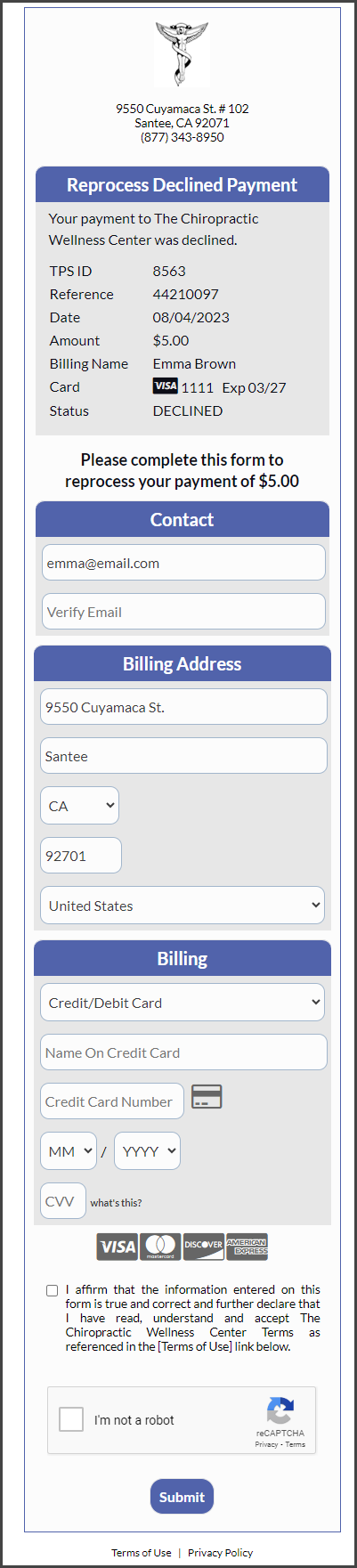
When the patient clicks the [Pay Online] button in the declined email notice, they will be directed to a secure CP Online Form™ that will allow them to reprocess the declined payment. (Exciting, right?!!) All that you need to do to turn this on is explained HERE.
Example of the email that would be sent to the patient when their payment is declined:
When the patient clicks the [Pay Online] button, they will be directed to a secure CP Online Form that allows them to reprocess the declined payment:
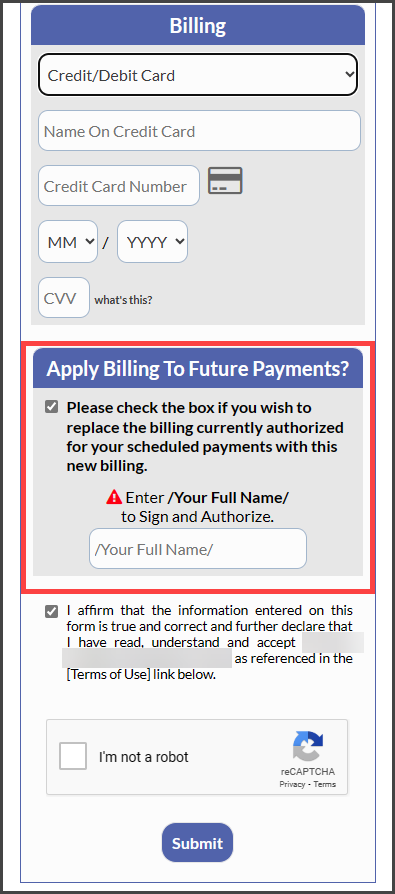
If the payment is associated with a recurring Auto-Debit, they will be prompted to update the billing on file for future remaining payments:
This is how the reprocessed declined payment will look on your Payments Report when it's accepted:
