

Create a Drip-Ed™ Signature for ALL of your emails!
You can now use the Drip-Ed™ Signature to create a custom signature to be placed on all of your broadcast and campaign emails! Once the signature has been created, use the %Signature% Drip-Ed™ Variable to insert the signature into your email. This is much easier than drafting up a new signature each time with the multiple emails you will have saved in your campaigns.
Getting started:
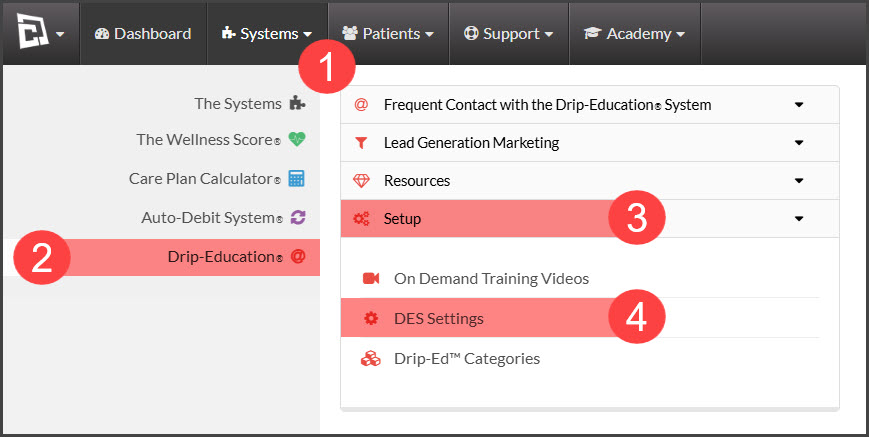
Step 1: From the navigation menu, go to → [Systems] → [Drip-Education®] → [Setup] → [DES Settings].
Step 2: Click over to tab [3 Signature]. Here you can create your signature using the [Mail Merge Variables Library]. We recommend you use the variables information in your signature so that in the event that your office information has changed, such as an address or a phone number, it automatically updates the information in your emails once it is updated in your [User Profile].
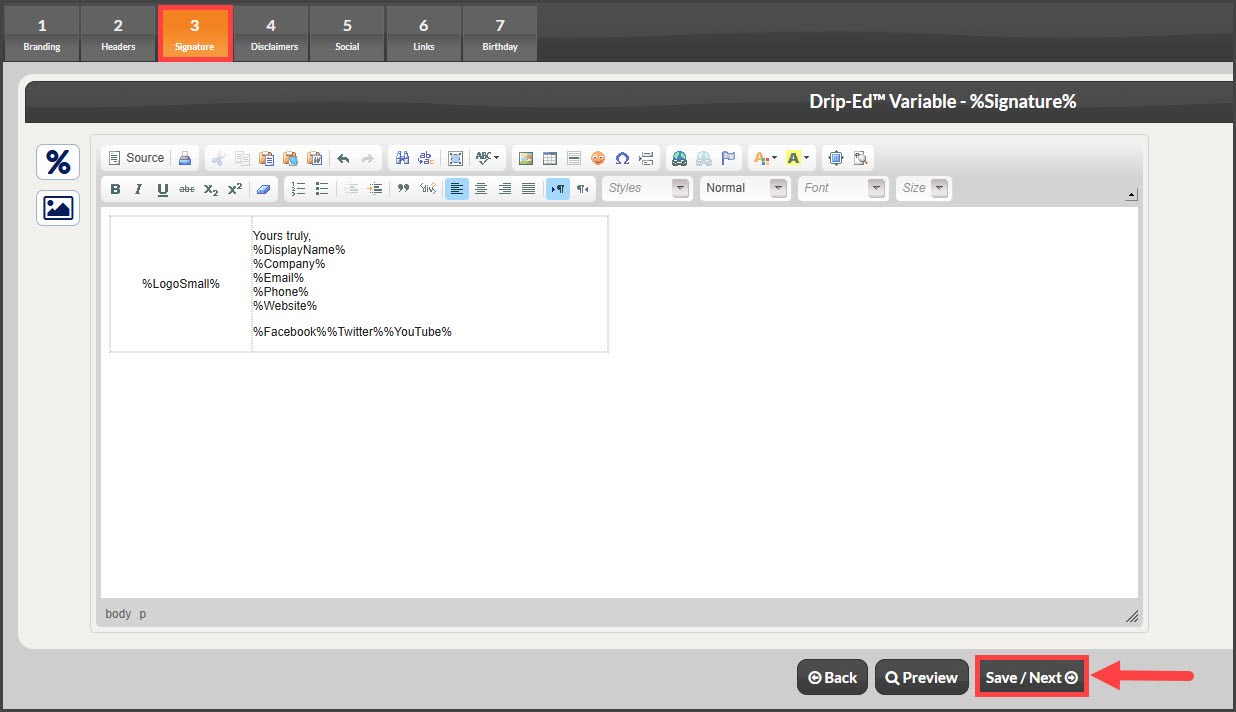
Step 3: When done, click [Save/Next].