

You have the ability to upload your business logo to appear on plans, receipts, and even emails.
Note: To upload your logo, you must be signed in as the administrator on the account or have permission to access this portion of the site.
To get started, follow the sequence below:
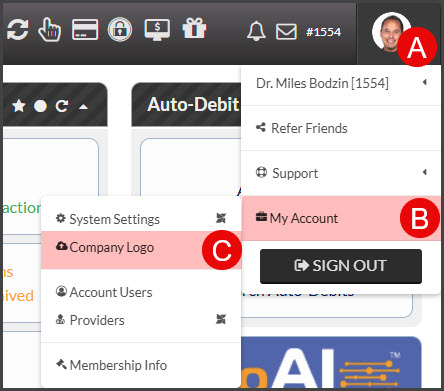
A: Hover over your [User Profile].
B: Hover over [My Account].
C: Click on [Company Logo].
Step 1: Click on the [Choose File] button to browse your computer for the image file.
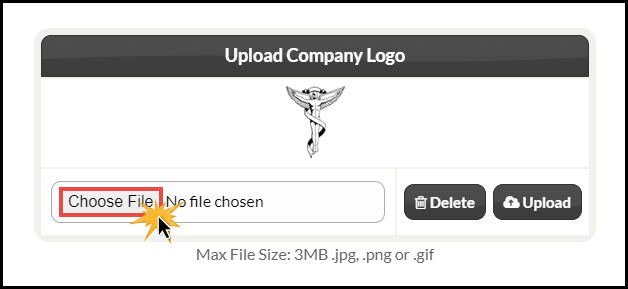
Step 2: Once you open the desired file, click on the [Upload] button.
Step 3: If you do not see your logo appear, refresh the page once the upload is complete. If you still do not see your logo, you may need to clear the cache on your computer. CLICK HERE for instructions.