

What are Health Categories?
Health Categories appear on your Wellness Score® Reports in order to effectively communicate to your clients why what you have measured and scored affects their overall health.
All Parameters are assigned to Categories, and those Categories appear on every Wellness Score® Report.
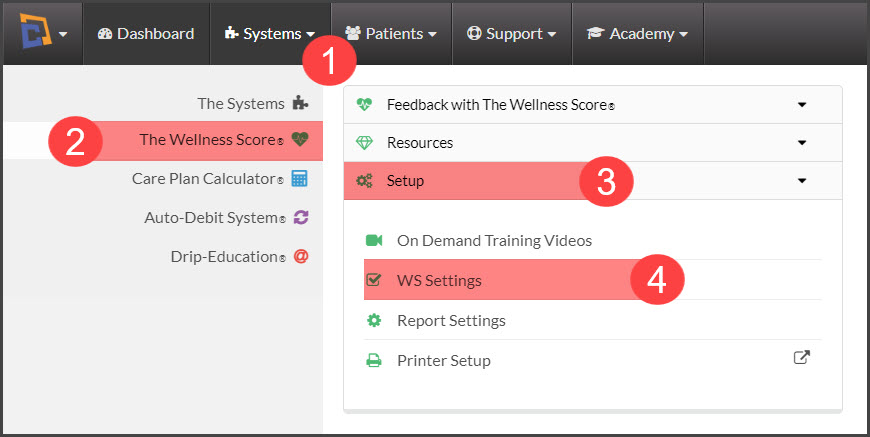
Step 1: From The [Systems] menu → [The Wellness Score®] menu → click [Setup] → then select [WS Settings].
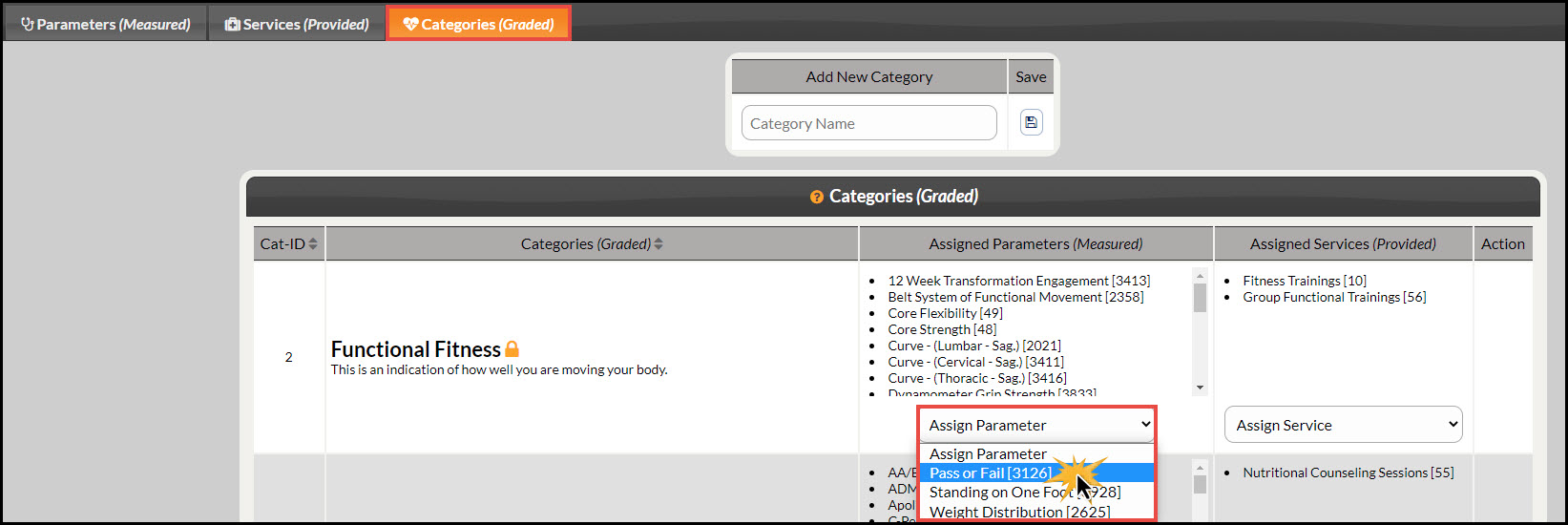
Step 2: Click on the [Categories (Graded)] tab. Locate the Category you would like to add your parameter to. Click on the [Assign Parameter] drop-down menu and select the parameter you would like to add.
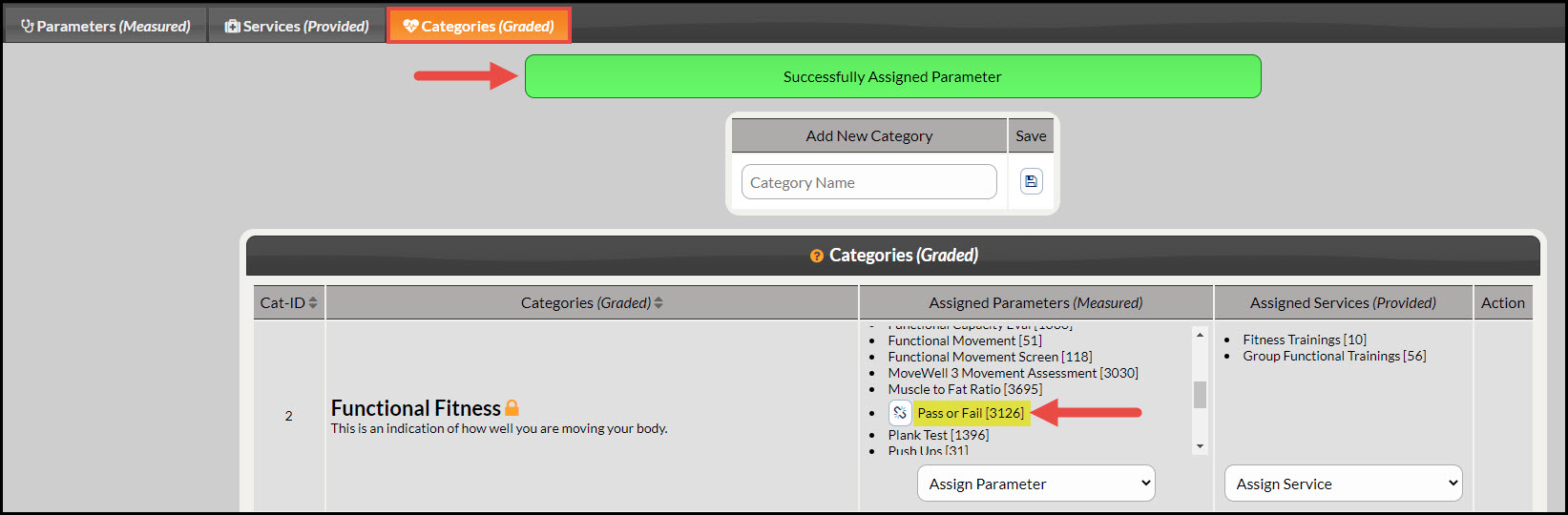
Step 3: Once completed, the page will reload with an alert displayed at the top saying "Successfully Assigned Parameter". You will also see the assigned parameter is now listed in the [Assigned Parameters (Measured)] column along with others. See the example below:
Step 4: [IMPORTANT NEXT STEP] If you just assigned a newly created Parameter to a Category, it is now qualified to be assigned to a Parameter Set. For instructions on how to assign the Parameter to a set click HERE.