

What are Health Categories?
Health Categories appear on your Wellness Score® Reports in order to effectively communicate with your patients why what you have measured and scored affects their overall health.
All Parameters are assigned to Categories, and those Categories appear on every Wellness Score® Exam.
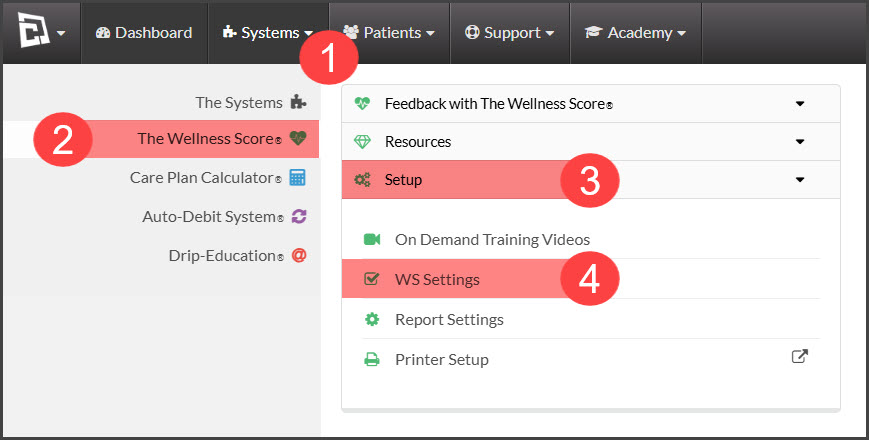
Step 1: From The [Systems] menu → [The Wellness Score®] menu → click[Setup] → select [WS Settings].
Step 2: Access the [Categories (Graded)] tab.
Step 3: At the top of that page, in the [Add New Category] field, type in the name of the new category you'd like to create, then click the [Save] icon.
