What are Health Categories? Health Categories appear on your Wellness Score® Reports in order to effectively communicate with your patients why what you have measured and scored affects their overall health.
All Parameters are assigned to Categories, and those Categories appear on every Wellness Score® Exam.
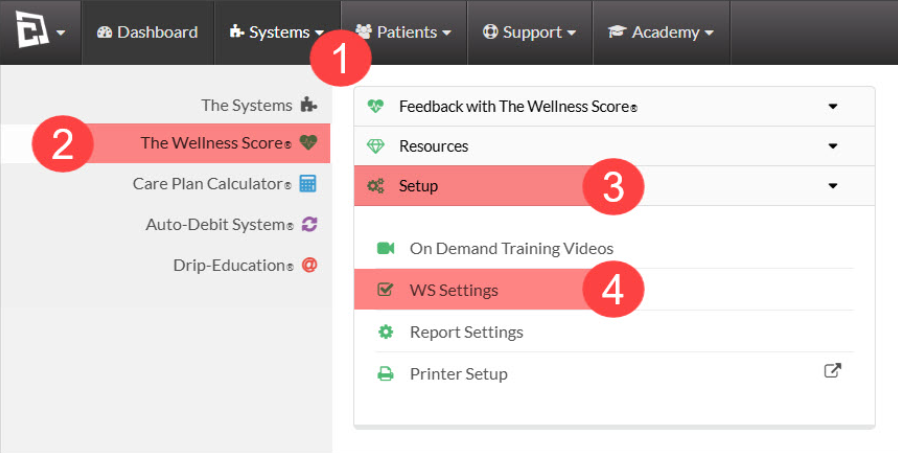
Step 1: Follow to sequence to access WS Settings:
Click on the Systems Menu
Next, select [The Wellness Score®]
Click [Setup]
Select [WS Settings]
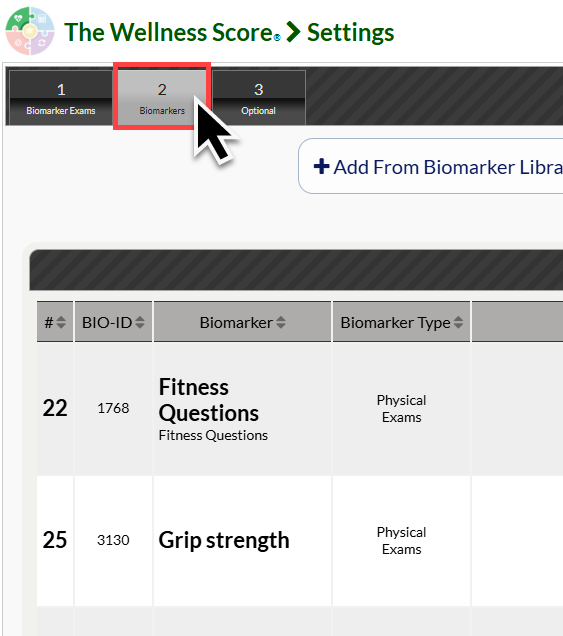
Step 2: Click on the [Biomarkers] tab.
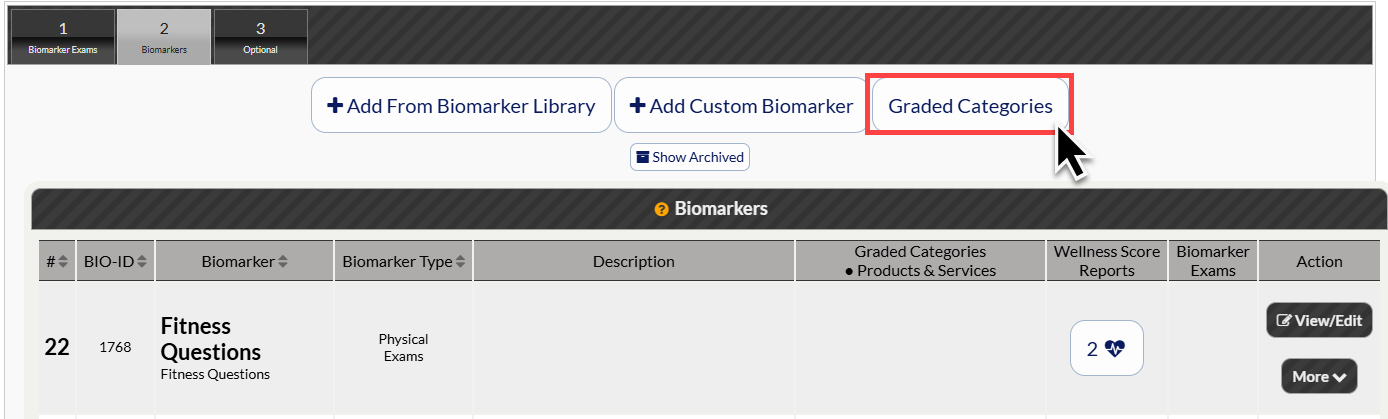
Step 3: At the top of the Biomarkers page, click the [Graded Categories] button. This will open a new window for your Wellness Score System Categories.
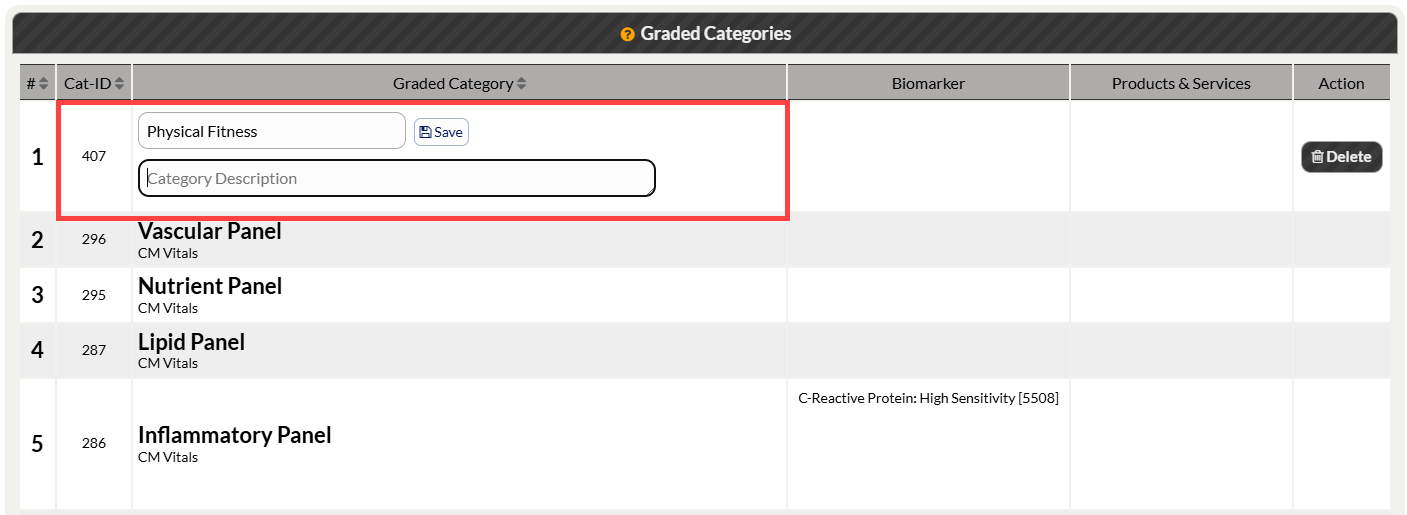
Step 4: Create your new Category by typing the category name in the [Add New Category] box at the top of the page. Then click [Save].
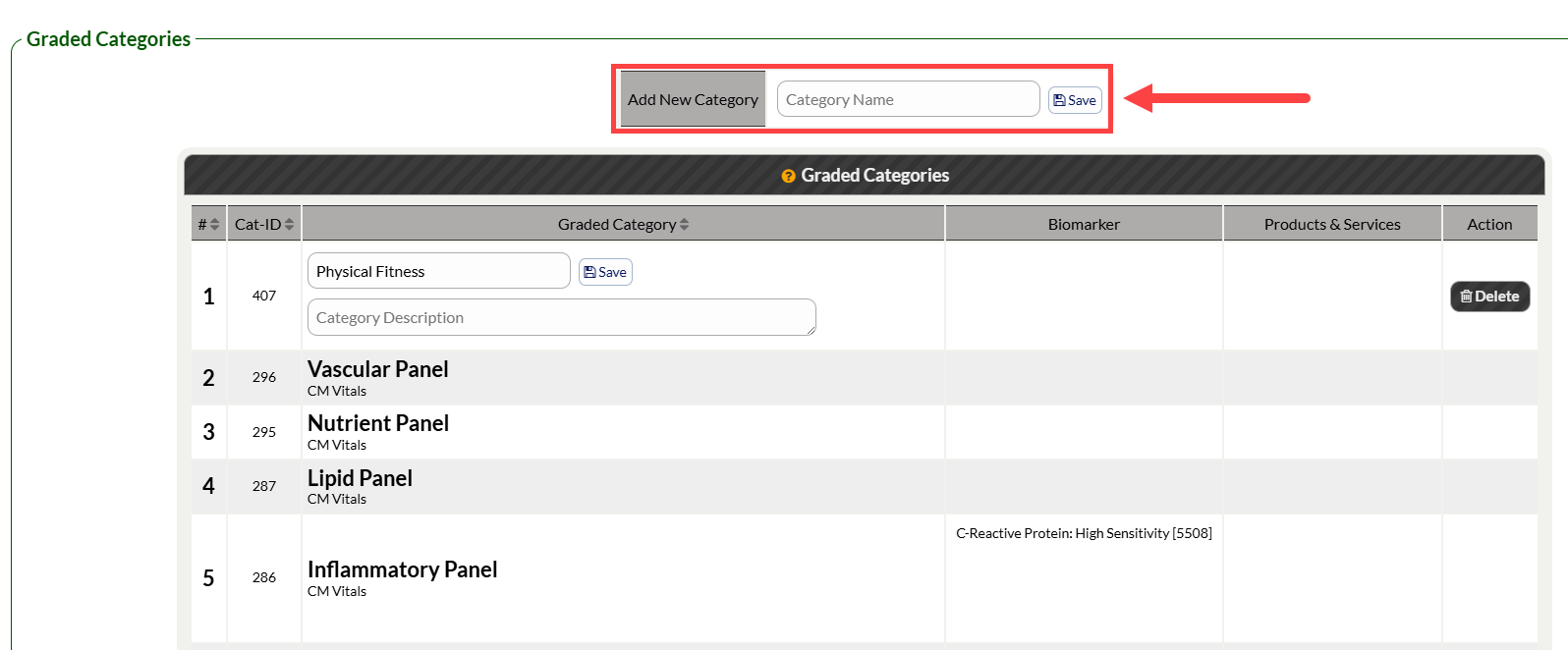
(Optional) Step 5: Edit the name or description of your new Category by typing into the Category's text boxes. Be sure to click [Save] next to the Category name to save any changes.