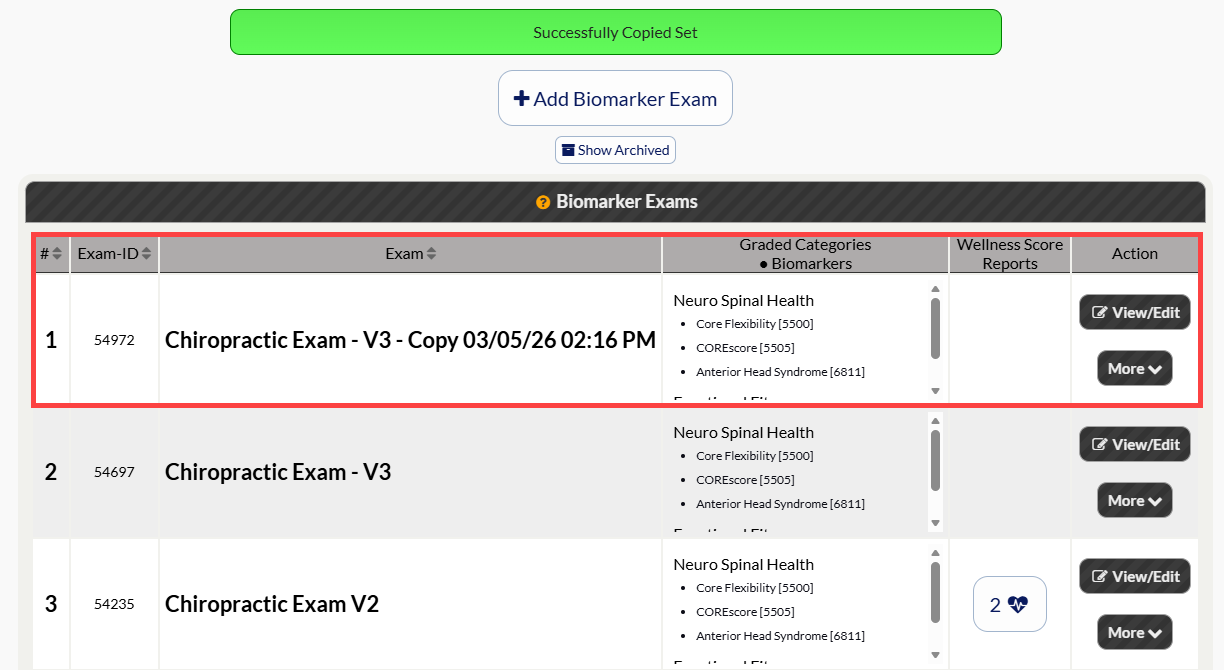
To create a copy of a Biomarker exam, follow these steps:
Let's look at the steps:
Step 1: Follow the sequence below to access your WS Settings:
Hover over the [Systems] menu
Click on [The Wellness Score®]
Select [Setup]
Click on [WS Settings].
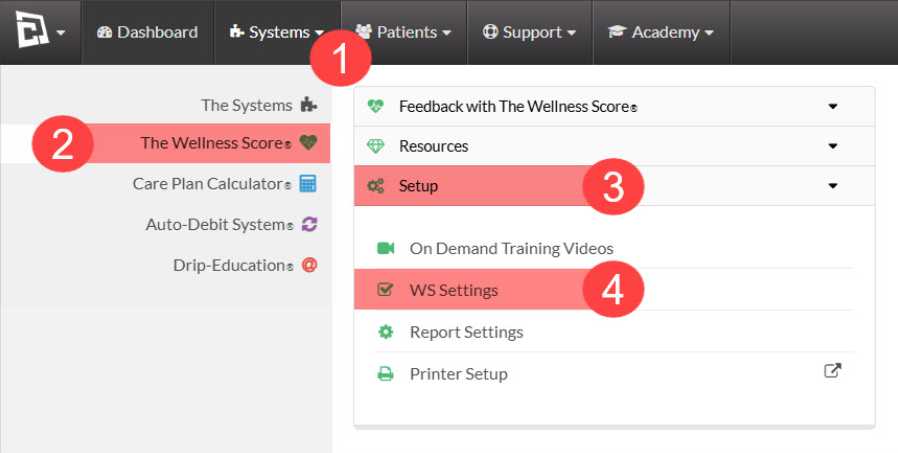
The page will automatically load under the [Biomarker Exam] tab once you click on WS Settings.
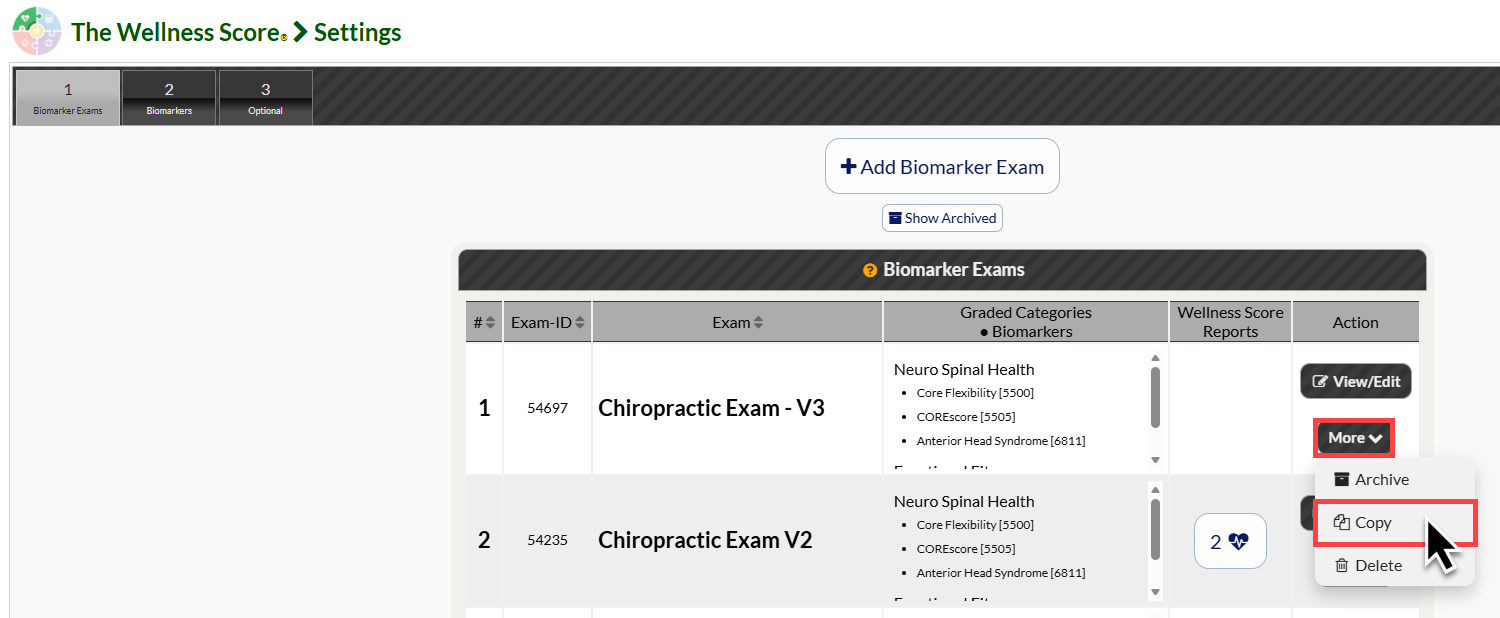
Step 2: From the list of Biomarker Exams, select the [More] button and next to the Biomarker Set you'd like to copy. Then click [Copy].
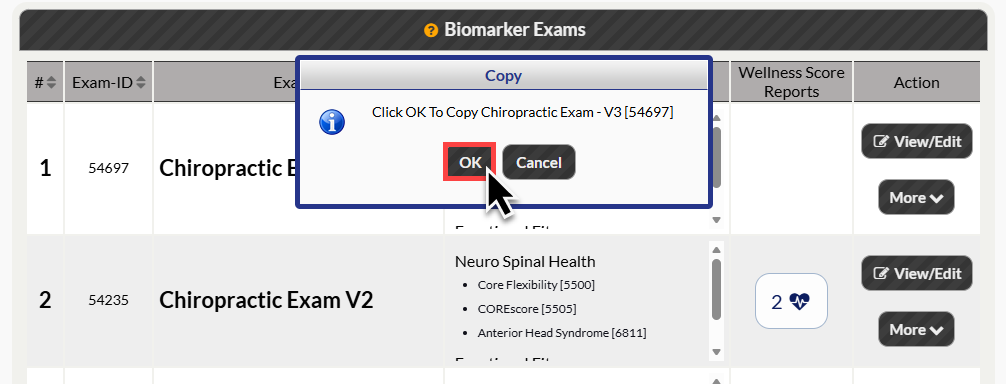
Step 3: Click [OK] to copy the Biomarker Exam.
Step 4: The copy of the Biomarker Exam will be shown at the top of the list, with the copy date and time in displayed in the title.