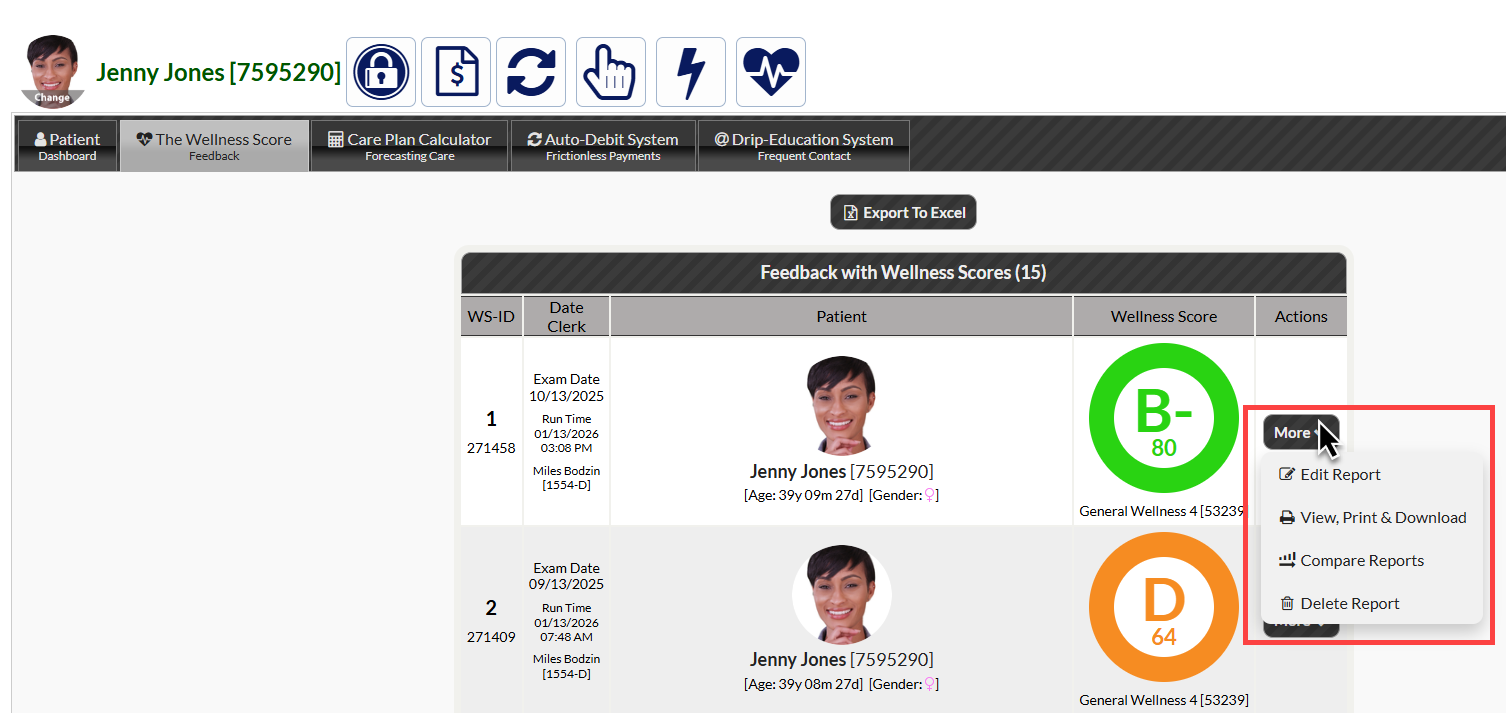
To access a patient's Wellness Score reports, you can use either the [Systems menu] or access them from the Patient Dashboard (account).
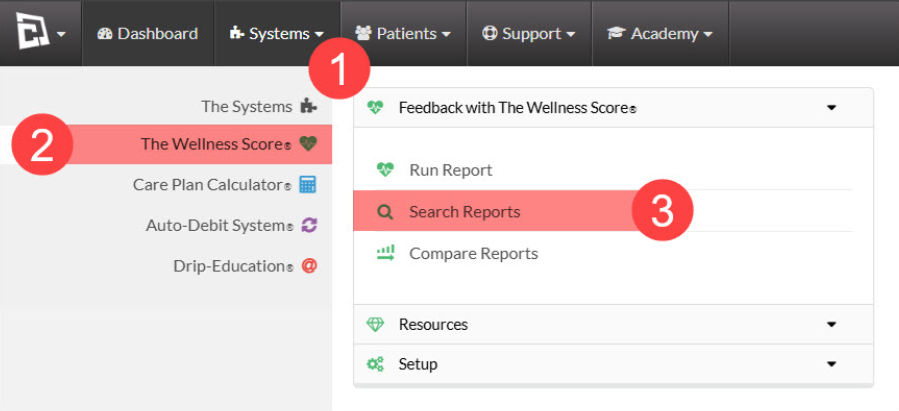
Method 1: From the [Systems] menu.
Step 1: Follow the sequence below:
Hover over [Systems]
Click on [The Wellness Score®]
Then, select [Search Reports].
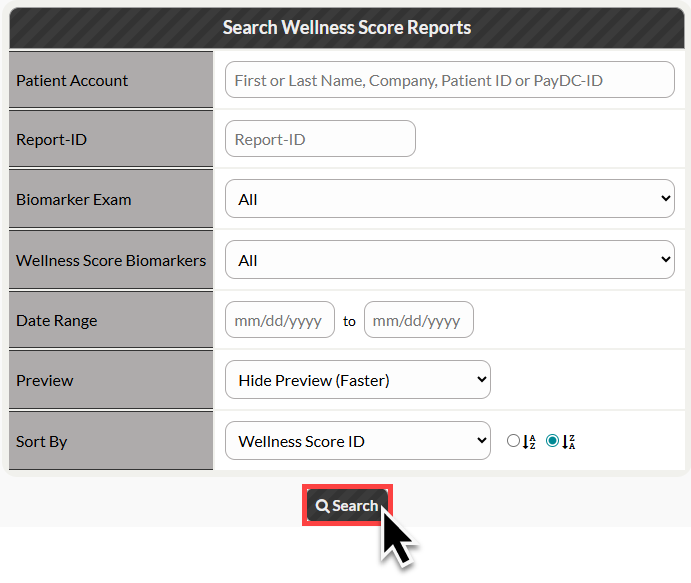
Step 2: Refine the search options for the Wellness Score Report you are looking for, then click [Search].
A list of all results matching your criteria will appear.
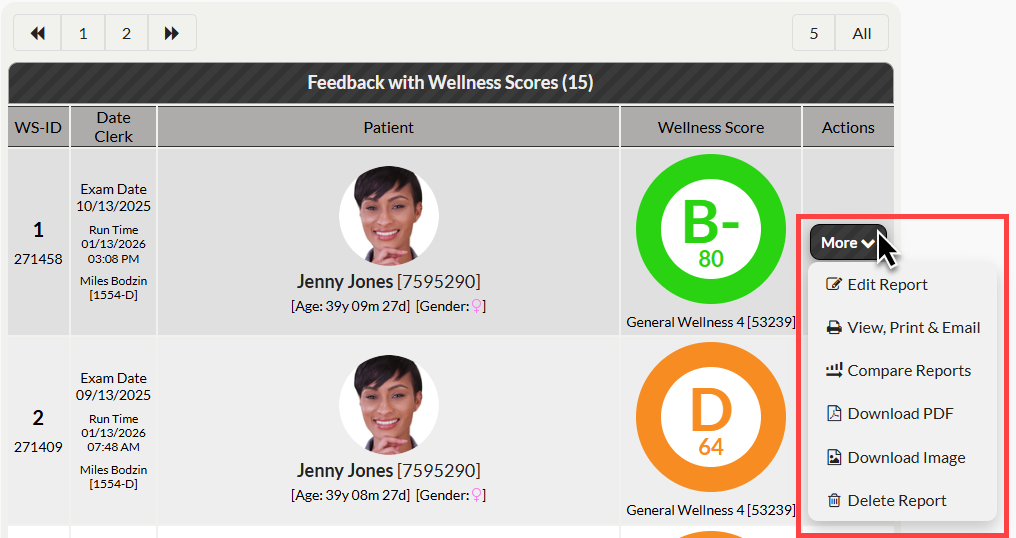
Step 3: Click on the [More] button next to your desired report to view your report options.
Method 2: From the Patient Dashboard (patient account)
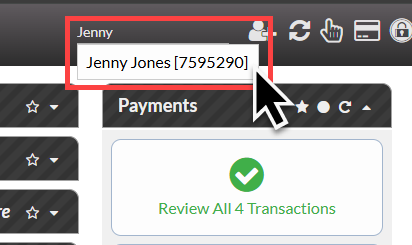
Step 1: Search for your patient using the patient search bar at the top right of your Dashboard.
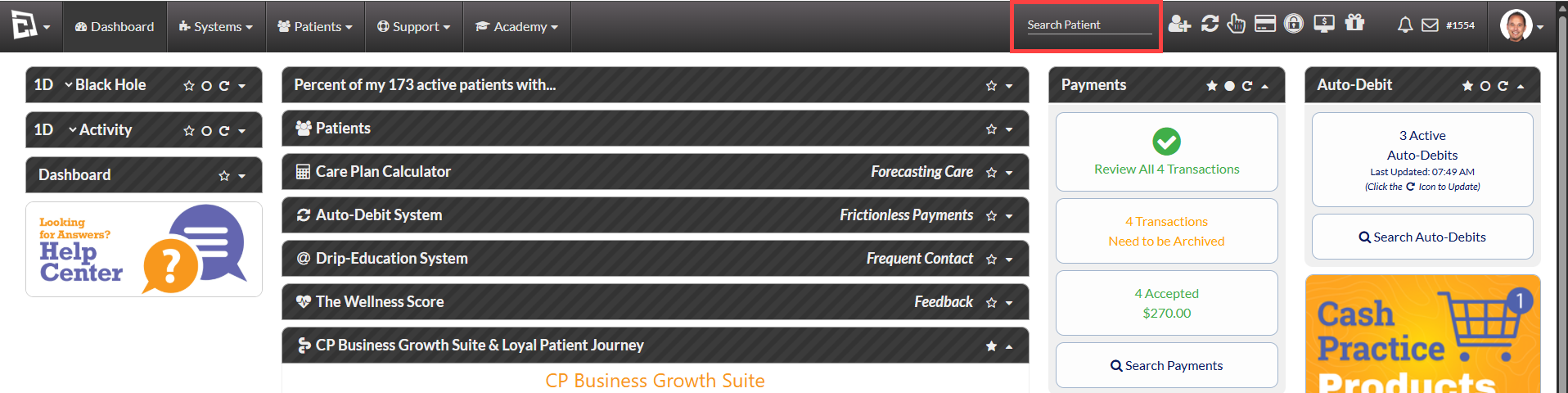
Then, click on the patient's name to open the patient account.
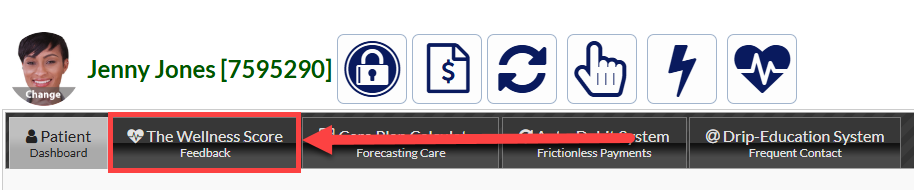
Step 2: Click on the [The Wellness Score] Tab from the patient dashboard.
Step 3: Click on the [More] button next to your desired report to view your report options.