Let's do it together!
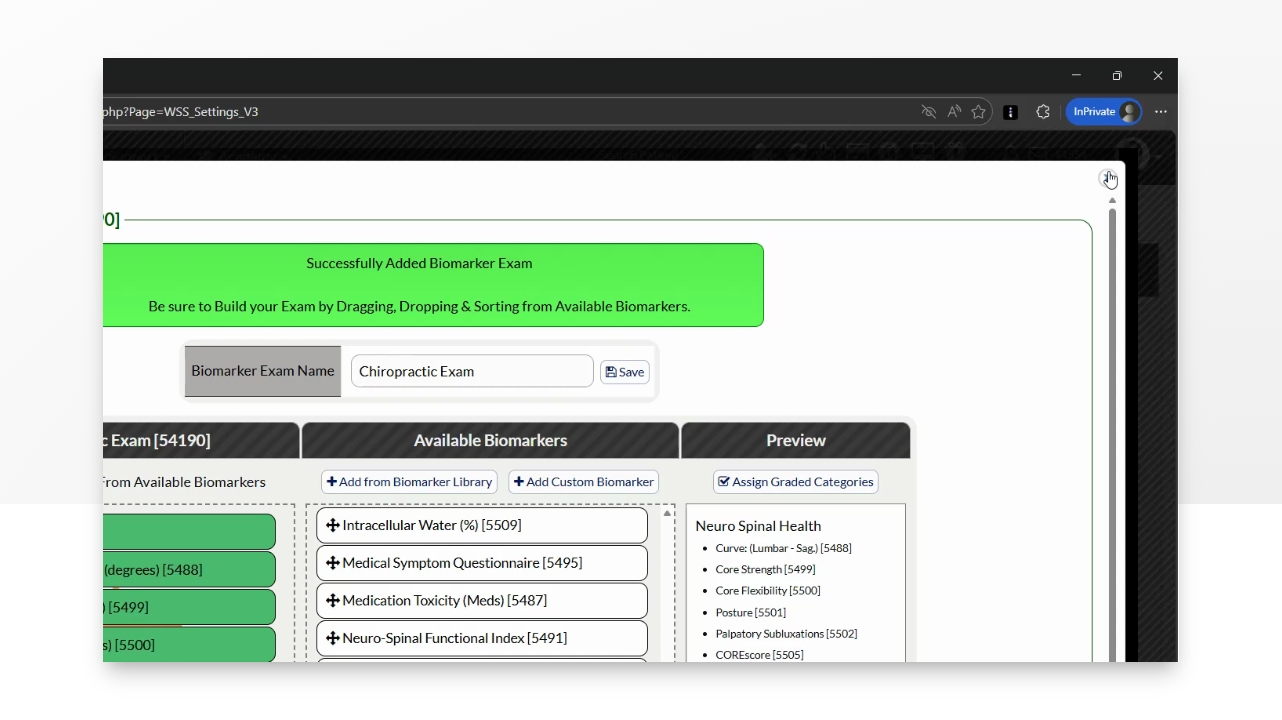
Step 1: Access WS Settings from the Menu
Hover over the Systems → Click on The Wellness Score® → Click Setup → Click WS Settings
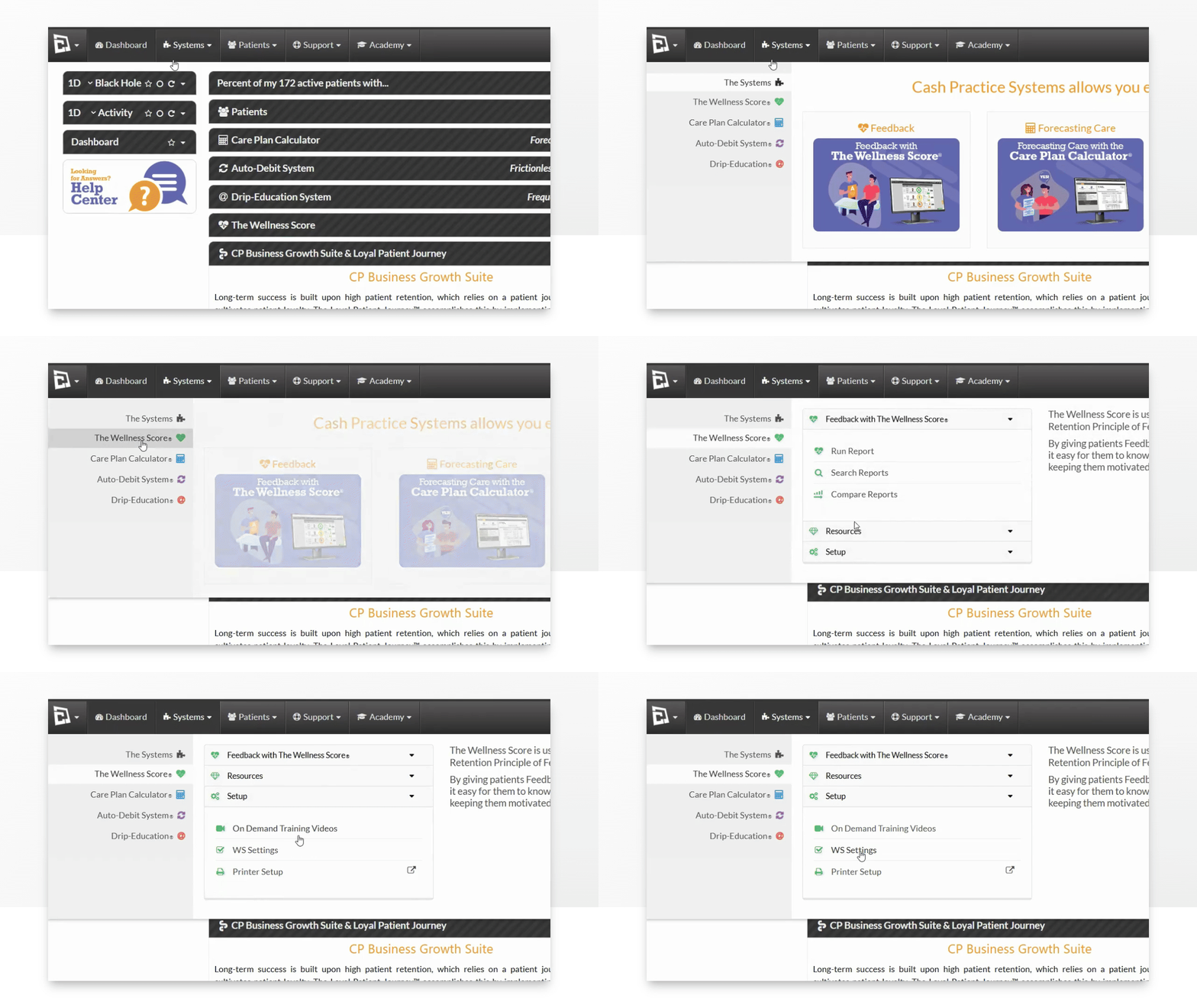
Step 2: Click Add Biomarker Exam
Click + Add Biomarker Exam to initiate the creation of a new exam.
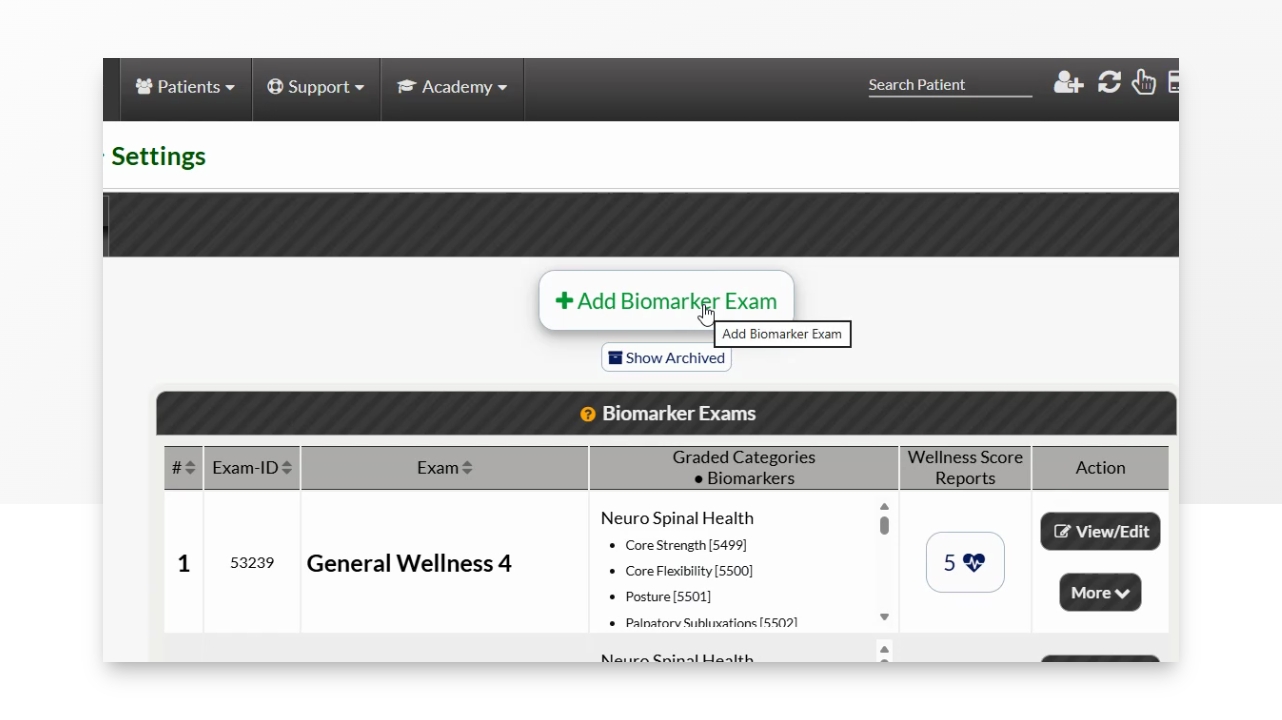
Step 3: Name the Exam
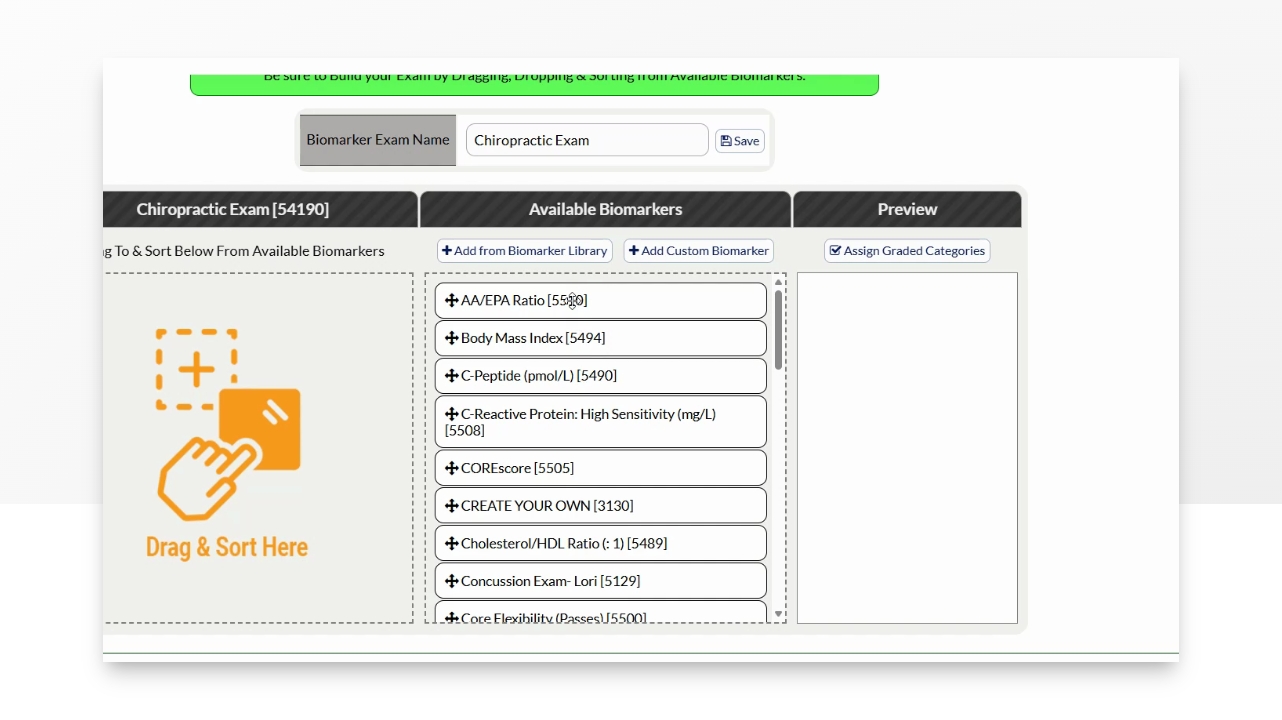
Provide a name for your new biomarker exam and click Save.
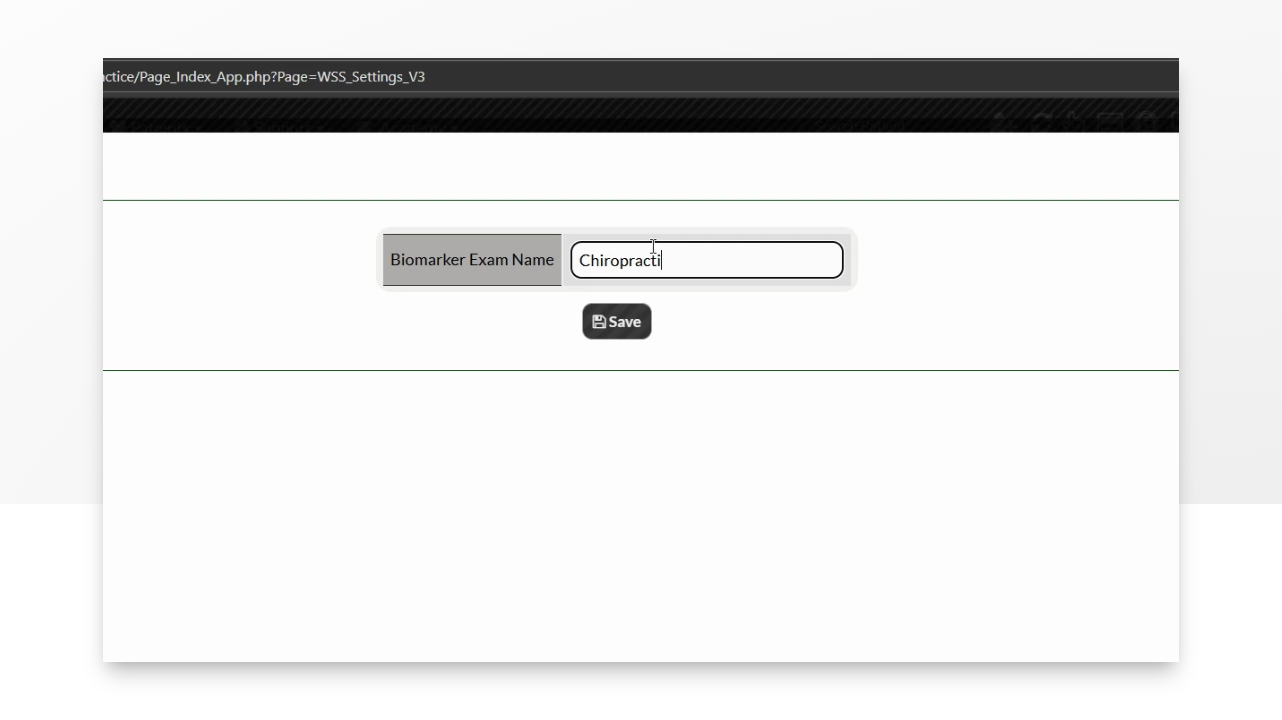
Step 4: Select Biomarkers
Choose available biomarkers from the list by clicking on the Biomarkers in the "Available Biomarkers" column and dragging them over to your Biomarker Exam on the left.
Important Note**
If you don't see what you are looking for in the Available Biomarkers list, click Add from Biomarker to check out additional biomarkers from the library
To create your own biomarker, click Add Custom Biomarker.
Step 5: Finalize Exam
Once satisfied, click the red X in the top right corner. The page will refresh and your exam will be ready to use.