

You can monitor your daily bank deposits through the Daily Deposit Summary Report in your Cash Practice® account. This report provides a detailed breakdown by day and merchant account.
To access the Daily Deposit Summary Report, follow these instructions:
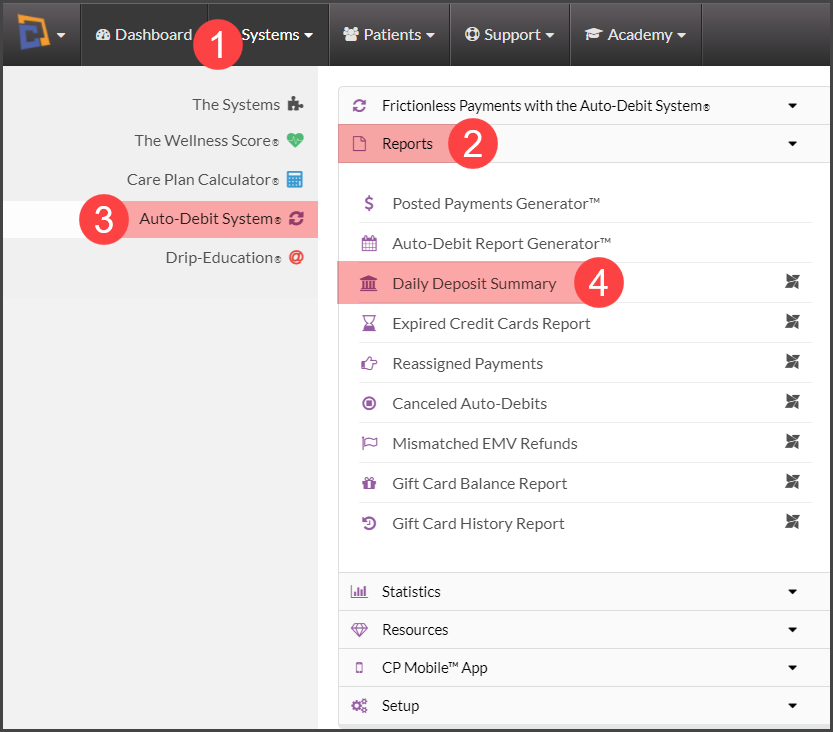
Step 1: Hover over [Systems] → click on [Auto Debit System®] → [Reports] → [Daily Deposit Summary]
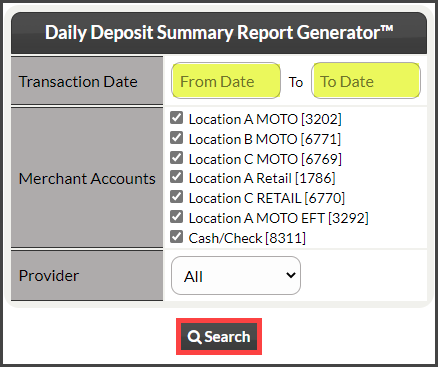
Step 2: Enter in the [Transaction Dates] → if you have multiple merchant accounts, check the boxes for the merchant accounts you want to search by → choose which provider you are searching for (if needed) → click [Search].
Step 3: View the report
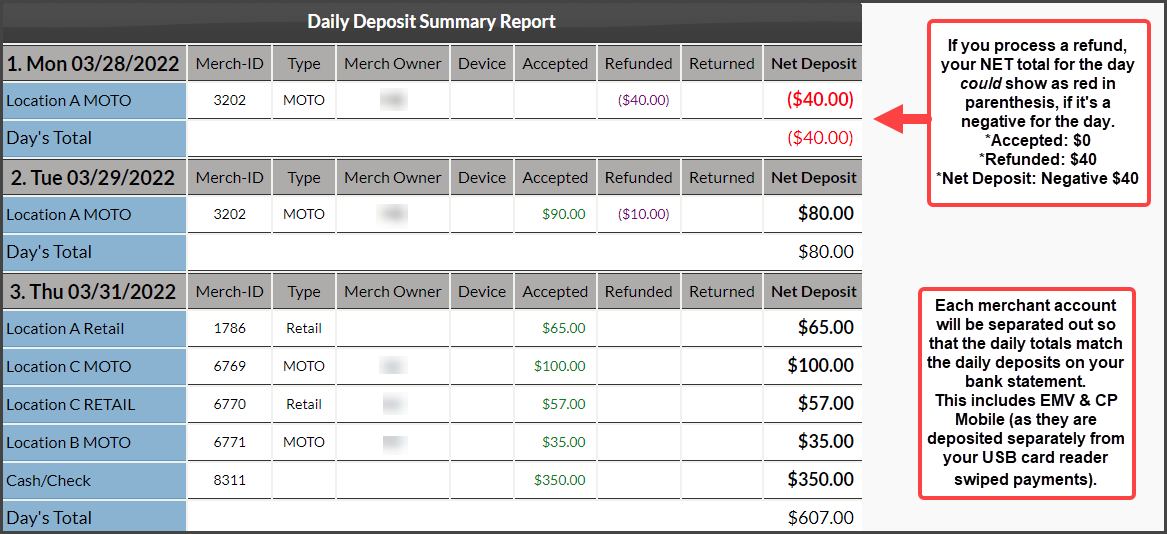
Please keep in mind, CP Mobile transactions are deposited separately from your RETAIL transactions
You can also access your merchant statements, view funding, and batches through our processing bank's website → My Virtual Reports.