Option 1: Access Care Plans from a Patient Account
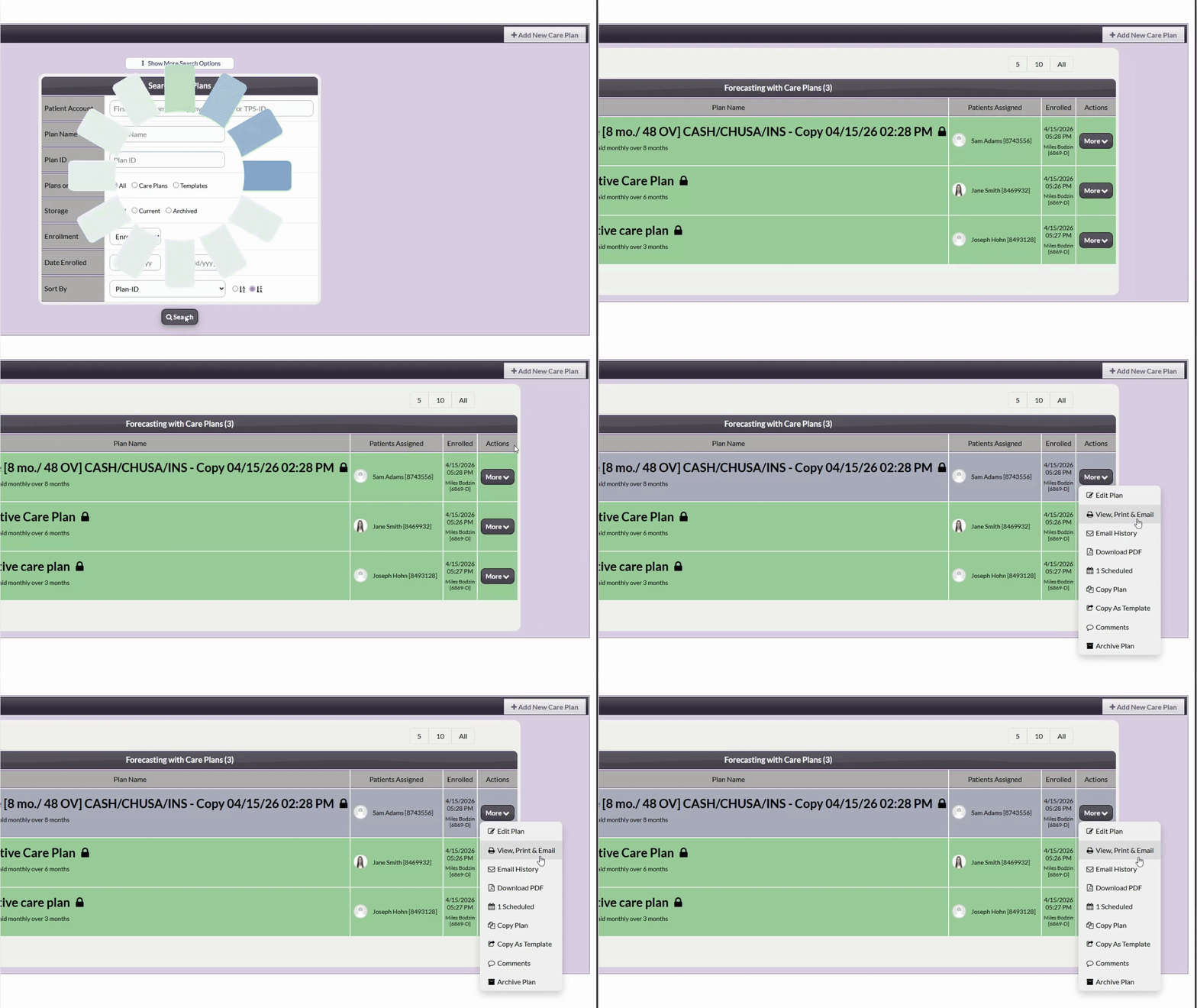
Step 1: Open the Patient Account
Type the patient's name into the search bar and select the patient account.
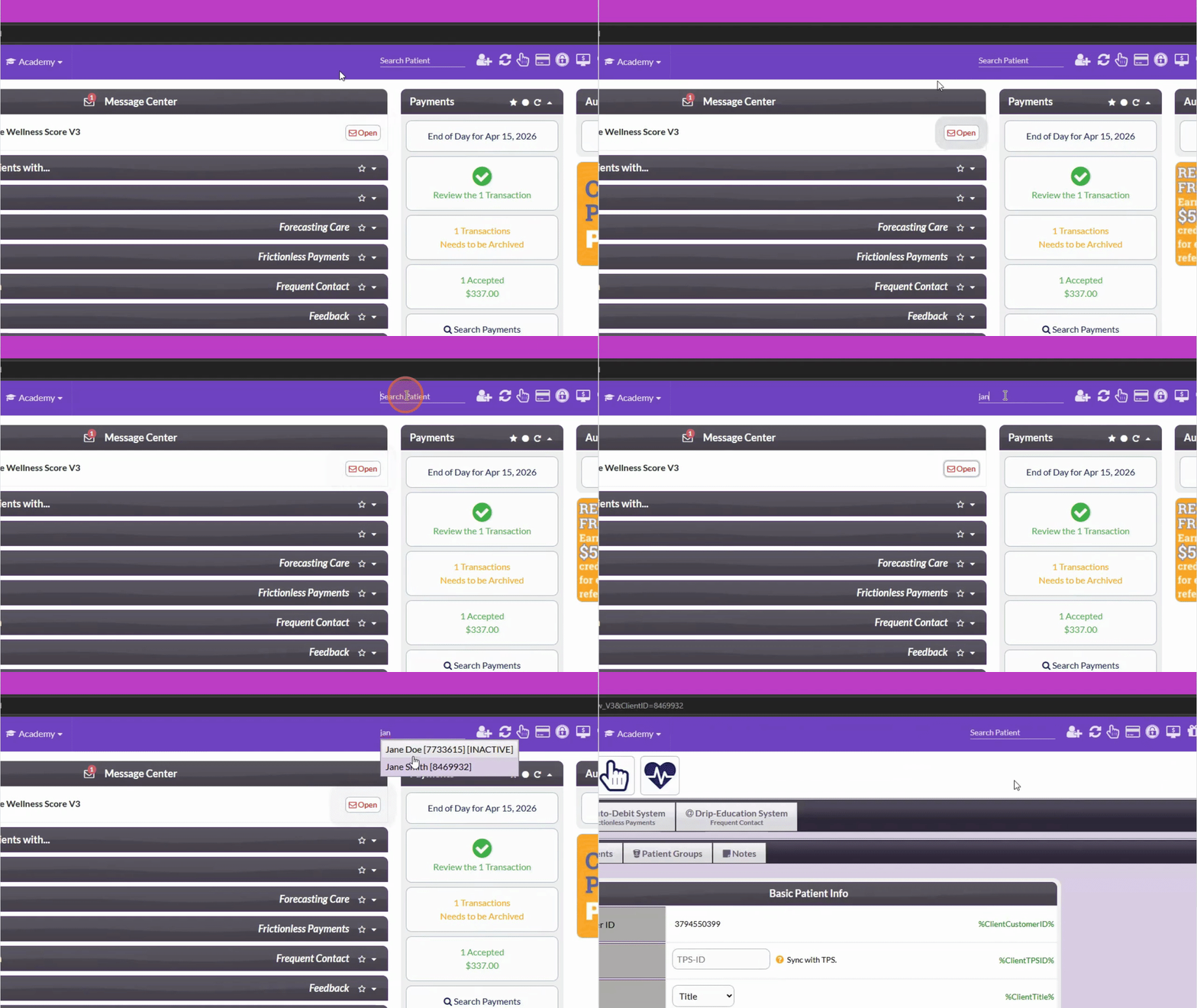
Step 2: Select the Care Plan Calculator Tab
From the Patient account, select the Care Plan Calculator tab.
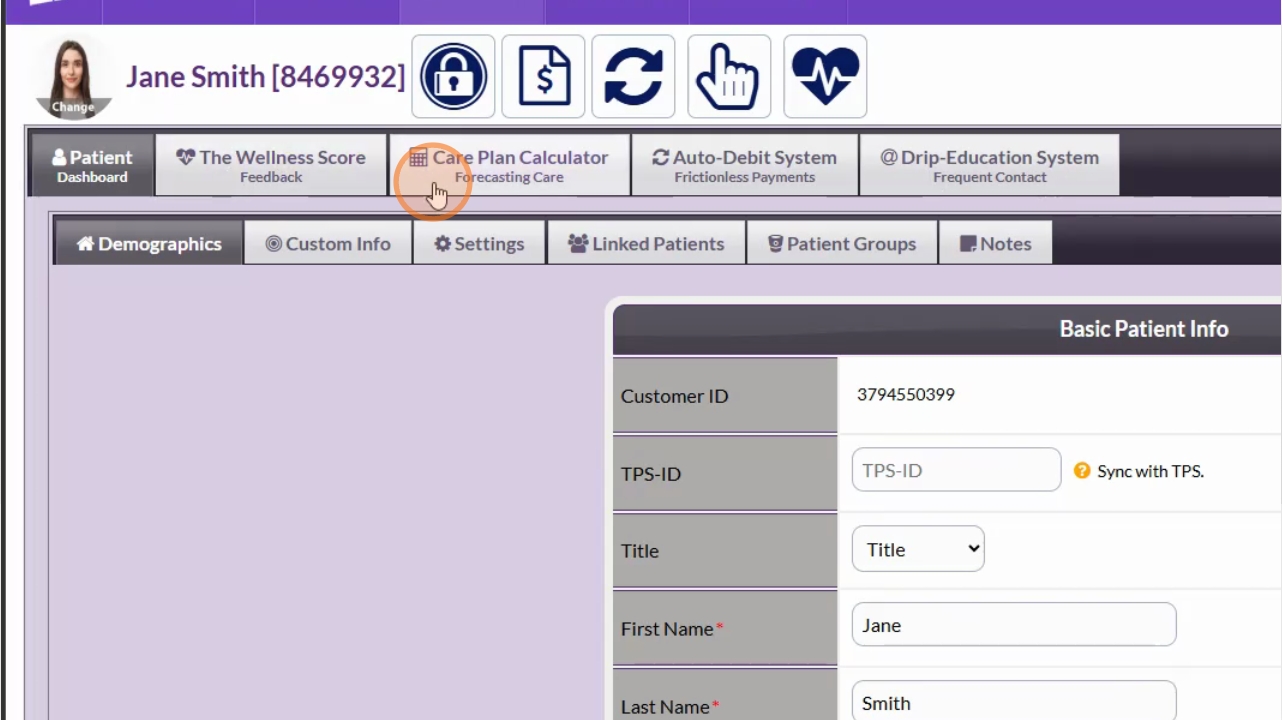
Step 3: View or Download the Care Plan
Select the [More] button in the Actions column to select [View, Print, & Email] to print your care plan.
Or select [Download PDF] to download the care plan as a PDF.
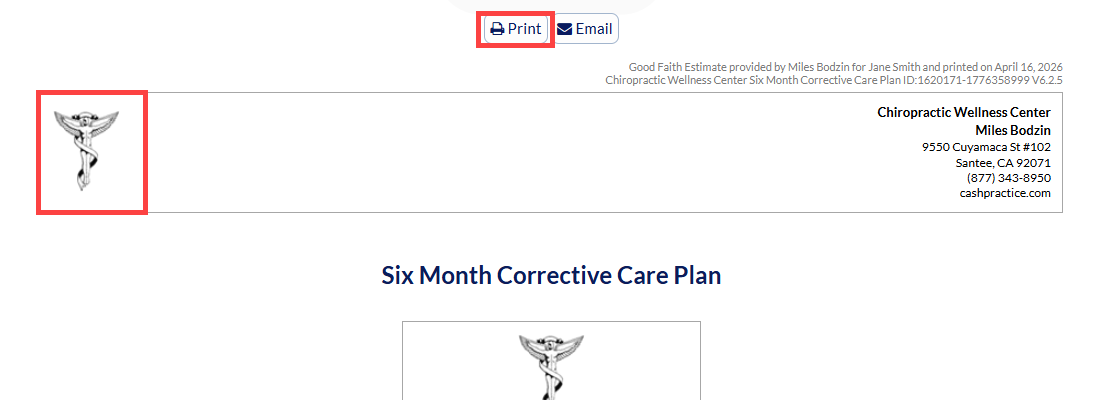
To print from the [View, Print & Email] option: simply click on the logo to print your care plan or select the print button.
Option 2: Search Care Plans
Step 1: Open the Care Plan Calculator Search
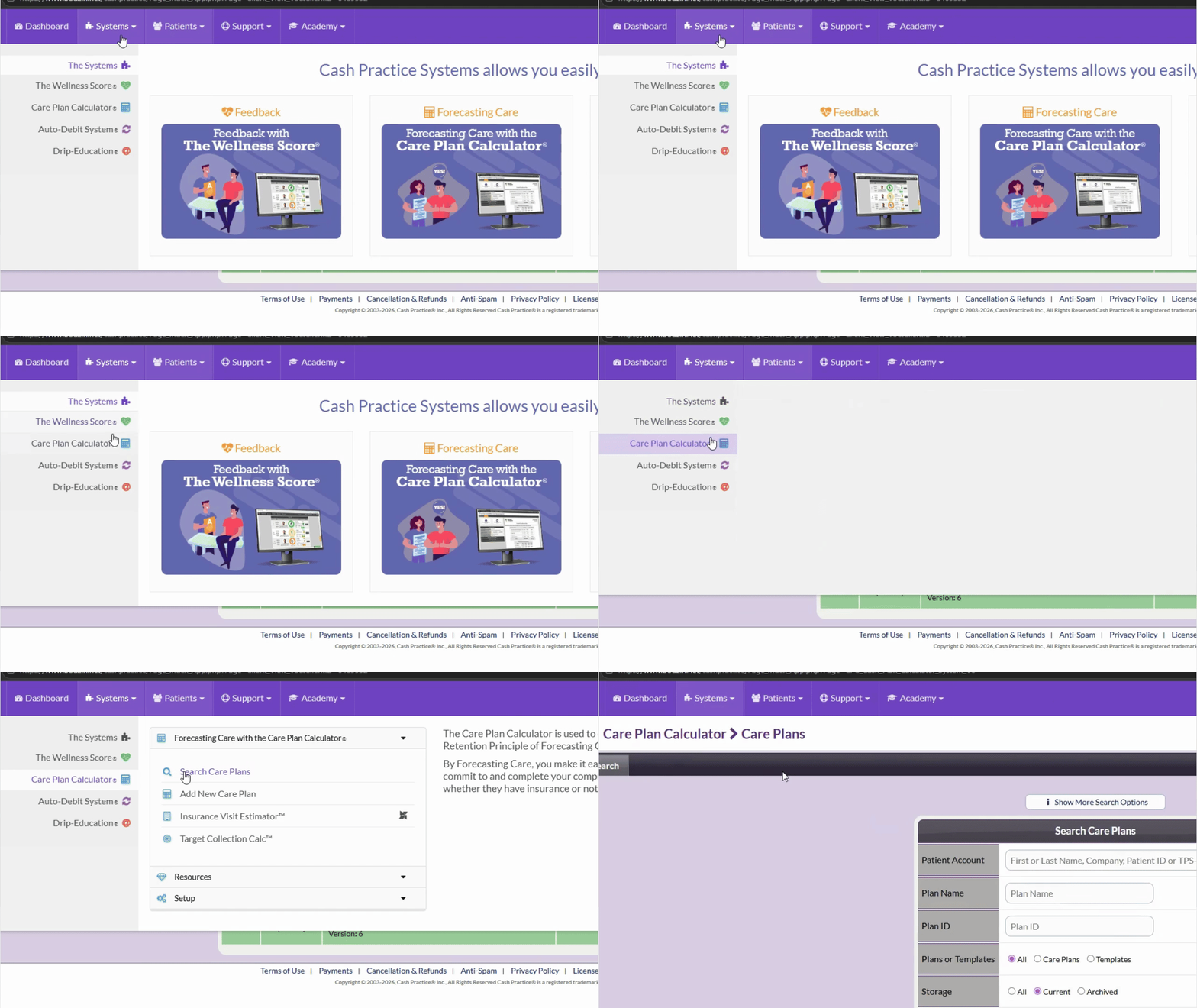
Go to the Systems menu, select Care Plan Calculator, and then select search Care Plans.
Step 2: Enter Criteria
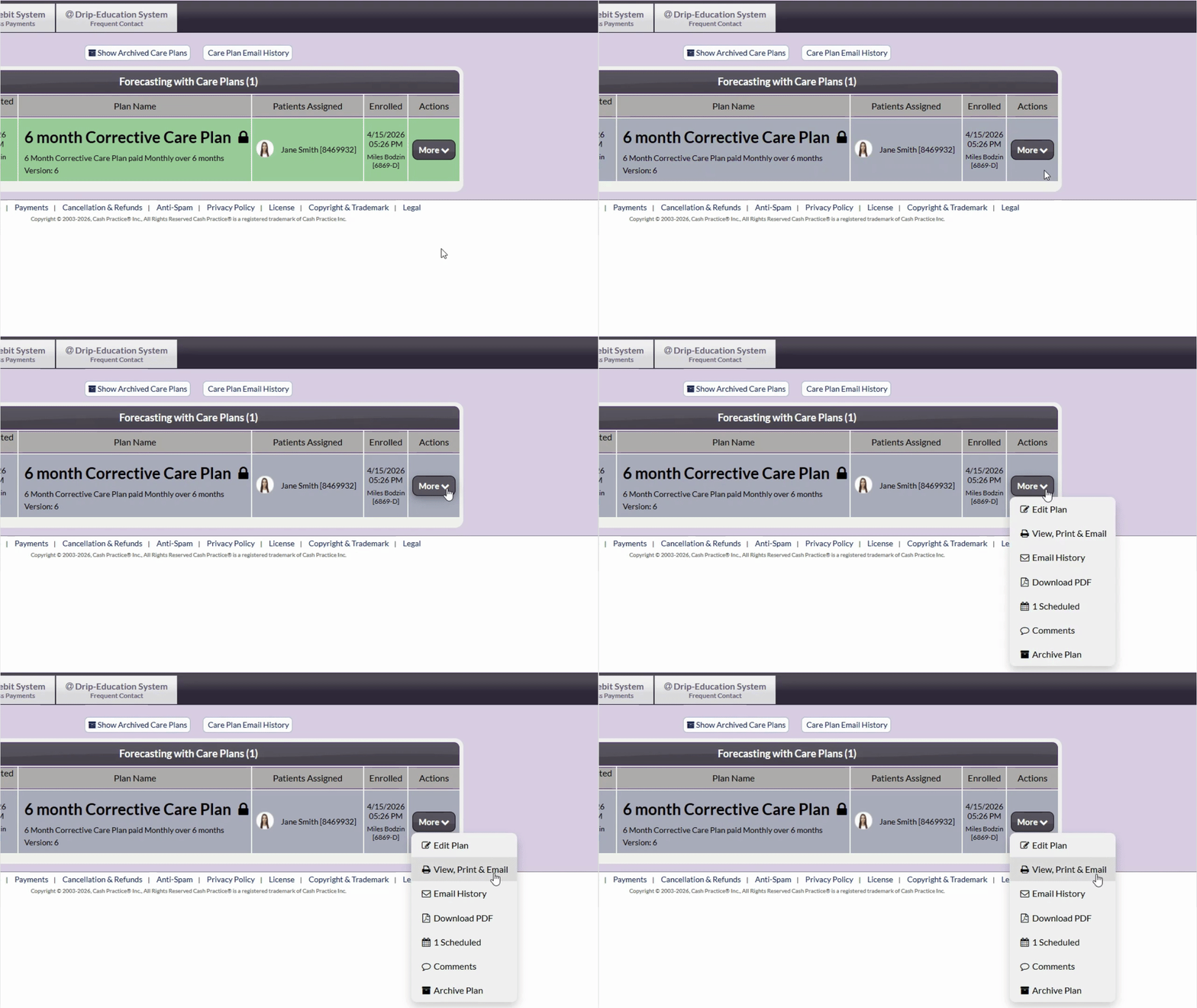
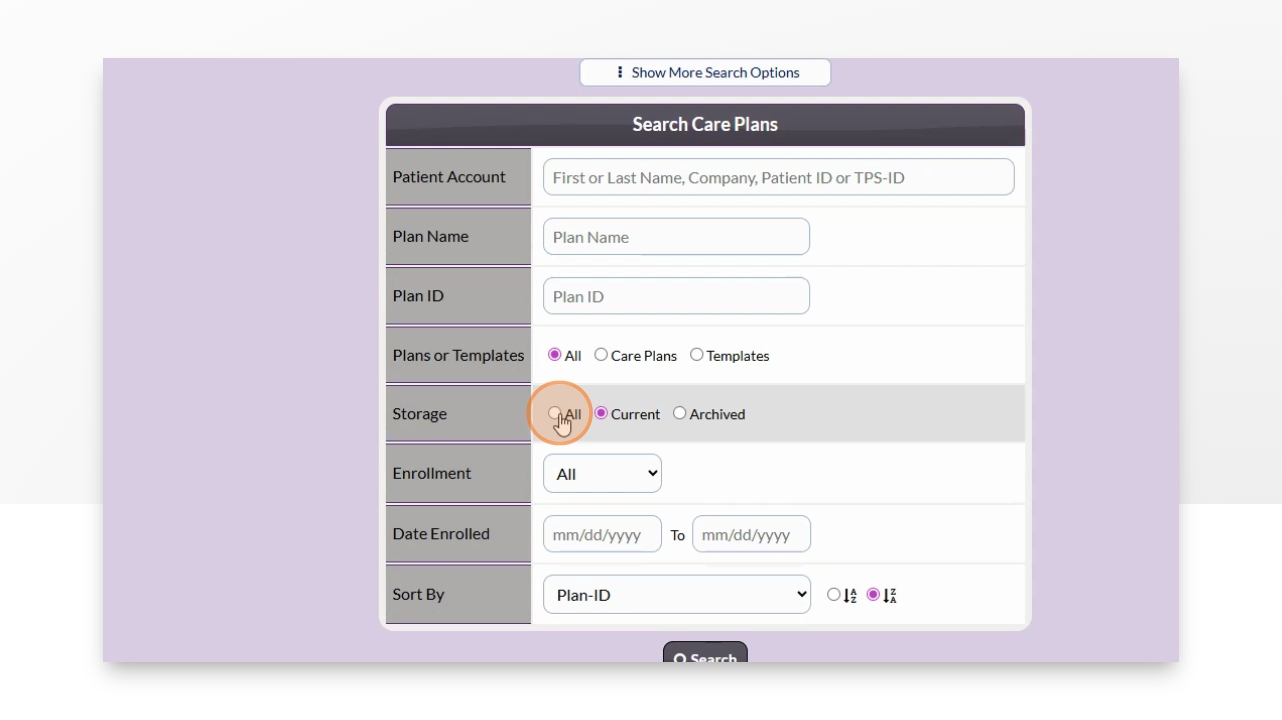
Fill in the desired search fields and select [Search] to continue.
Step 3: View or Download the Care Plan
Select the [More] button in the Actions column next to your desired care plan & choose [View, Print, & Email] to print your care plan.
Or select [Download PDF] to download the care plan as a PDF.