Step by step guide
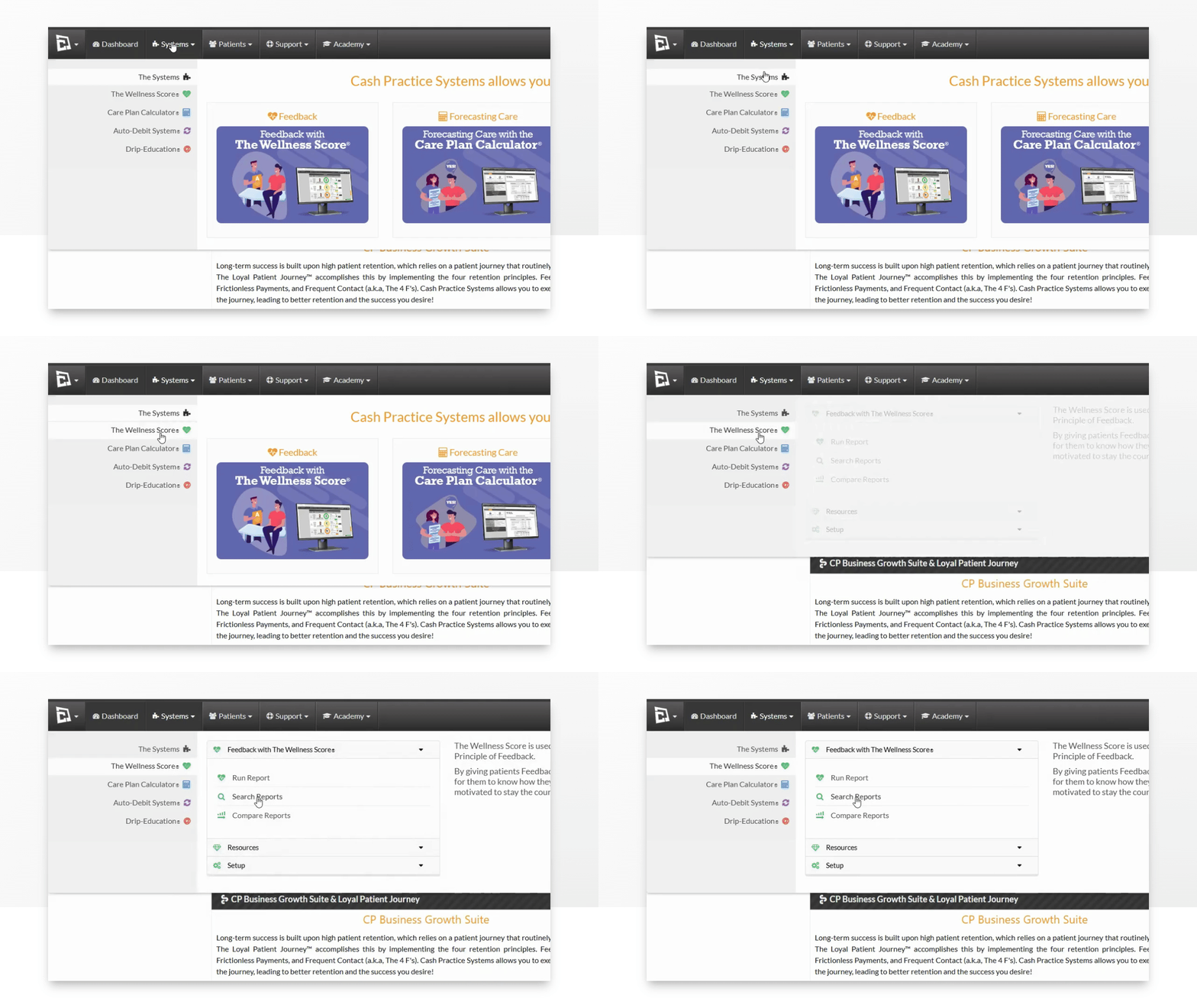
Step 1: Hover over [Systems] → click on [The Wellness Score®] → click on [Search Reports].
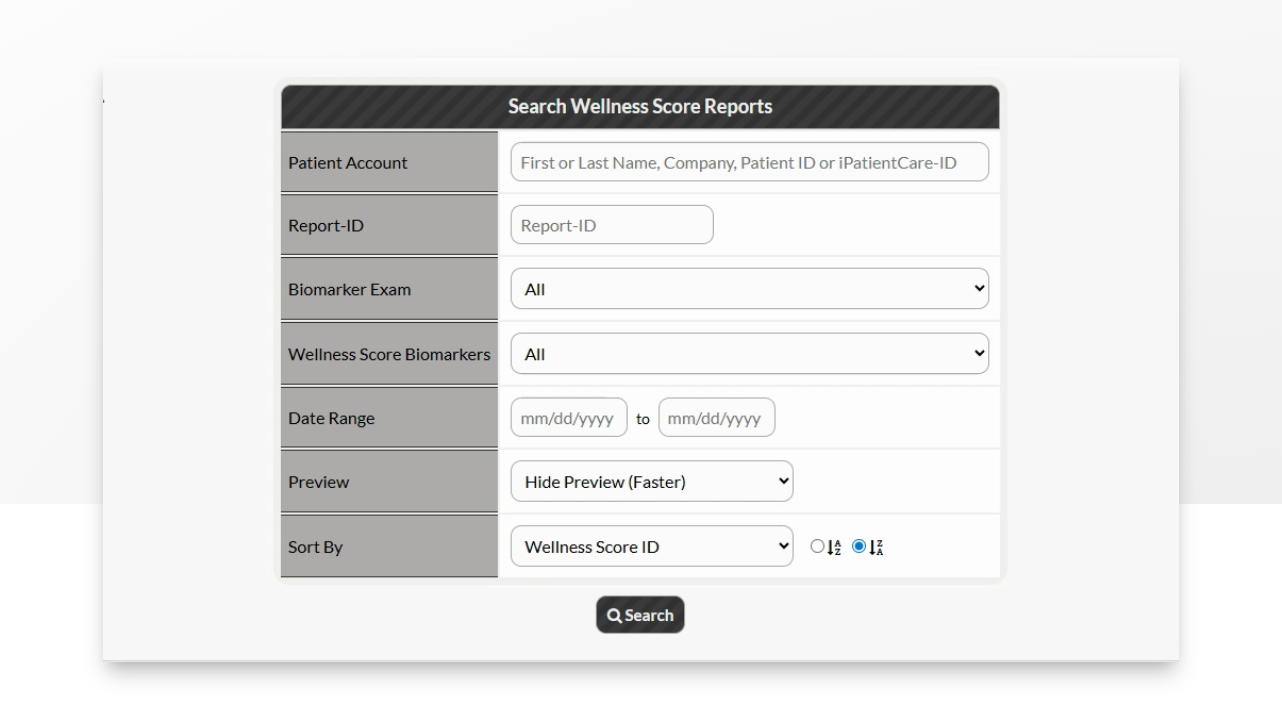
Step 2: Refine the search options to view the score you are looking for→ click the [Search] button.
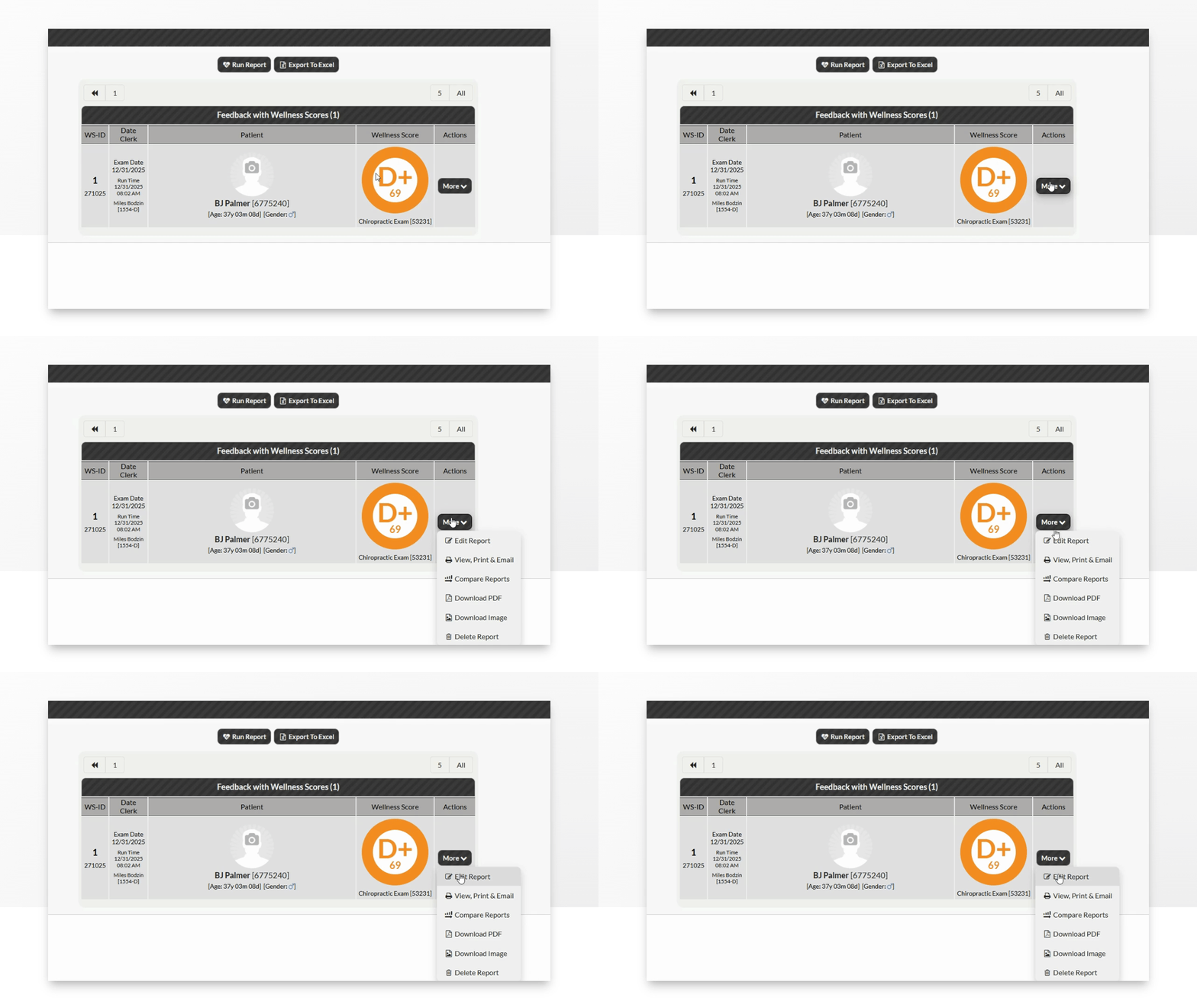
Step 3: From the Actions column→ click the [More] button → [Edit Report].
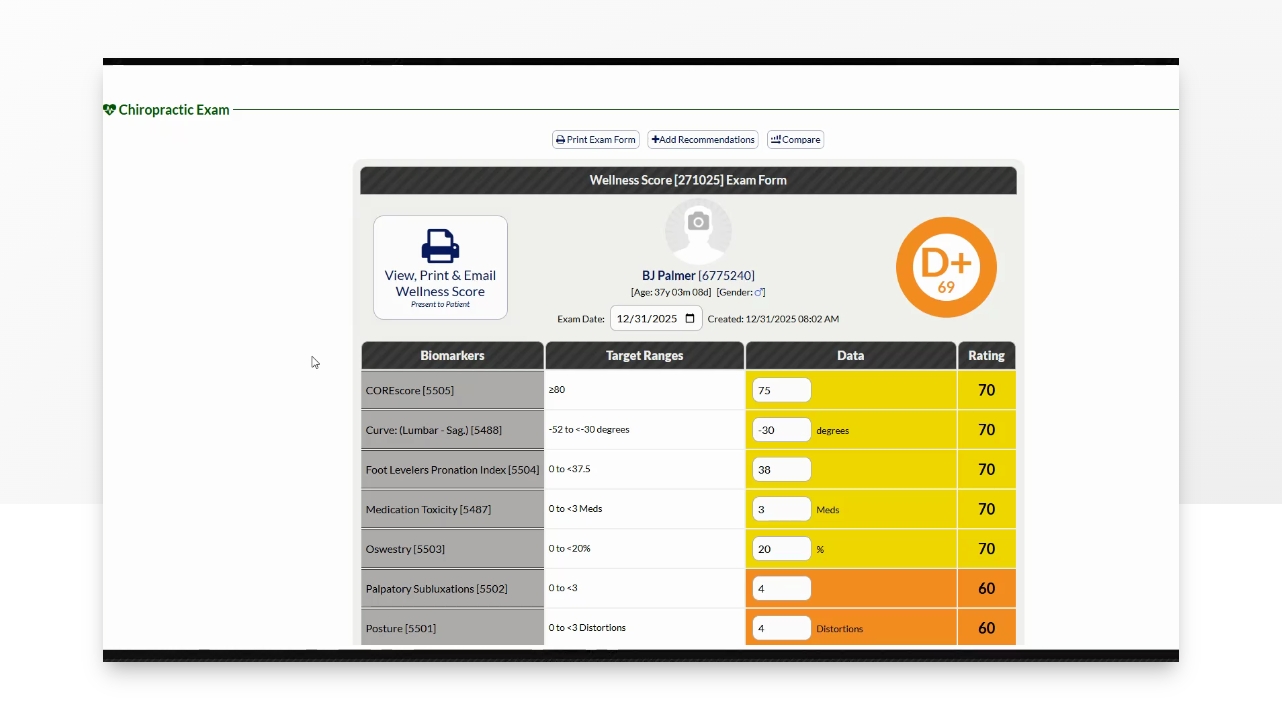
Step 4: The Report editor will appear. Make any necessary changes, which will be updated in real-time. Choose to view, print, or email the Wellness Score once completed.