Transform your Wellness Scores and Comparison Reports into powerful marketing tools by downloading them as professional, high-impact images—perfect for your social media pages.
Sharing these results is a great way to tell a success story, spark new referrals, and keep your community engaged with the life-changing outcomes you provide. To keep things simple and secure, the system automatically removes patient names, giving you a HIPAA-compliant image that is ready to post in seconds.
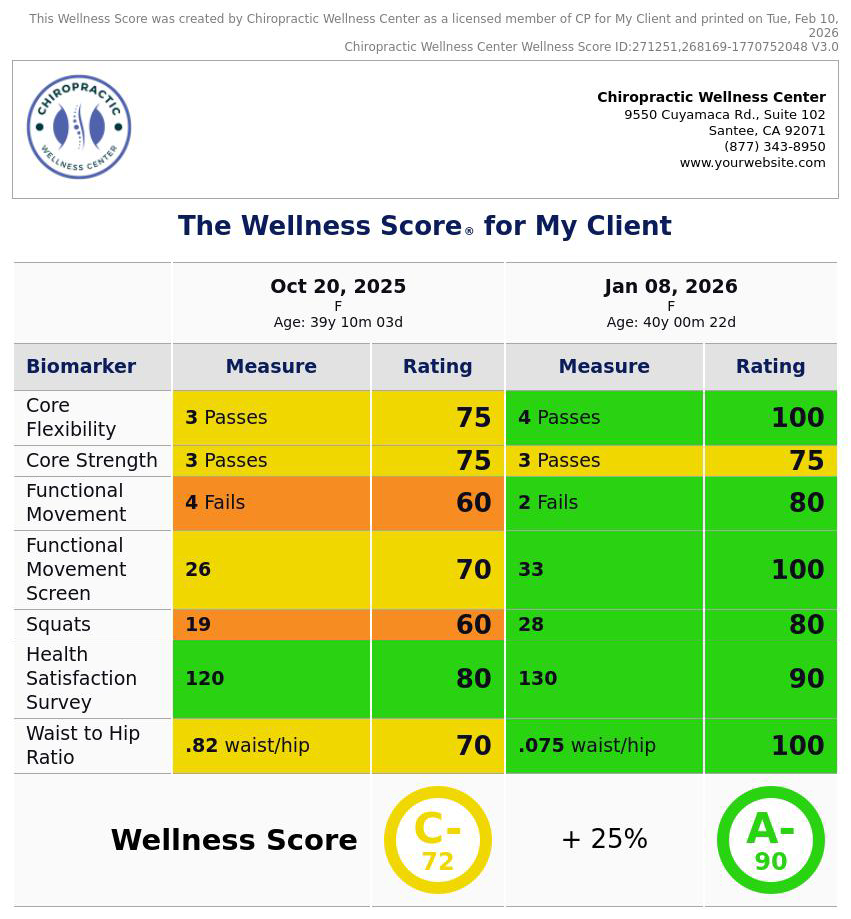
How to download individual pages of a Wellness Score Report as an image:
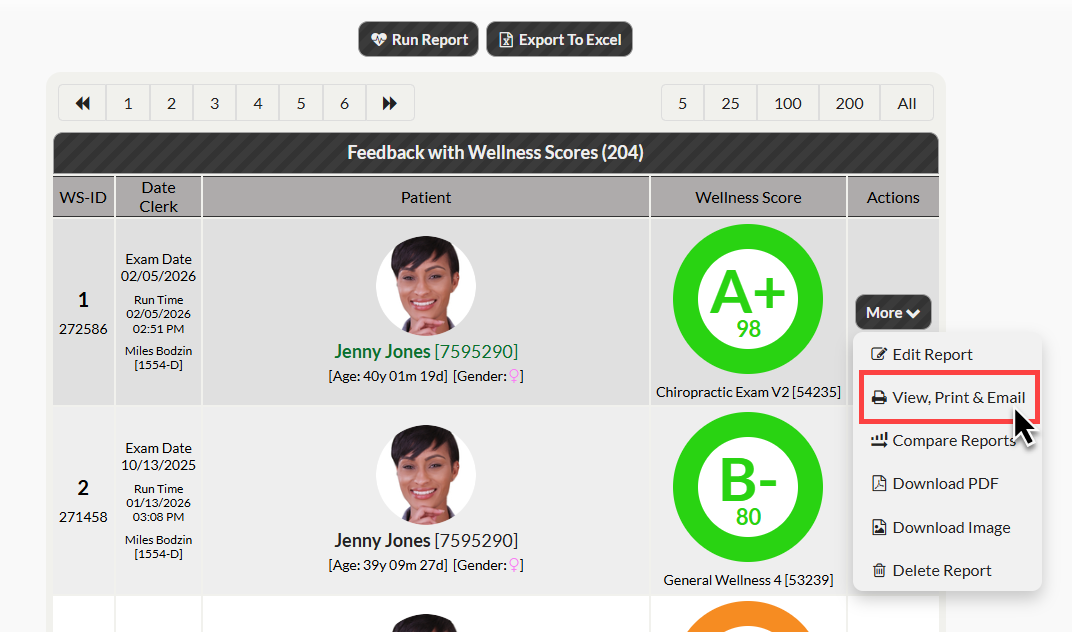
Step 1: Locate the Wellness or Comparison Report you’d like to download as a HIPAA-compliant image.
Step 2: Click the [More] button next to the desired report, then click [View, Print & Email]
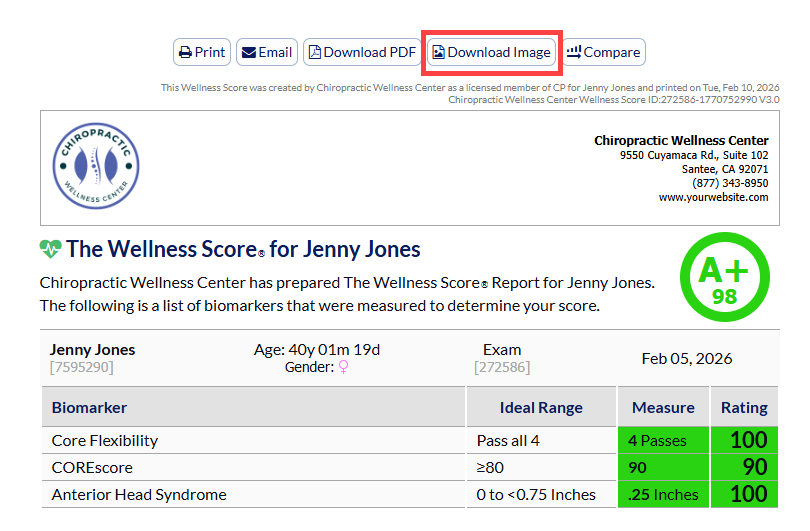
Step 3: When viewing any page of the report click the [Download Image] button to save the image of the report to your computer. Once the image is saved, you can use the image to your liking!
How to download all pages of the report in a single image:
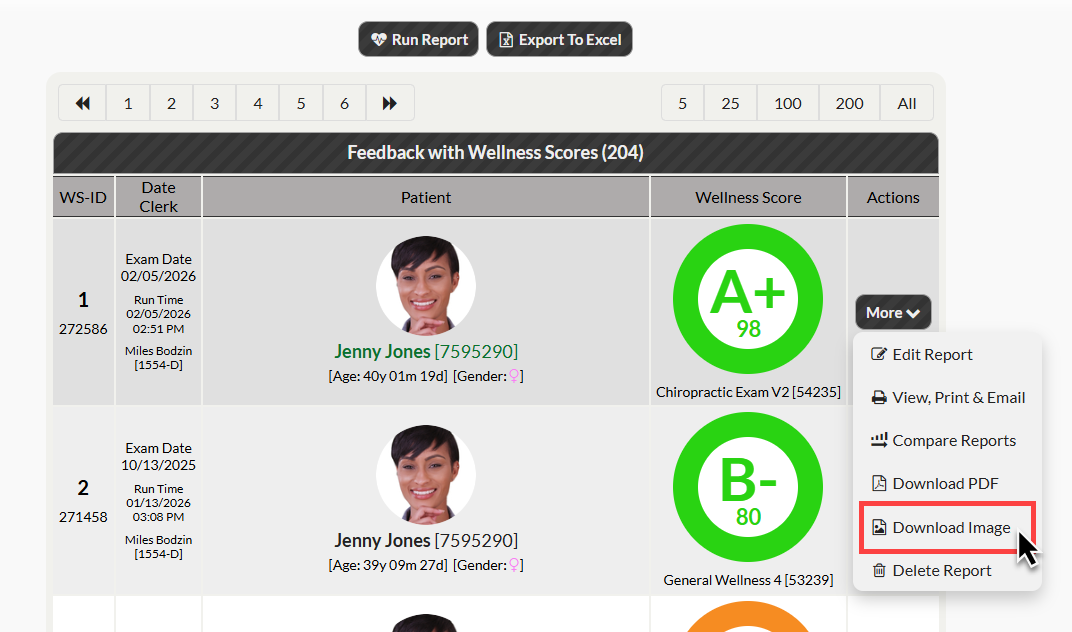
Step 1: Locate the Wellness or Comparison Report you’d like to download as a HIPAA-compliant image.
Step 2: Select [Download Image] from the [More] button next to the desired report. This will download a single image of the complete report.