

Important: To create a professional and trustworthy experience for your patients, we highly recommend you customize your online forms. By uploading your company logo and adjusting the colors to match your website's branding, you can build confidence and assure patients that their billing information is being submitted in a safe and secure environment.
In this short video, we will show you how to edit your online payment forms:
To [view/edit] your CP Online Forms, please follow these instructions:
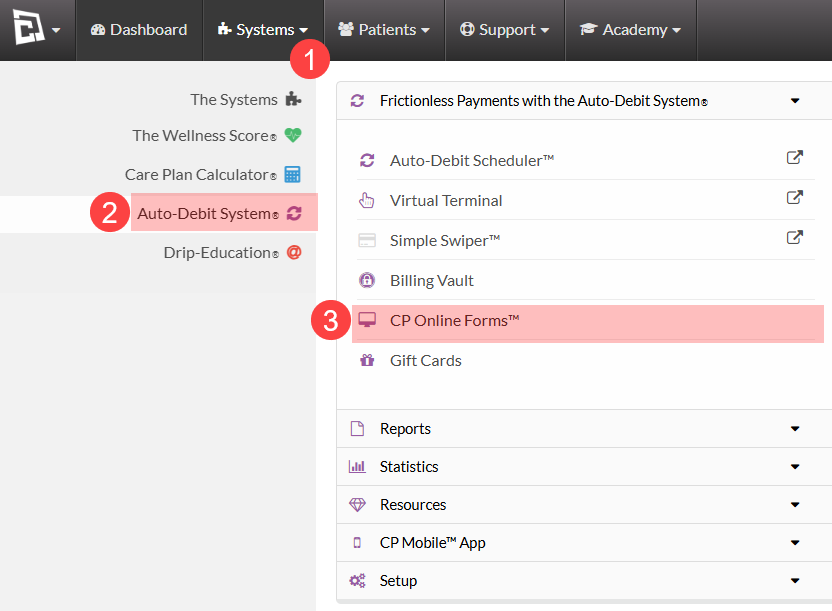
Step 1: Select CP Online forms from the Auto-Debit System Menu.
1. Hover over the [Systems] menu
2. Click on [Auto-Debit System®]
Select [CP Online Forms™]
Step 3: Find the form you would like to modify and click [Edit Form].
