Now that you've purchased your customized gift cards, it's time to sell and get them in the hands of your patients as well as possible new practice members. The opportunities are truly endless with how you can promote these valuable marketing tools, and we've built a few handy features directly into your account that are ready to use today.
Let's get started!
CP Gift Card Marketing Emails:
For those members with the Drip-Education System® and a Moto merchant account, we've pre-loaded an email campaign by the name of [Gift Card Marketing].
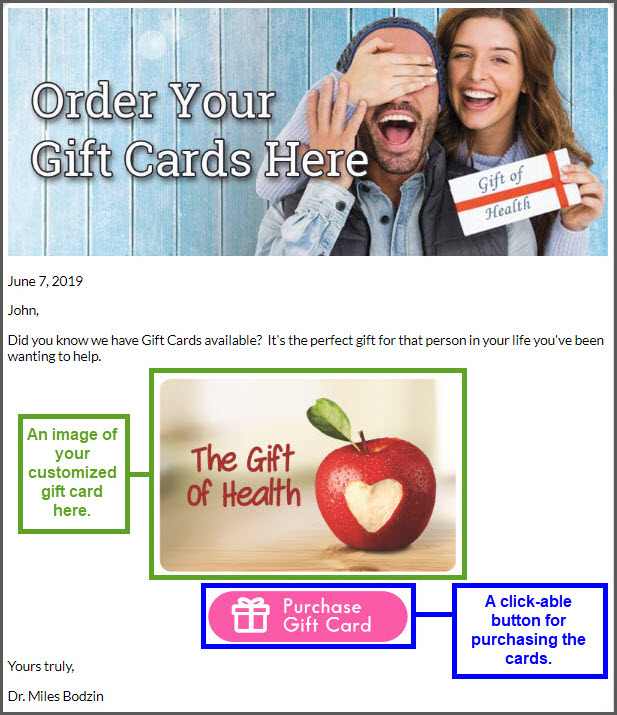
This email campaign not only informs your patient base that you are now offering gift cards in your practice, but that the gift cards can also be purchased via the CP Online Form link in your email (or placed on your website!).
SAMPLE EMAIL:
IMPORTANT:
This email can be assigned from directly within the Drip-Education System® and is not available in the payment tools by default
Gift Card CP Online Form: (Secure web link)
Along with the email example listed above, a customized CP Online Form® has also been pre-loaded into your account to make online Gift Card purchases possible.
The link can also be posted to your company website or even your social media posts, separate from what you see above. To access the direct link for this, follow the instructions below:
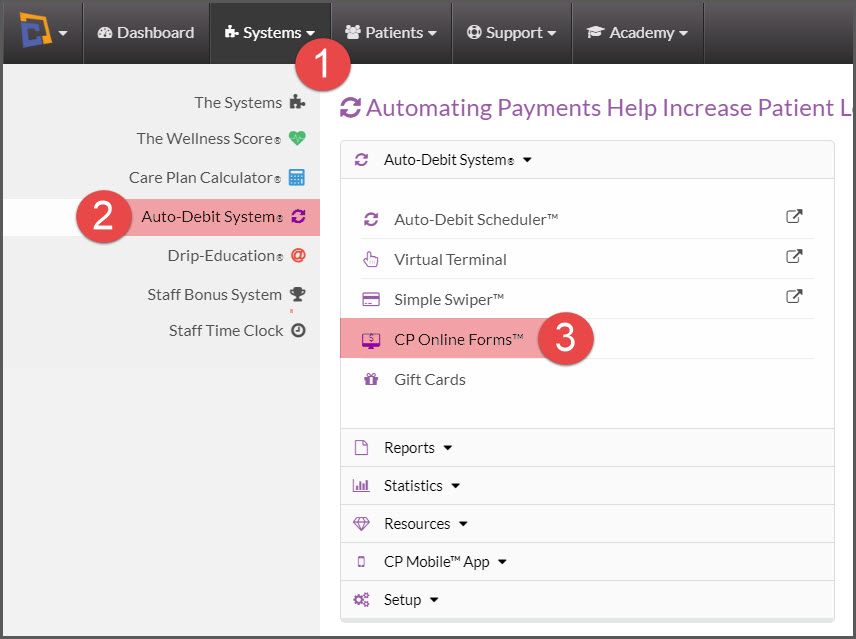
Step 1: Hover your mouse over the [Systems] menu → [Auto-Debit System®] → [CP Online Forms™].
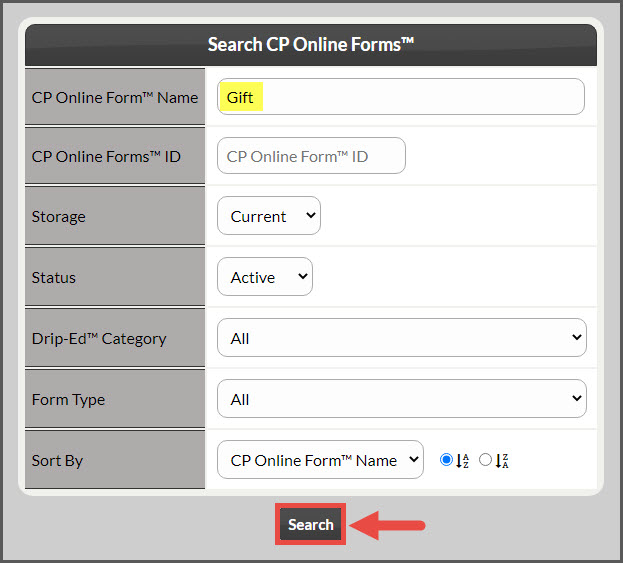
Step 2: In the [CP Online Form™ Name] field, type "Gift Card". Then click the [Search] button at the bottom of the page.
Step 3: This will load the search results. Either Click [Copy Direct Link] the[Edit Form] button to proceed with Step 4.
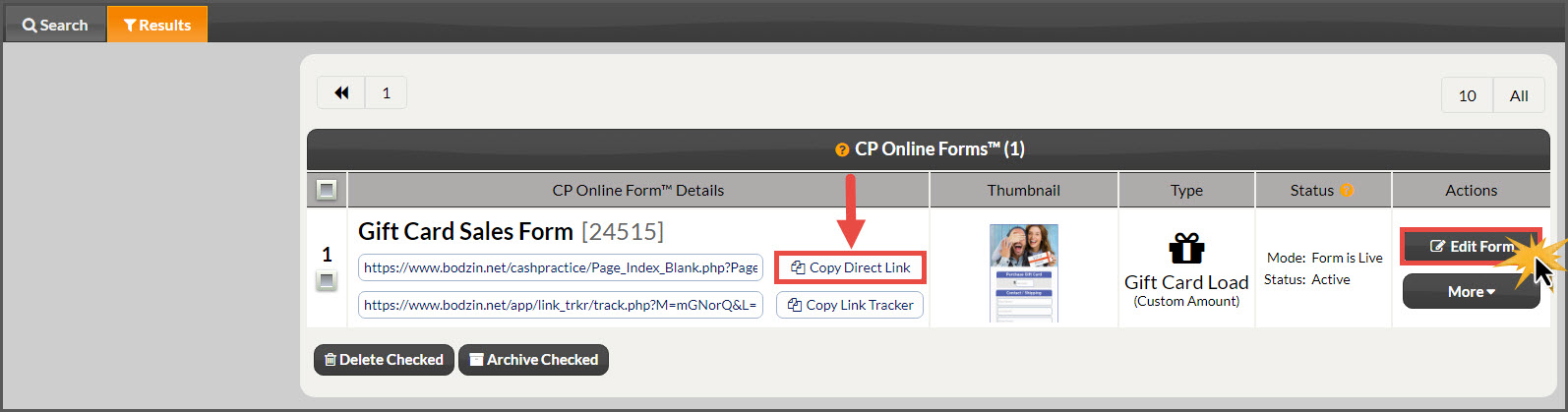
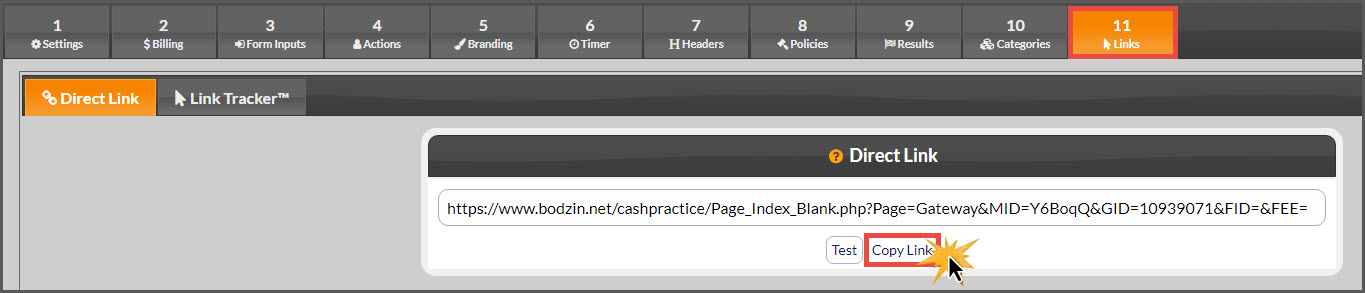
Step 4: Skip forward by clicking the [11 Links] tab.
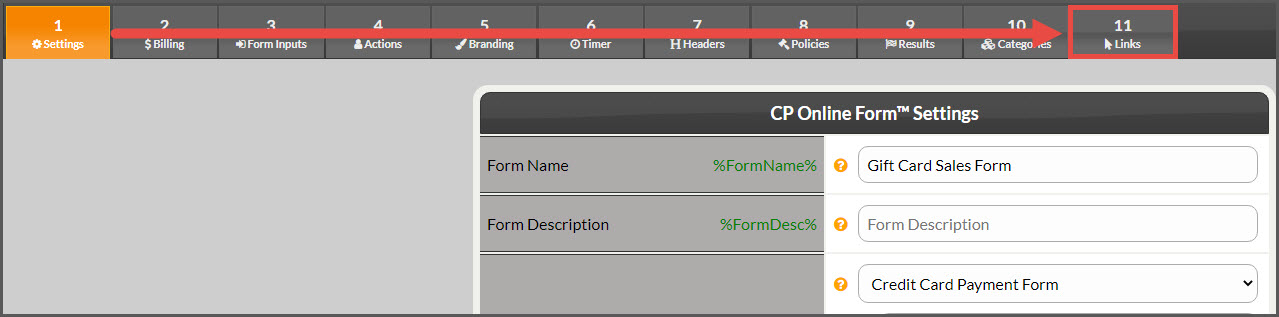
Step 5: Click the [Copy Link] button to copy this to your computer's Clipboard, or highlight and copy the link listed. This can now be placed anywhere you would like the link accessed.