
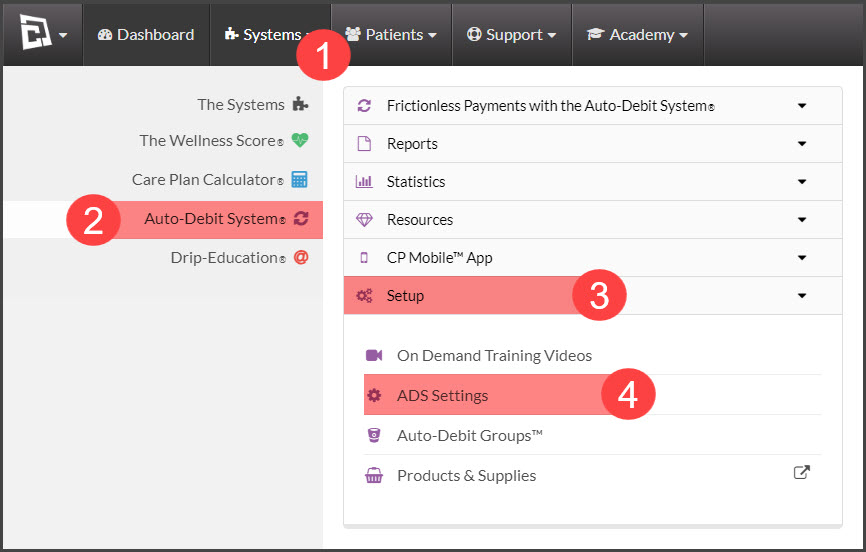
Step 1: Hover over [Systems] → select [Auto Debit System®] → [Setup]→ [ADS settings].
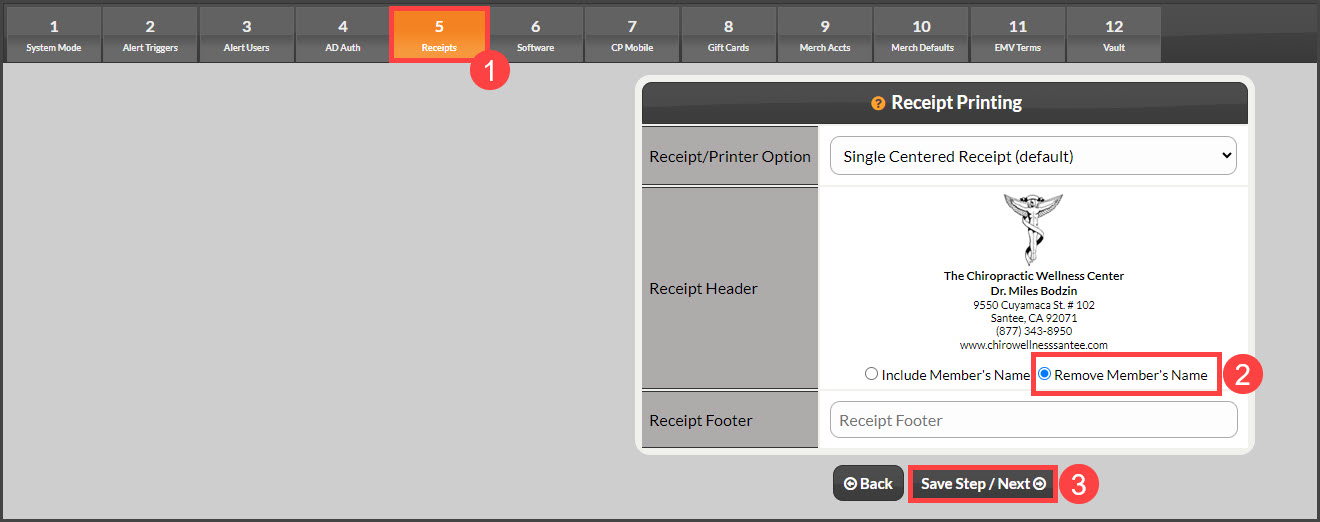
Step 2: Click on [Step 5: Receipts]→ select the toggle button to [Remove Member's Name] → click [Save Step/ Next].

Cash Practice® Systems Help Center
Search our knowledge base to get answers to your questions, access video training & more!
Settings: How to remove the Owner's name from receipts
Auto-Debit System® (Frictionless Payments)
Last updated on 13 Sept, 2025
Step 1: Hover over [Systems] → select [Auto Debit System®] → [Setup]→ [ADS settings].
Step 2: Click on [Step 5: Receipts]→ select the toggle button to [Remove Member's Name] → click [Save Step/ Next].