
If you have a Parameter Set you are no longer using, you should Archive it so it no longer appears as a choice when Running a Parameter Set.
Archiving
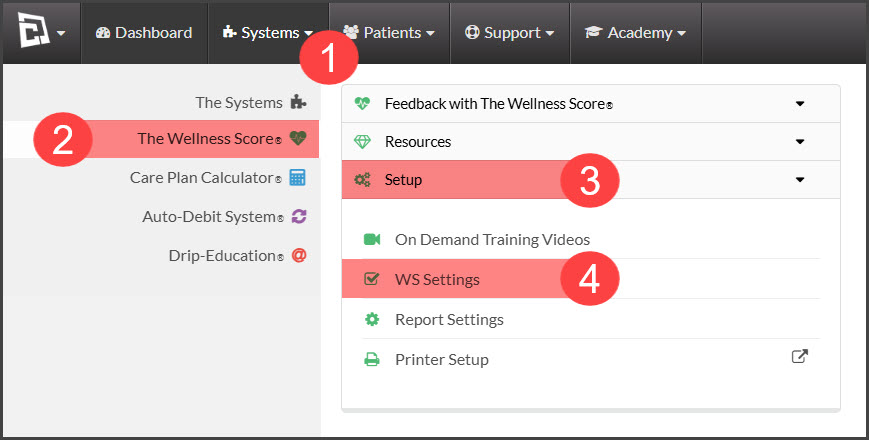
Step 1: Hover over the [Systems] menu → [The Wellness Score®] menu → [Setup] → [WS Settings].
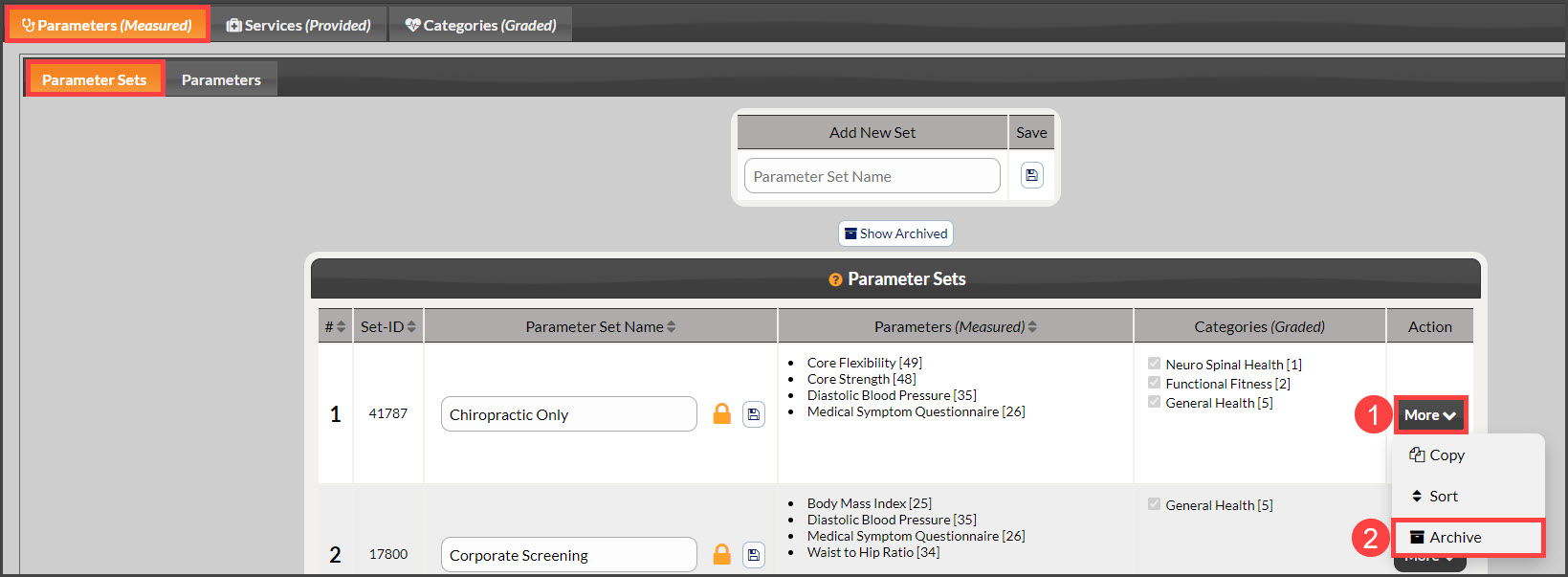
Step 2: Note: The page will automatically load under the tabs [Parameters (Measured)] → [Parameter Sets]. Locate the [Parameter Set]
Step 3: Click the [Archive] button under the [More] drop-down menu.
Un-Archiving
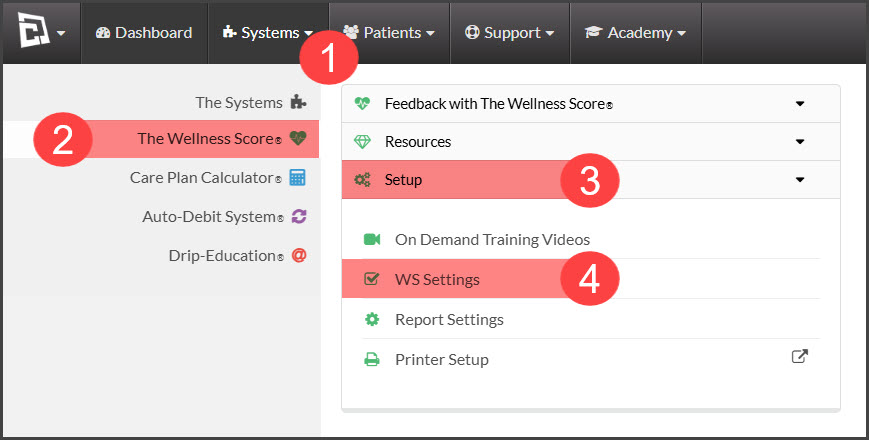
Step 1: Hover over the [Systems] menu → [The Wellness Score®] menu → click on the [Setup] tab → click on [WSS Settings].
Step 2: Note: The page will automatically load under the tabs [Parameters (Measured)] → [Parameter Sets]. Locate the [Parameter Set]
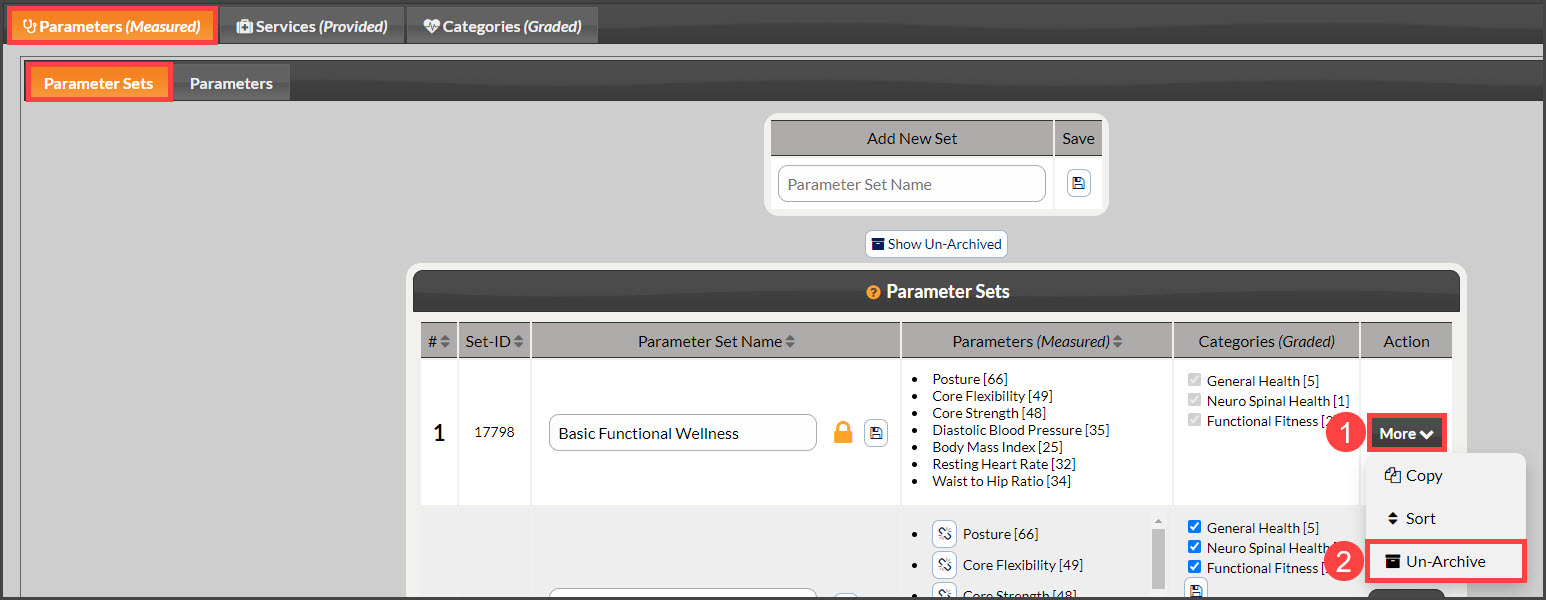
Step 3: To show the Un-Archived Parameter Sets click the [Show Un-Archived] button.
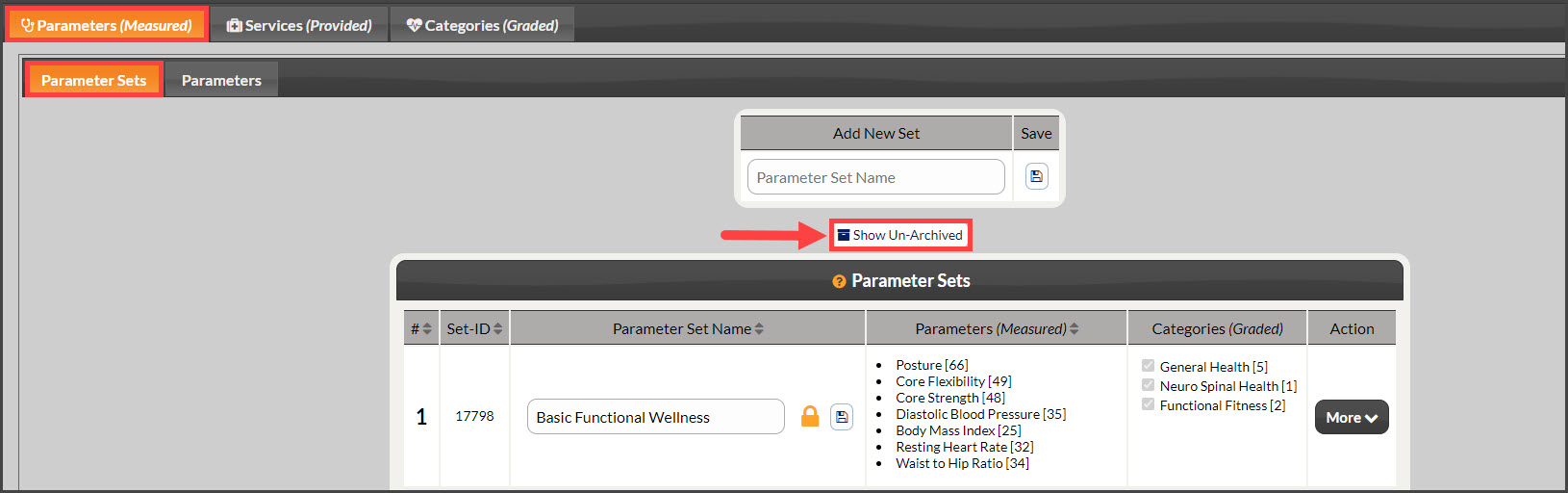
Step 4: Locate the [Parameter Set] and click the [Un-Archive] button under the [More] drop-down menu.