Follow the instructions below to learn how to archive parameter sets.
Archiving Parameter Sets
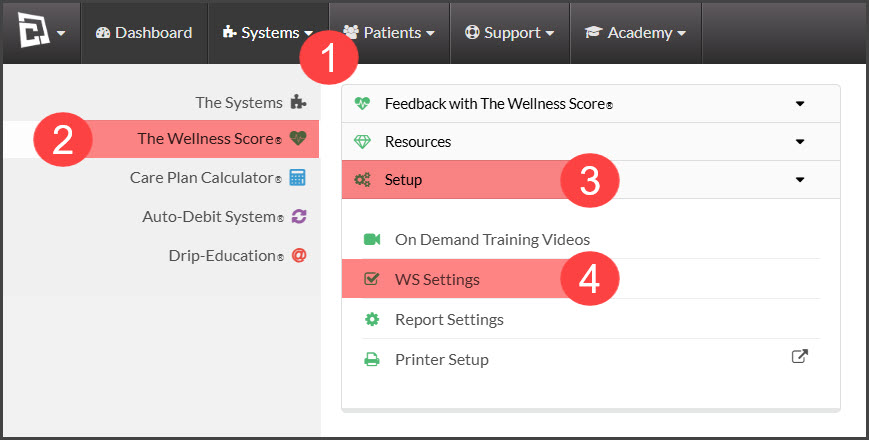
Step 1: Hover over the [Systems] menu → [The Wellness Score®] menu → click on the [Setup] drop-down menu → click on [WS Settings].
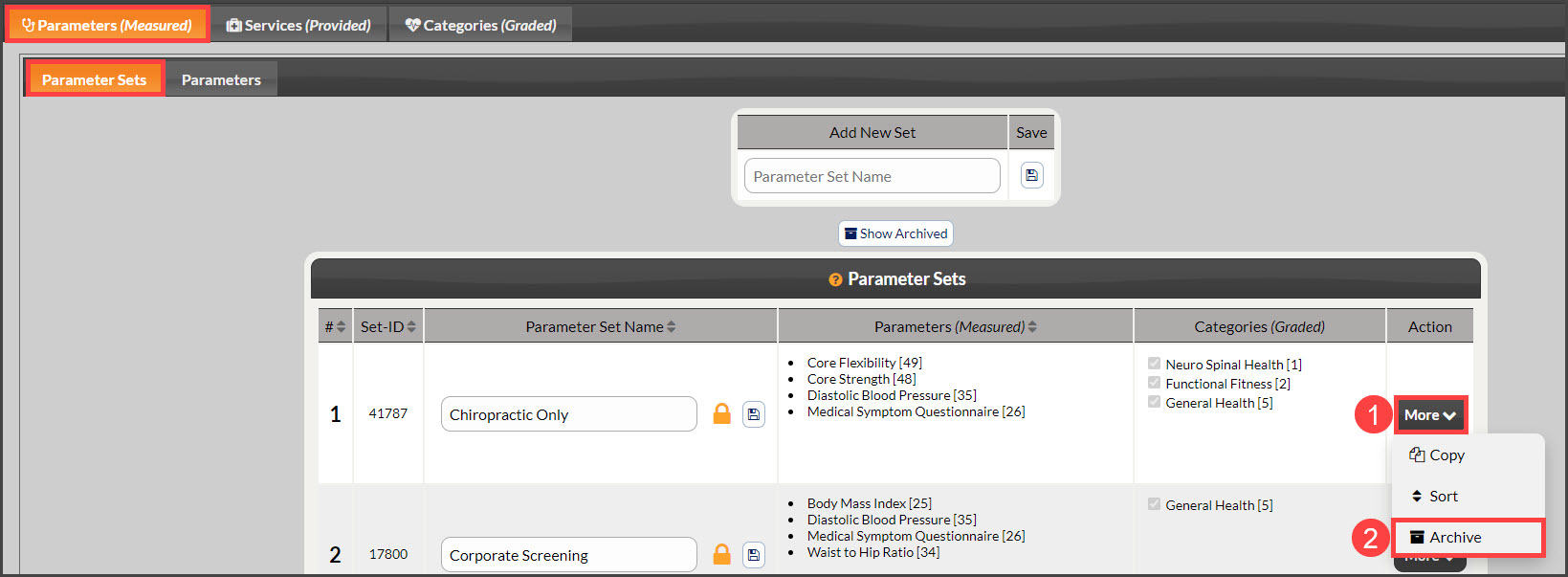
Step 2: Note: The page will automatically load under the tabs [Parameters (Measured)] → [Parameter Sets]. Locate the Parameter Set you want to archive → click on the [More] drop-down menu→ and click the [Archive] option.
Un-Archiving Parameter Sets
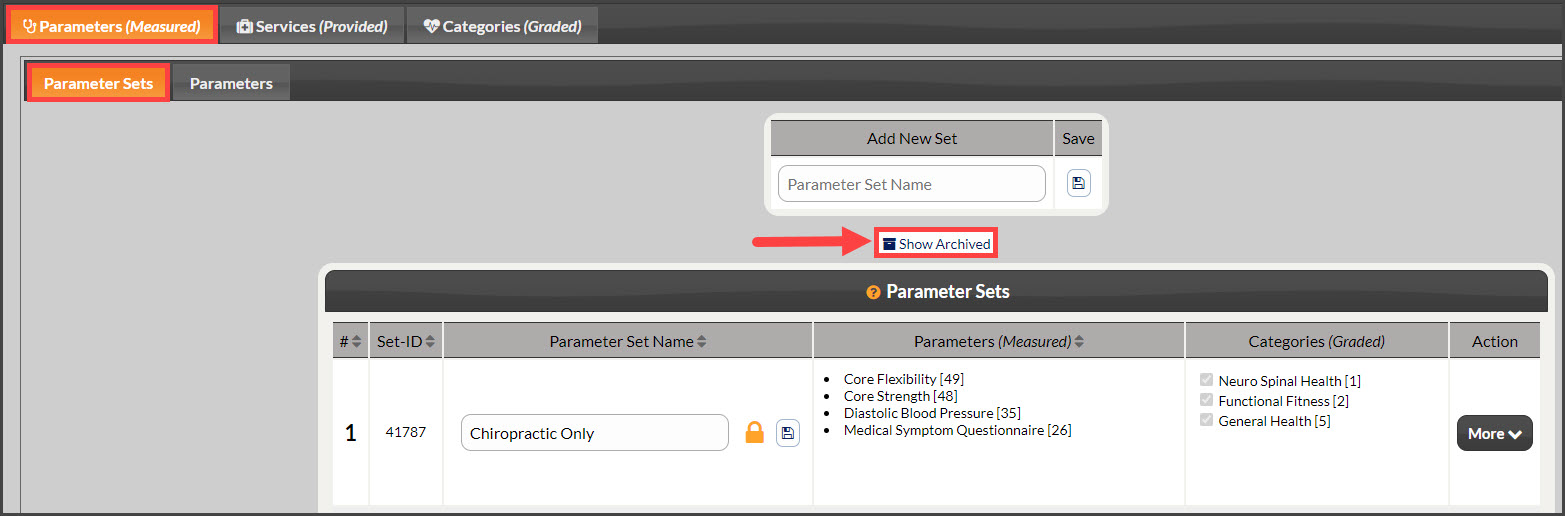
Step 1: Access the list of Archived Parameter Sets by clicking on [Show Archived].
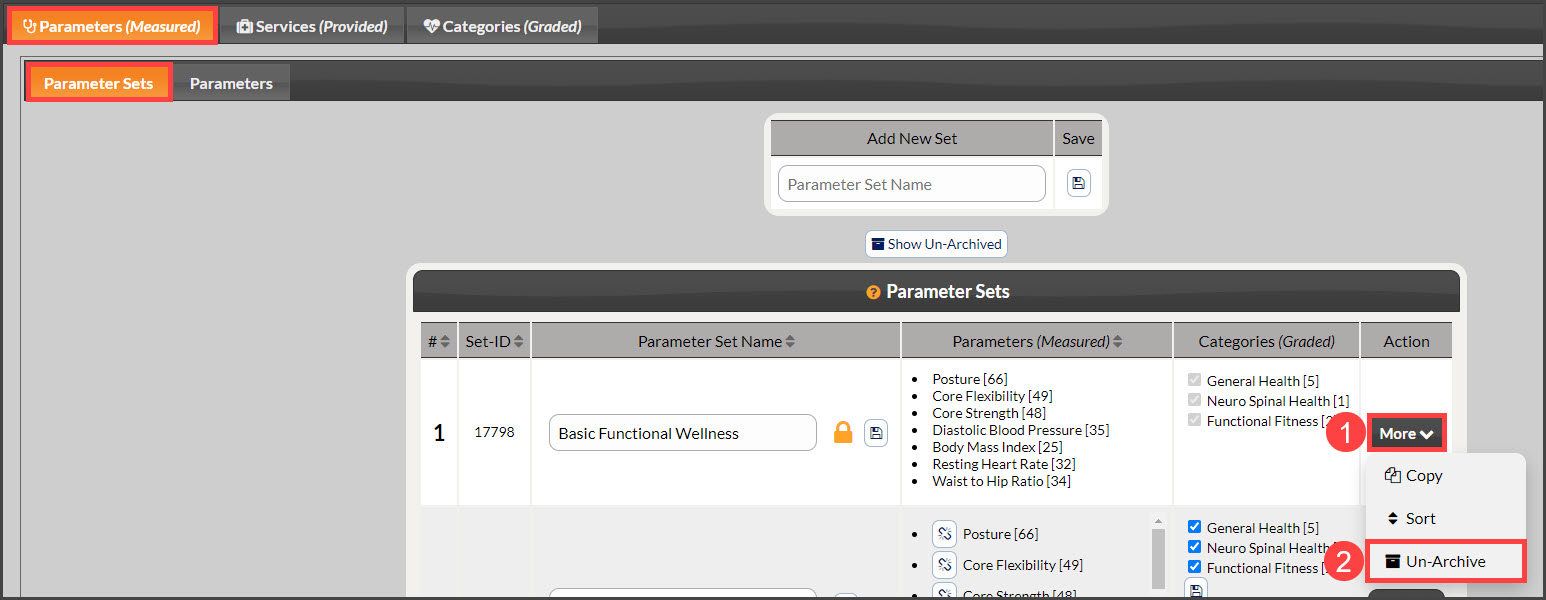
Step 2: Locate the Parameter Set to be un-archived → select the [More] drop-down menu→ and click the [Un-Archive] button.