
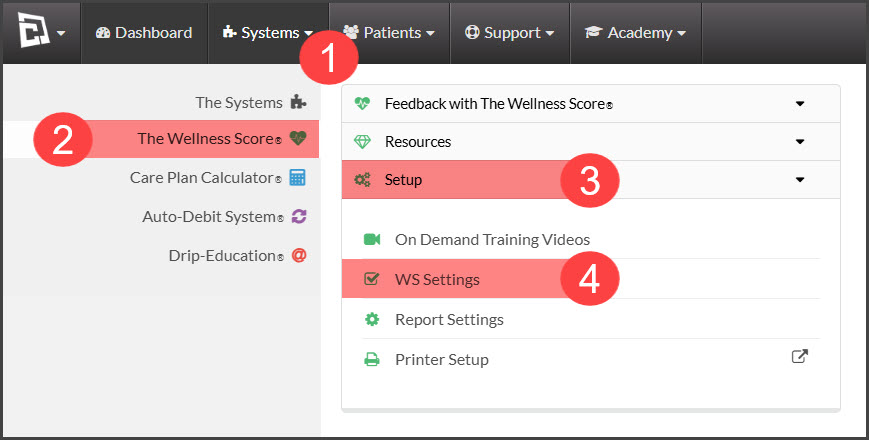
Step 1: Hover over the [Systems] menu → click on [The Wellness Score®] → click on [Setup] → select [WS Settings].
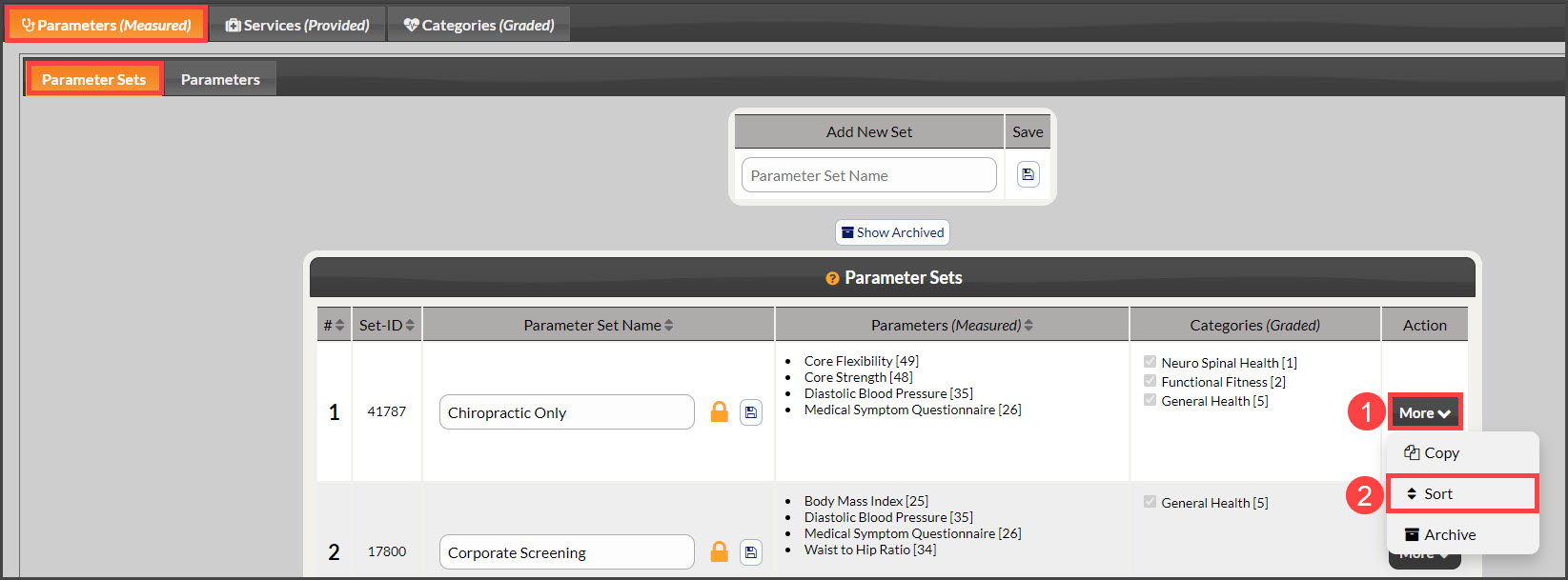
Step 2: Note: The page will automatically load under the tabs [Parameters (Measured)] → [Parameter Sets]. Locate the Parameter Set and click the [More] drop-down menu→ then click [Sort].
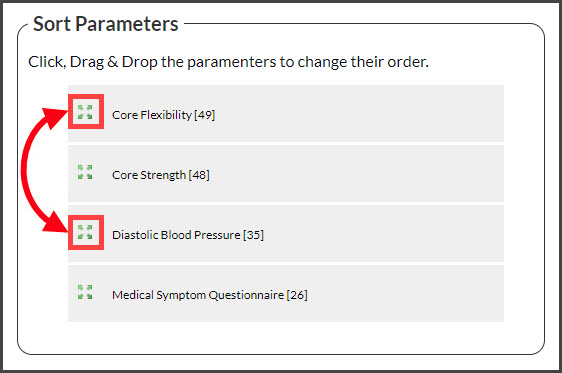
Step 3: The Sort window will open.
Step 4: Click the [Sort] icon of the Parameter you wish to move and Drag-n-Drop it. Once you have moved the Parameters into the desired order, close out of the window by clicking on the "X" in the top right corner. You will then need to refresh the page to see the changes.