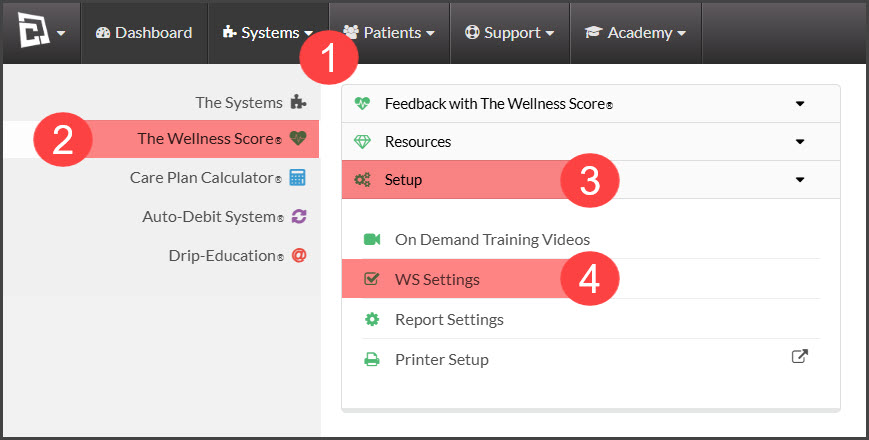
Step 1: Hover over the [Systems] menu → [The Wellness Score®] menu → click on [Setup] → select [WS Settings].
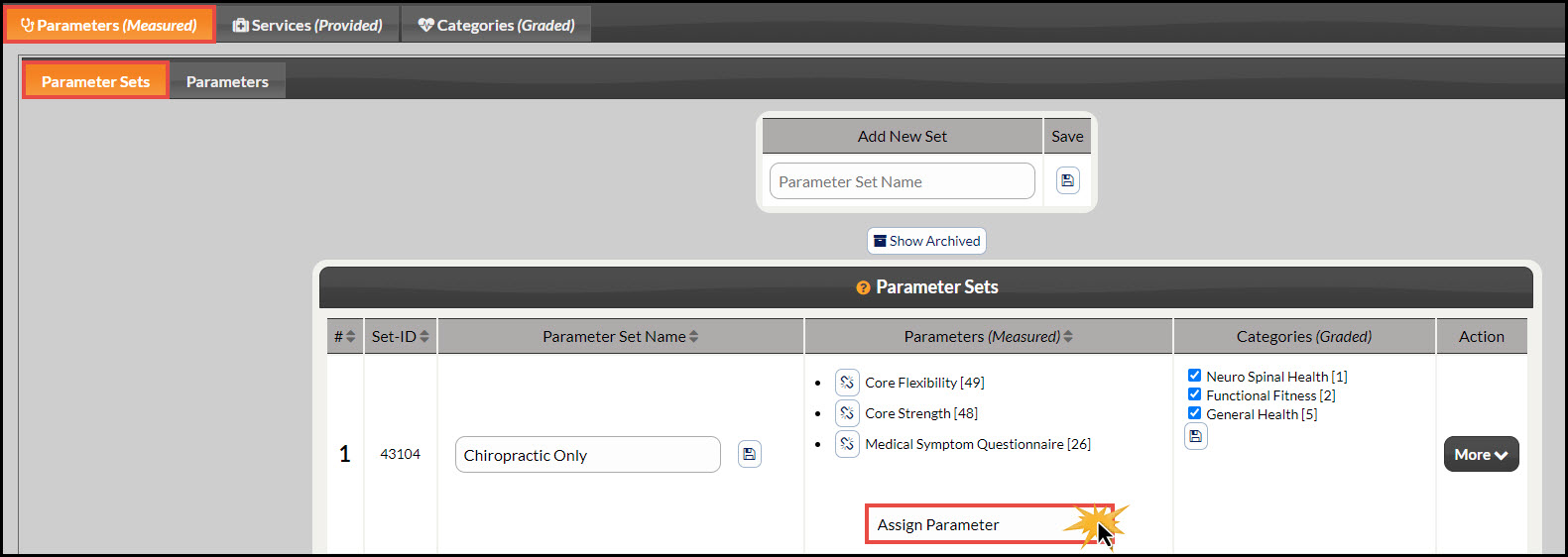
Step 2: Note: The page will automatically load under the tabs [Parameters (Measured)] → [Parameter Sets]. Locate the Set you would like to add your parameter to. Click on the [Assign Parameter] drop-down menu and select the parameter you would like to add.
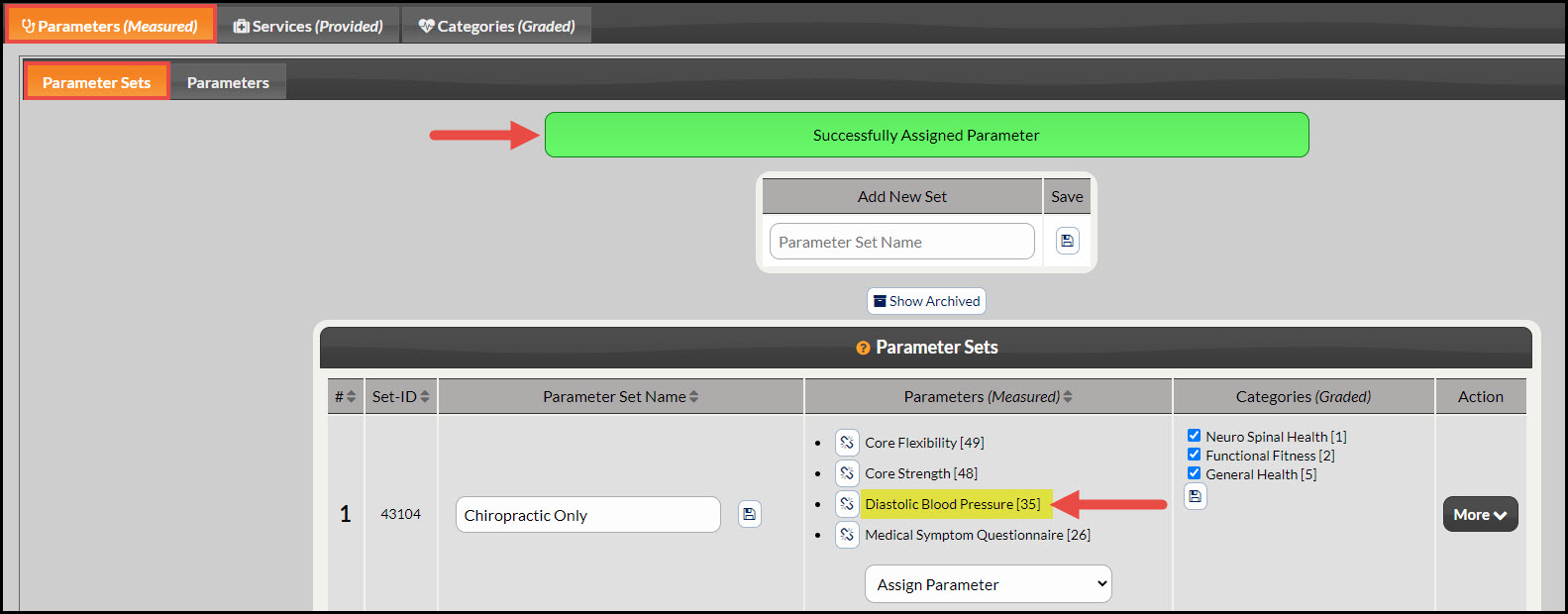
Step 3: Once completed, the page will reload with an alert displayed at the top saying "Successfully Assigned Parameter". You will also see the assigned parameter is now listed in the [Parameters (Measured)] column along with your others. See the image example below: