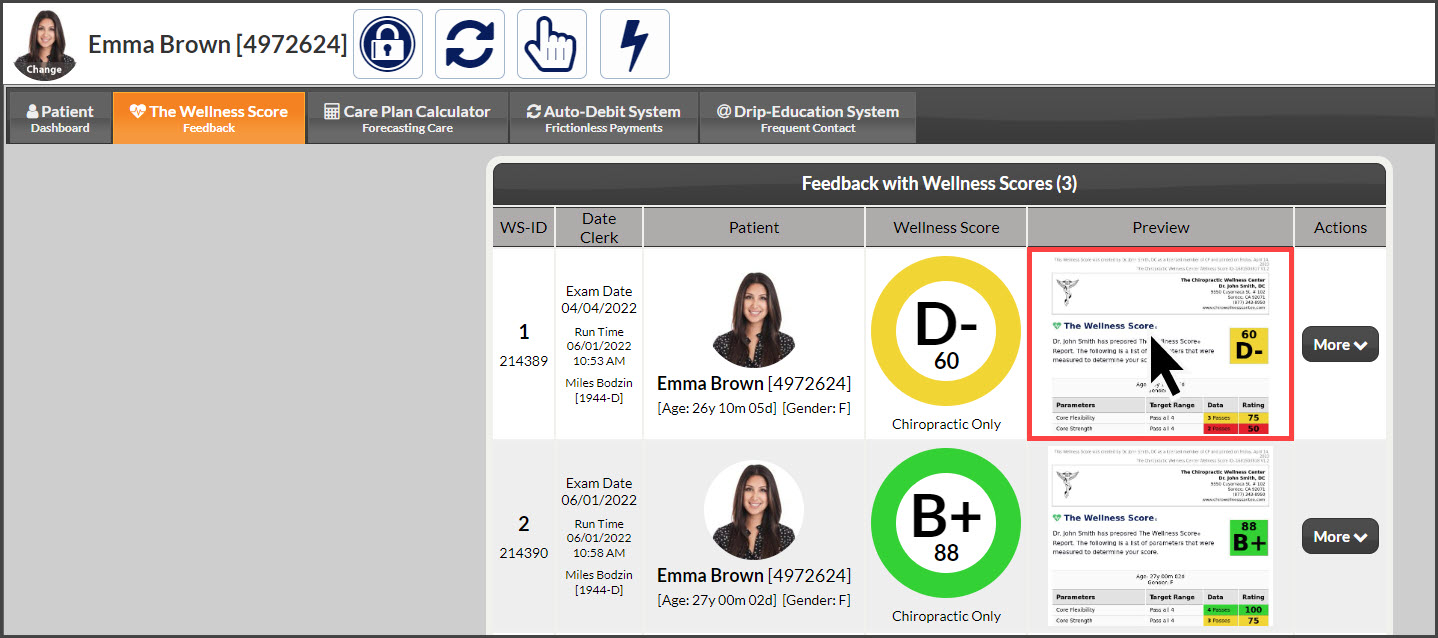
There are two ways to retrieve a list of Wellness Score reports for a patient. Either from the [Systems] menu OR from the [Patients] menu.
Method 1: From the [System] menu.
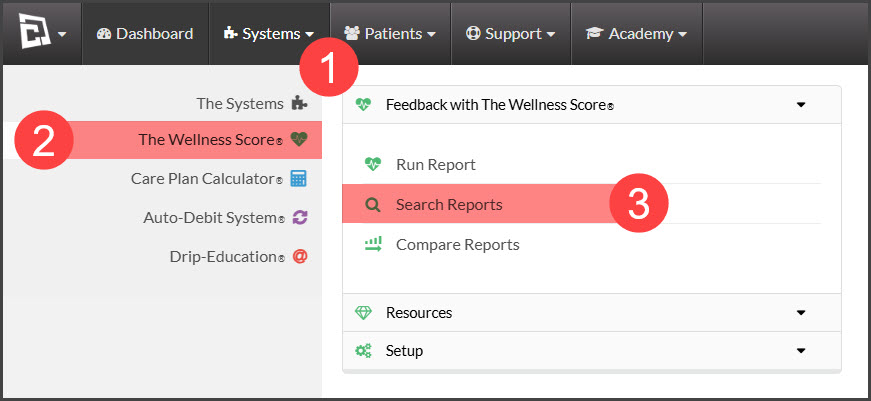
Step 1: Hover over [Systems] → click on [The Wellness Score®] → under [The Wellness Score®], click on [Search Reports].
Step 2: Refine the search options to view the score you are looking for.
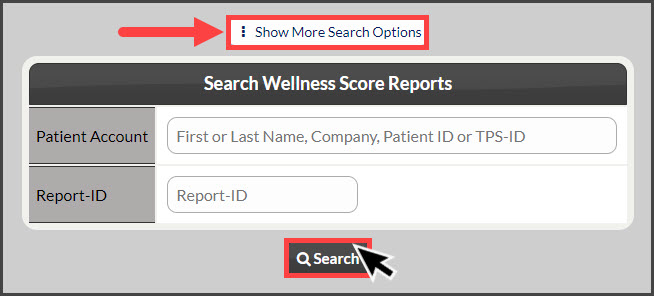
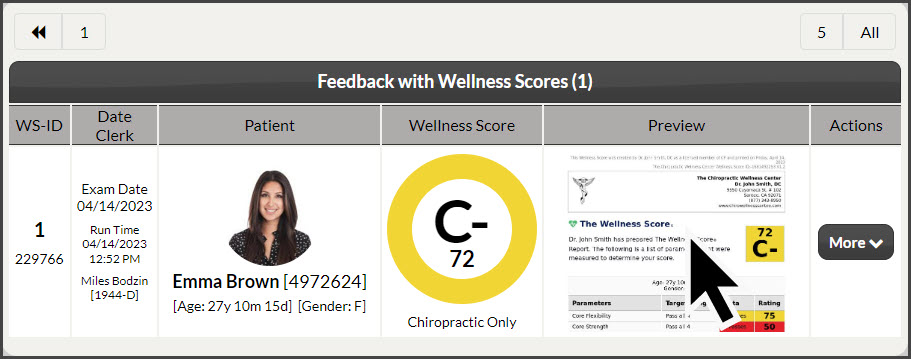
Step 3: Click the [Search] button. This will produce a list of all Scores associated with the search options you defined in Step 2.
Step 4: To view the Wellness Report® click the live image of the report.
Method 2: From the [Patients] menu
Step 1: Type in your patient's first or last name in the [Search Patient] bar near the top-right corner of your Dashboard and select their patient account from the drop-down menu.

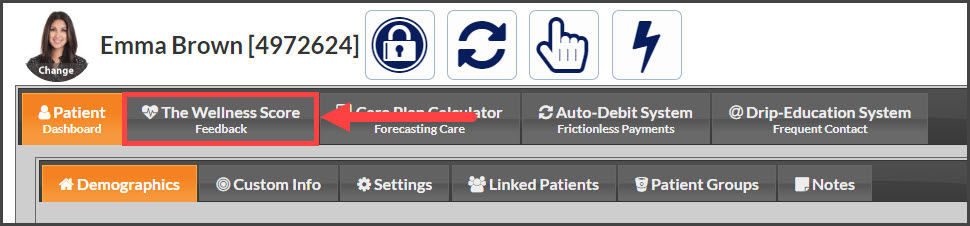
Step 2: From the [Patient Dashboard] Tab→ click on the [The Wellness Score] tab.
Step 3: Under the [Preview] column, click on the live image of the report to view or print the report.