
Getting started:
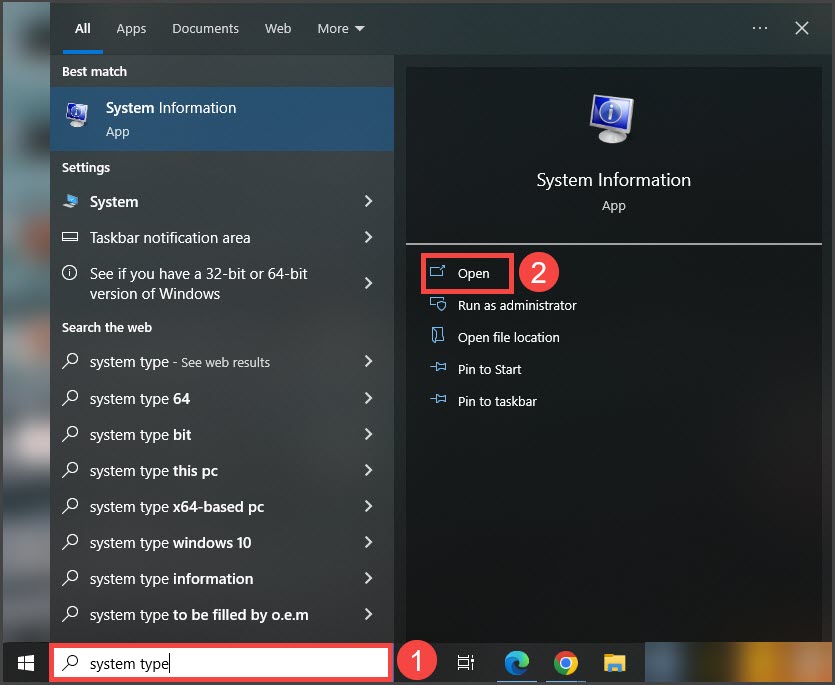
Step 1: From your START MENU on your computer, search "system type".
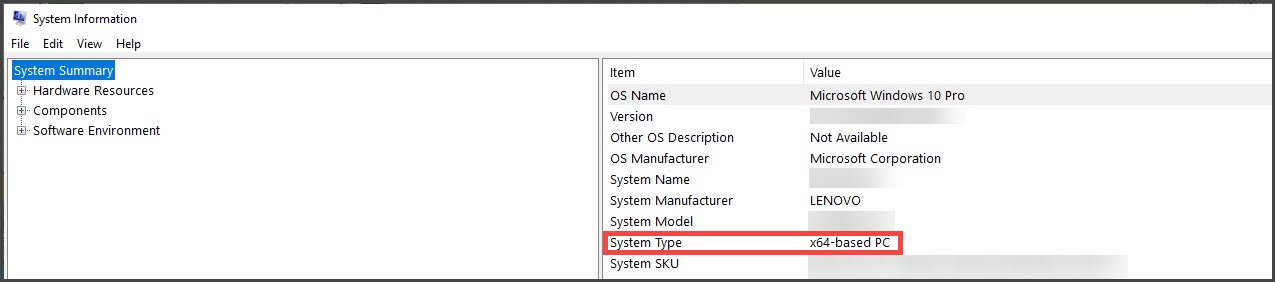
Step 2: A new window will pop open and display the computer settings. Under System Type, you will see 32-bit or 64-bit.
Example:

Cash Practice® Systems Help Center
Search our knowledge base to get answers to your questions, access video training & more!
System Guide
Last updated on 14 Sept, 2025
Getting started:
Step 1: From your START MENU on your computer, search "system type".
Step 2: A new window will pop open and display the computer settings. Under System Type, you will see 32-bit or 64-bit.
Example: