What are Patient Custom Fields?
To learn more about Patient Custom Fields, visit this article HERE.
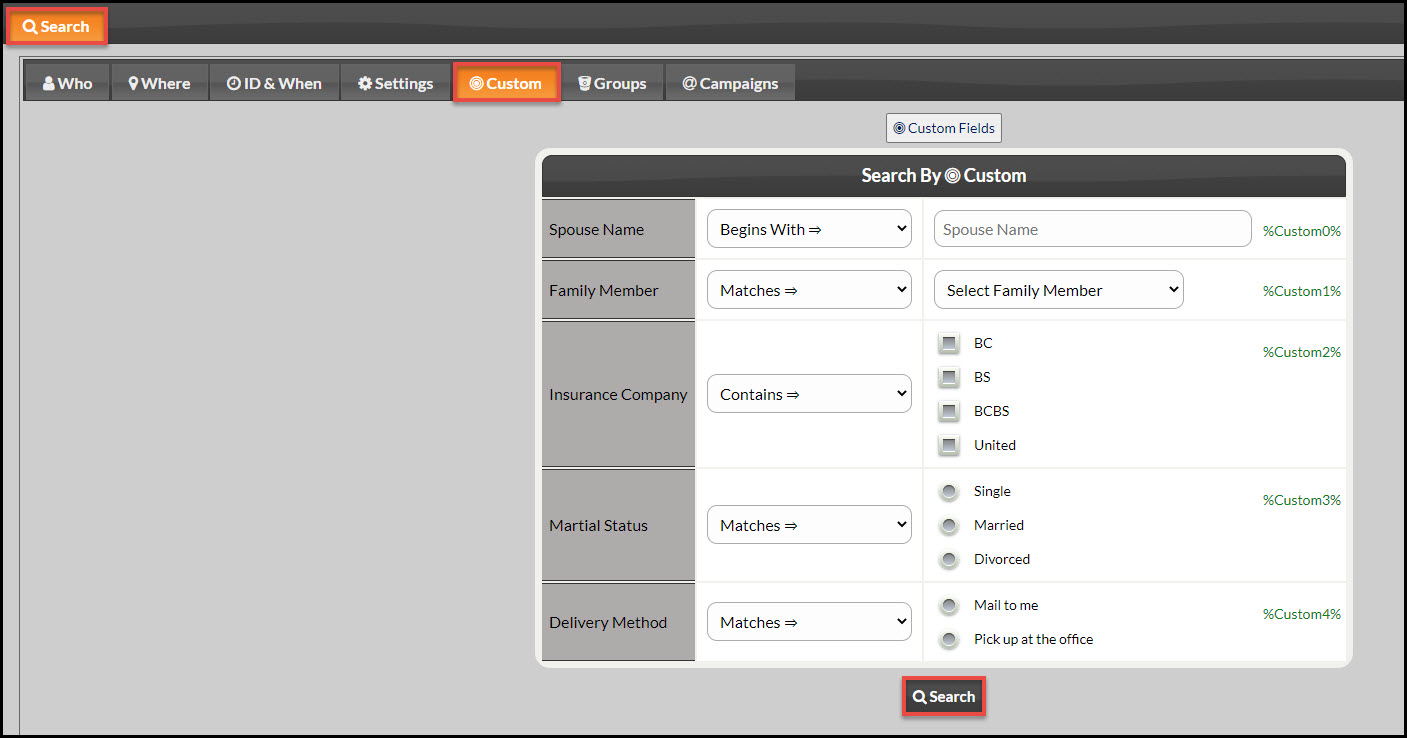
You can search your database just by the specific Patient Custom Fields you created.
Step 1: Hover your mouse over the [Patients] drop-down menu → click [Search Patients].
Step 2: Click on the [Custom] tab. This will bring up the Patient Custom Fields you have already created. Use the qualifiers in the drop-down menus next to the custom fields to narrow your search.
Step 3: Click [Search].
Note: You may also narrow the search by going through the items on the other tabs.