
Logo

Cash Practice® Systems Help Center

Search our knowledge base to get answers to your questions, access video training & more!

Parameter Sets: How do I see a list of the Archived or Un-Archived Parameter Sets?

2.0 The Wellness Score® System (Feedback)

Parameter Sets: How do I see a list of the Archived or Un-Archived Parameter Sets?

Last updated on 12 Sept, 2025

Parameter Sets can be Archived so that they no longer appear as a choice when running an Exam Set.  You can also Un-Archive a Parameter Set if 


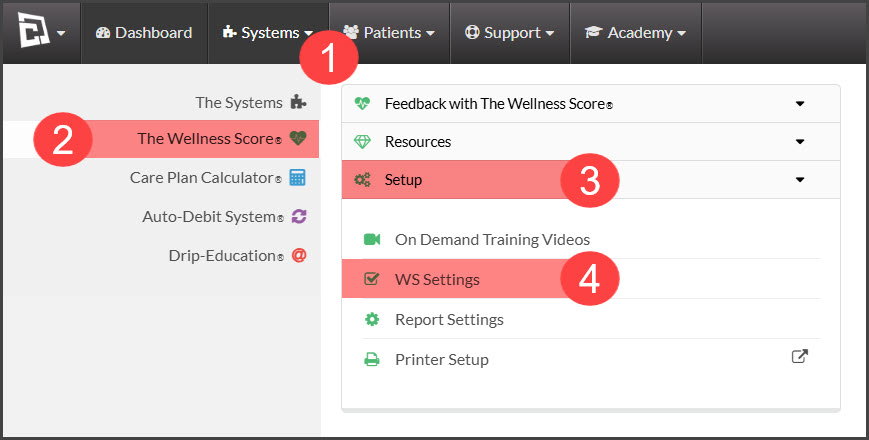
Step 1:  Hover over the [Systems] menu → click on [The Wellness Score®] → click on [Setup] → select [WS Settings].
Image


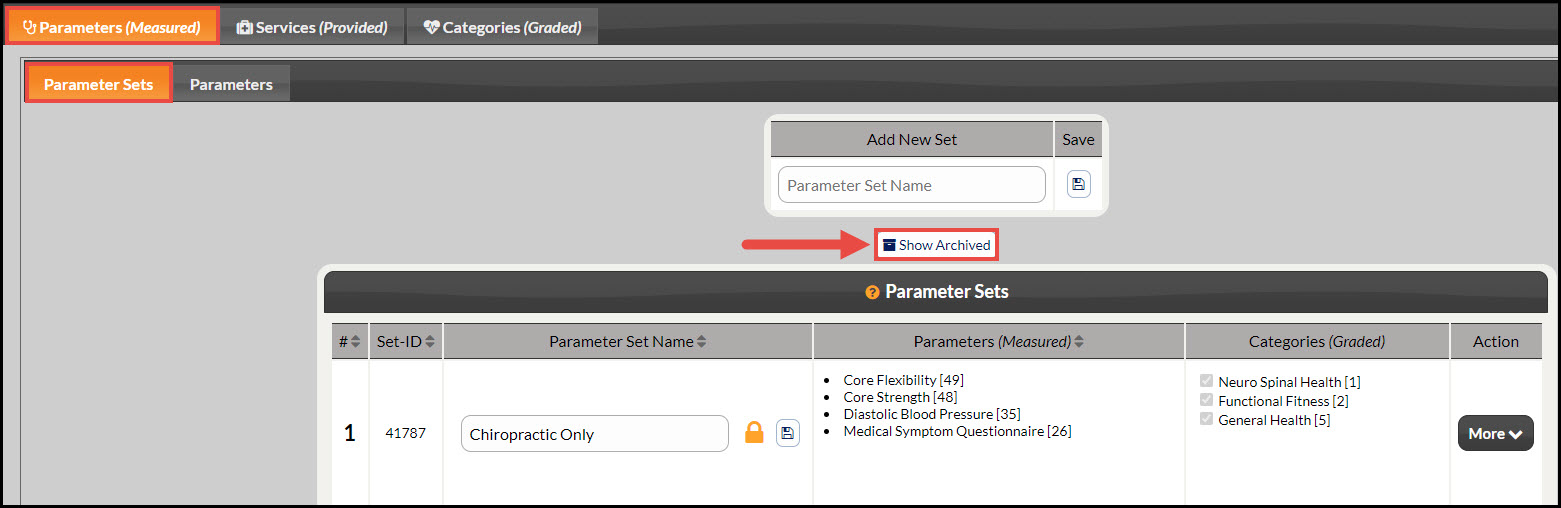
Step 2: Note: The page will automatically load under the tabs [Parameters (Measured)] → [Parameter Sets]. Click on the [Show Archived] link.
Image


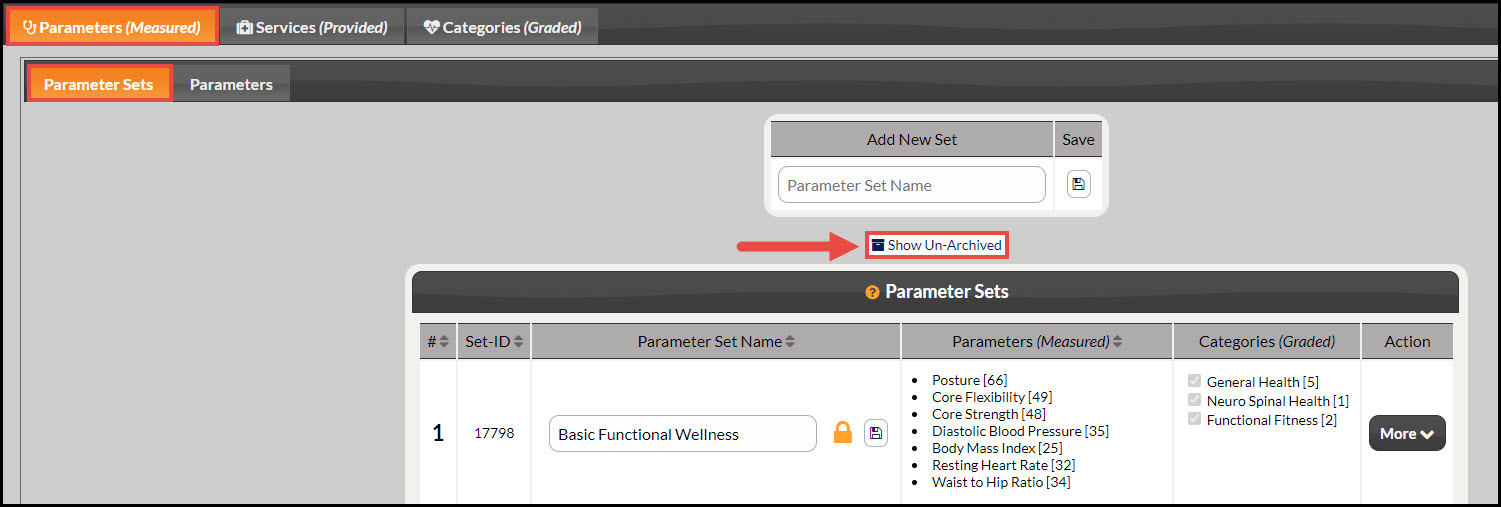
Step 3: To show the Un-Archived Parameter Sets click the [Show Un-Archived] link.
Image


Did you find this article helpful?
Previous

Parameter: How do I create a new Parameter?

Next

© 2026 Cash Practice Systems. All rights reserved.