

Step 1: You must be able to log into the Admin account OR as an Account User that has been permitted the [My Account] settings.
If you do not see [My Account] in your [User Profile] menu, then you are not logged in as Admin OR you do not have permission to access the TPS information. You must contact your account administrator to collect this information.
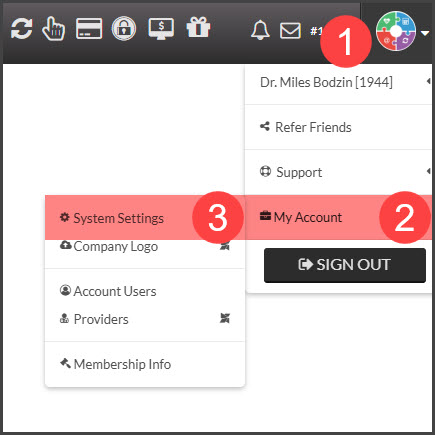
Step 2: Hover over the [User profile] in the top right corner of your screen→ Hover over [My Account] → Click on [System Settings].
Step 3: Click the [Third-Party Software Integration Settings] drop-down section and enter your patient management software account ID if required.
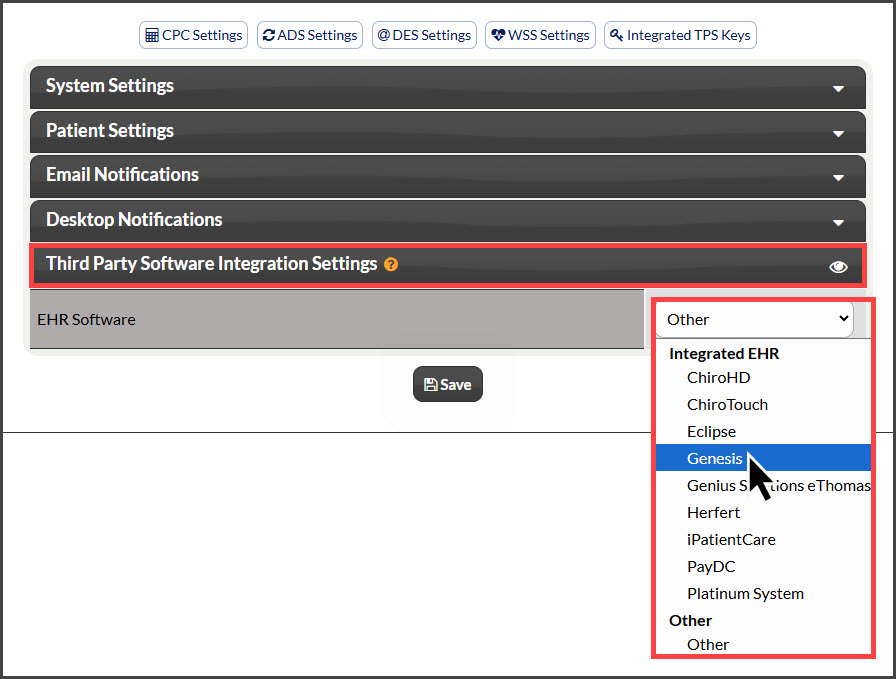
NOTE: For ChiroTouch users only, an Account ID is required.
Step 4: Click [Save].