
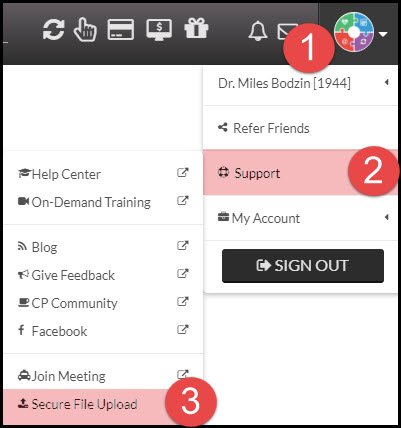
Step 1: From your user profile menu → [Support] → [Secure File Upload].
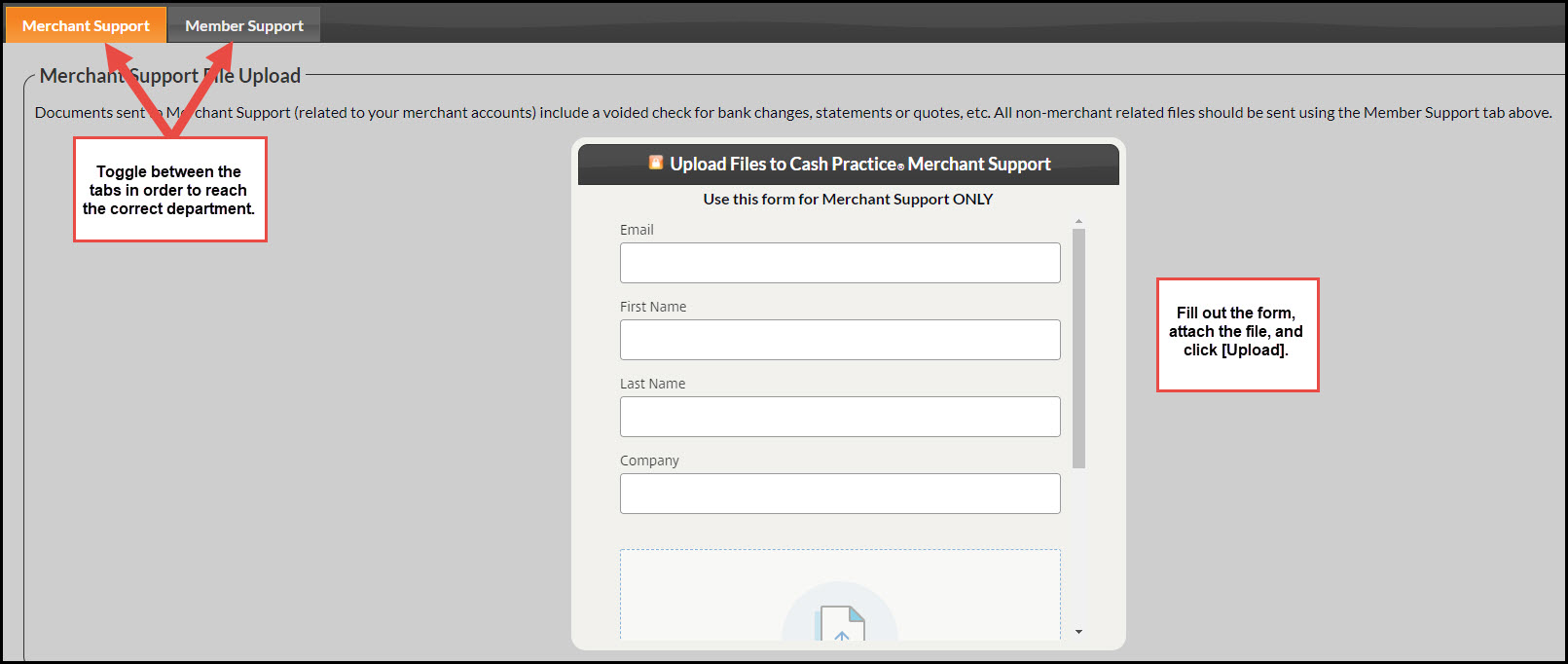
Step 2: Select which department you want to send files to Merchant Support or Member Support. Once the files are uploaded, the appropriate department will be notified.

Cash Practice® Systems Help Center
Search our knowledge base to get answers to your questions, access video training & more!
How do I send a secure file to a person or department at Cash Practice®?
System Guide
Last updated on 14 Sept, 2025
Step 1: From your user profile menu → [Support] → [Secure File Upload].
Step 2: Select which department you want to send files to Merchant Support or Member Support. Once the files are uploaded, the appropriate department will be notified.