
Logo

Cash Practice® Systems Help Center

Search our knowledge base to get answers to your questions, access video training & more!

How do I turn the Auto-Card Updater off for a patient's card?

Auto-Debit System® (Frictionless Payments)

How do I turn the Auto-Card Updater off for a patient's card?

Last updated on 13 Sept, 2025

Step 1: From the Dashboard, click on the [Billing Vault] shortcut.

Image

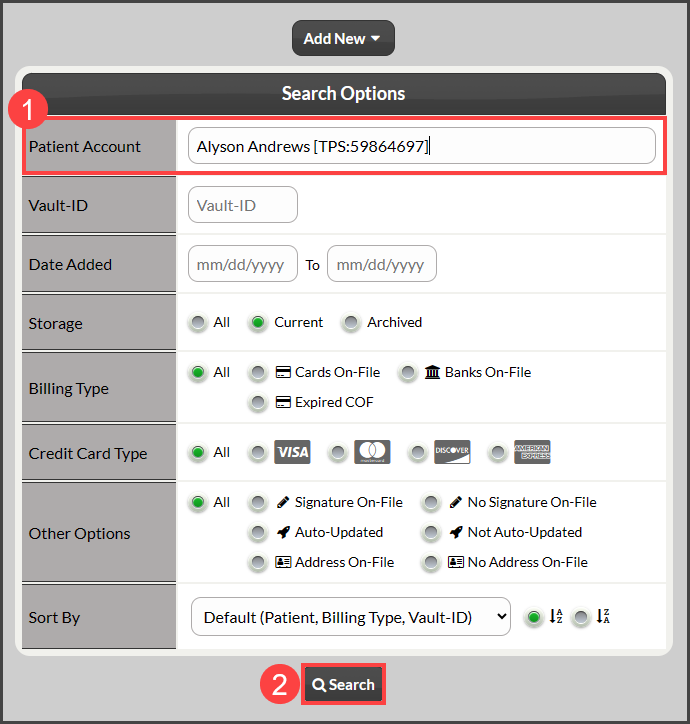
Step 2: Begin typing in the patient's first or last name in the "Patient Account" field, select the correct patient from the drop-down, and click [Search].
Image

Step 3: Locate the specific card that you need to turn off the Auto-Card Updater feature and click on the toggle. The system will automatically save your changes. 

Image

Did you find this article helpful?
Previous

Reports: How to export a list of auto-debits into an Excel spreadsheet

Next

© 2026 Cash Practice Systems. All rights reserved.