

In order to update your Doing Business As (DBA) name with the processing bank please contact us with the new information. Please include if any other information has changed. You can reach us by:
Send an email to merchantaccounts@cashpractice.com
Call us at 877-343-8950 ext. 105
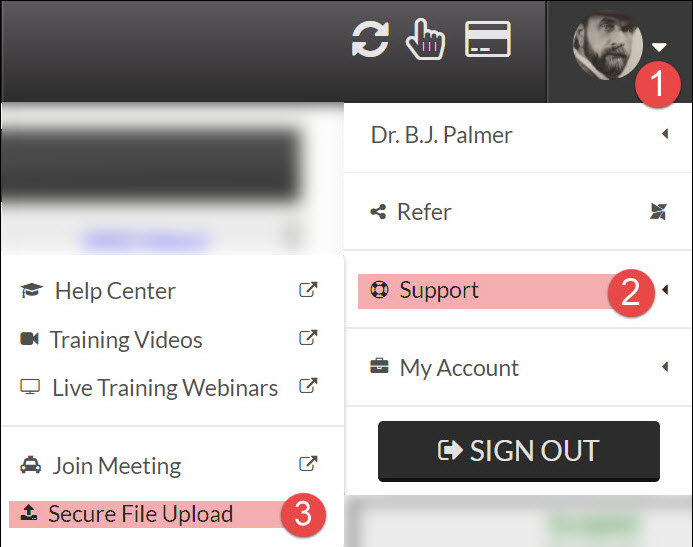
Upload securely by hovering over your user profile menu → [Support] → [Secure File Upload].
Once this is received we will prepare the appropriate paperwork, contact and send to you for the appropriate signatures.
Tags: DBA, changes, update