
Logo

Cash Practice® Systems Help Center

Search our knowledge base to get answers to your questions, access video training & more!

Feedback: How do I give feedback or make a suggestion?

Membership

Feedback: How do I give feedback or make a suggestion?

Last updated on 14 Sept, 2025

We'd love to hear your ideas for new features! 

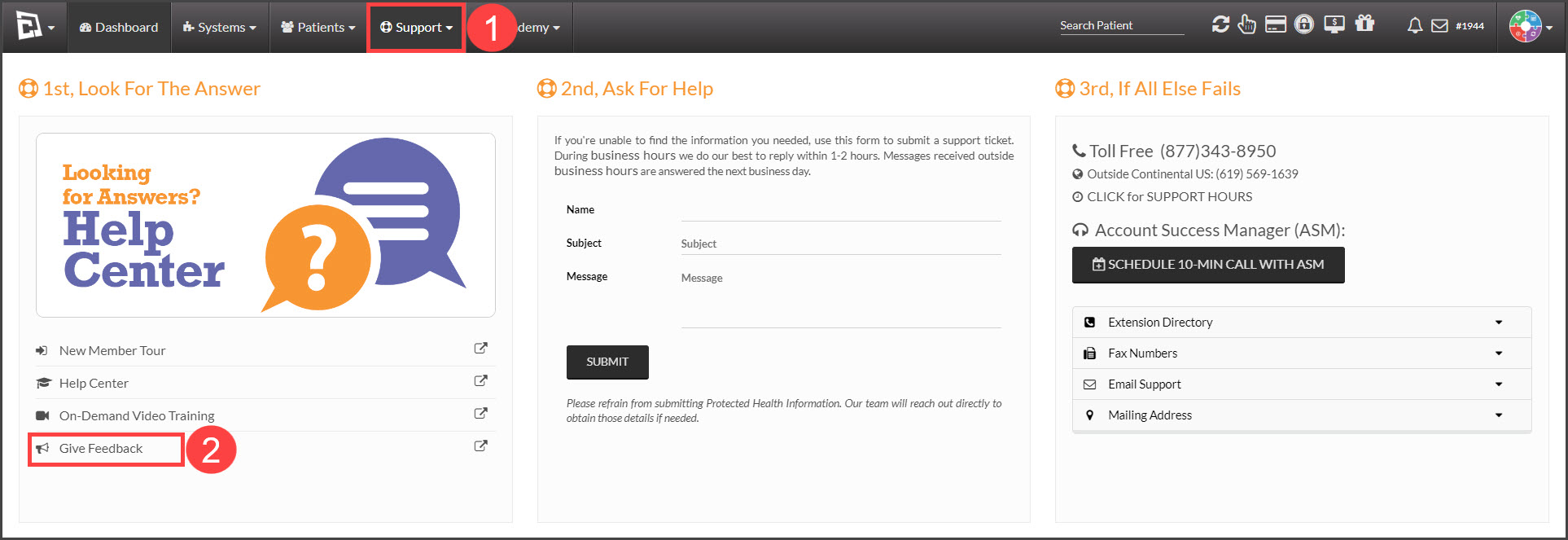
To share your suggestion, just log in to your Cash Practice account, then hover over [Support] and click on [Give Feedback].
Image

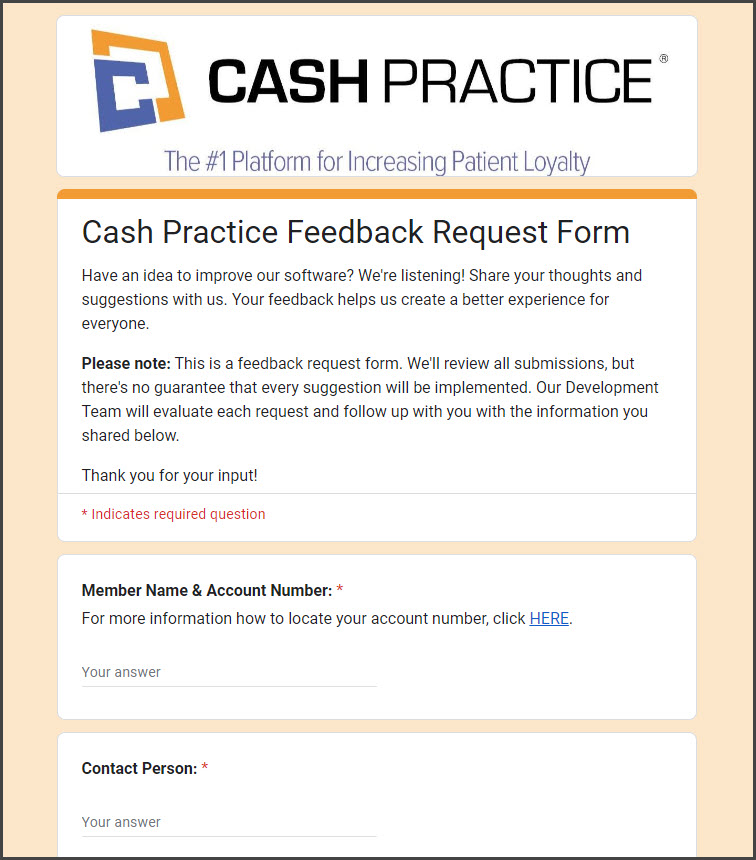
On the feedback page, you can easily fill out the form and click [Submit] when you're done. Thanks for helping us improve!
Image


You can also access the form directly by clicking this link: Cash Practice Feedback Request Form

Did you find this article helpful?
Previous

Which companies does Cash Practice integrate with?

Next

© 2026 Cash Practice Systems. All rights reserved.