

If you have forgotten your Username or Password to sign into Cash Practice®, it's really easy to retrieve your login information. Please follow these instructions to retrieve your lost login information
Forgot Password:
Step 1: Go to CashPractice.com → click the words [Log in].
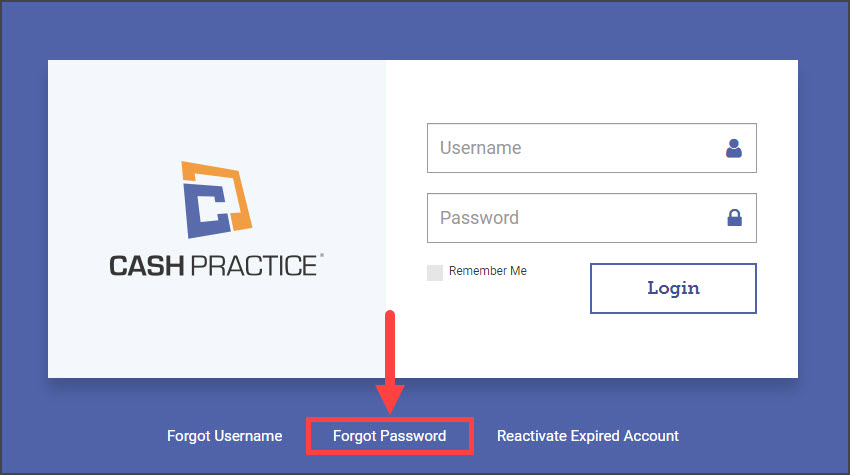
Step 2: Click the [Forgot Password] link.
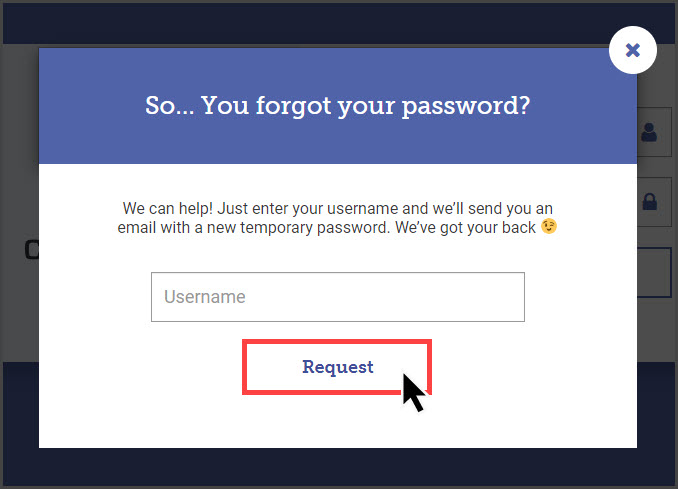
Step 3: Enter your username and click [Request].
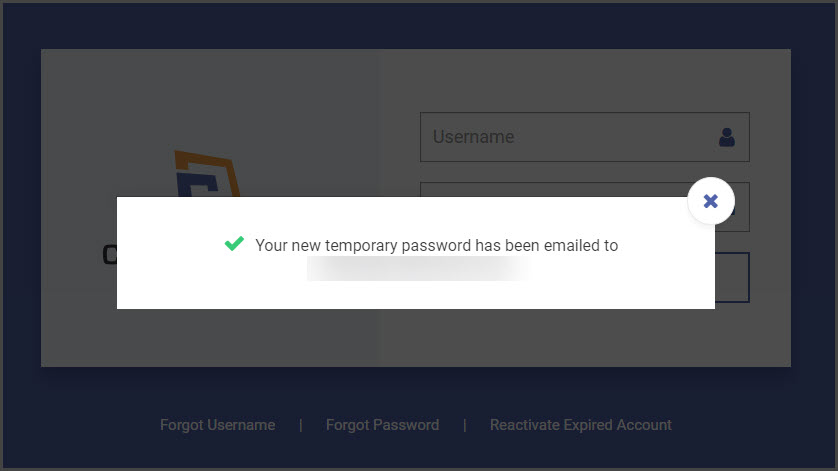
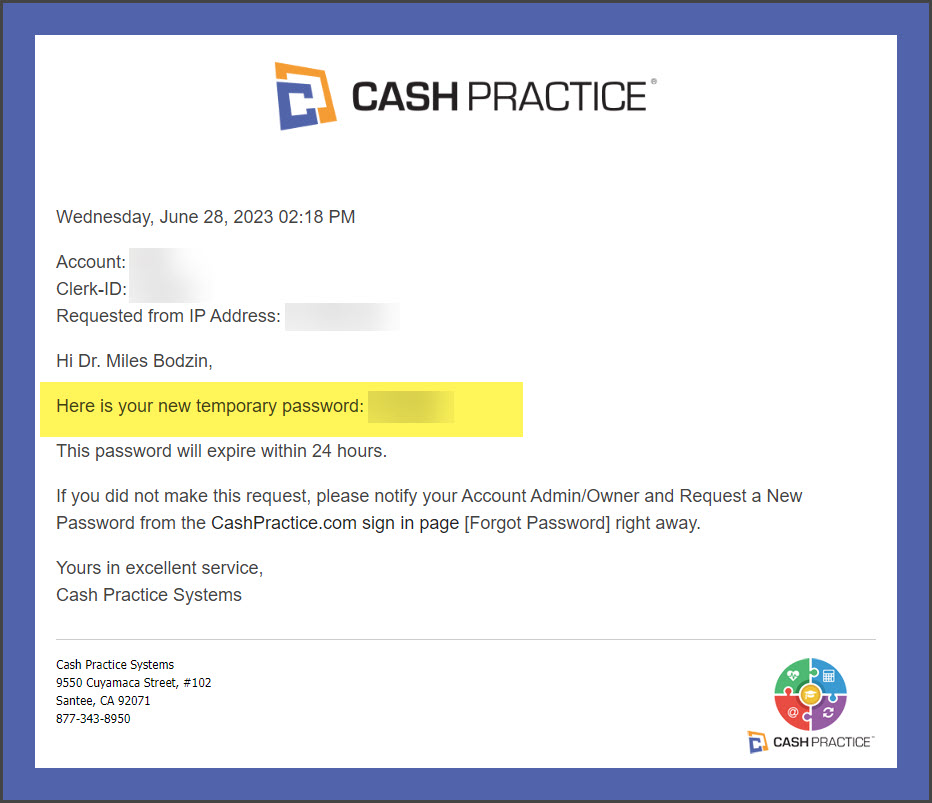
Step 4: Check your email for the temporary password. YOU MAY NEED TO REFRESH YOUR INBOX. Copy this password and head back to the login screen of CashPractice.com. Enter your username and temporary password. Click the [Login] button
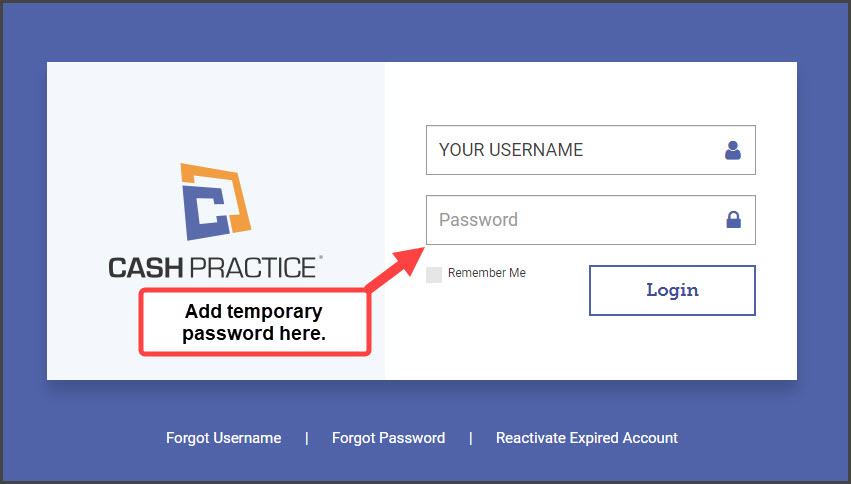
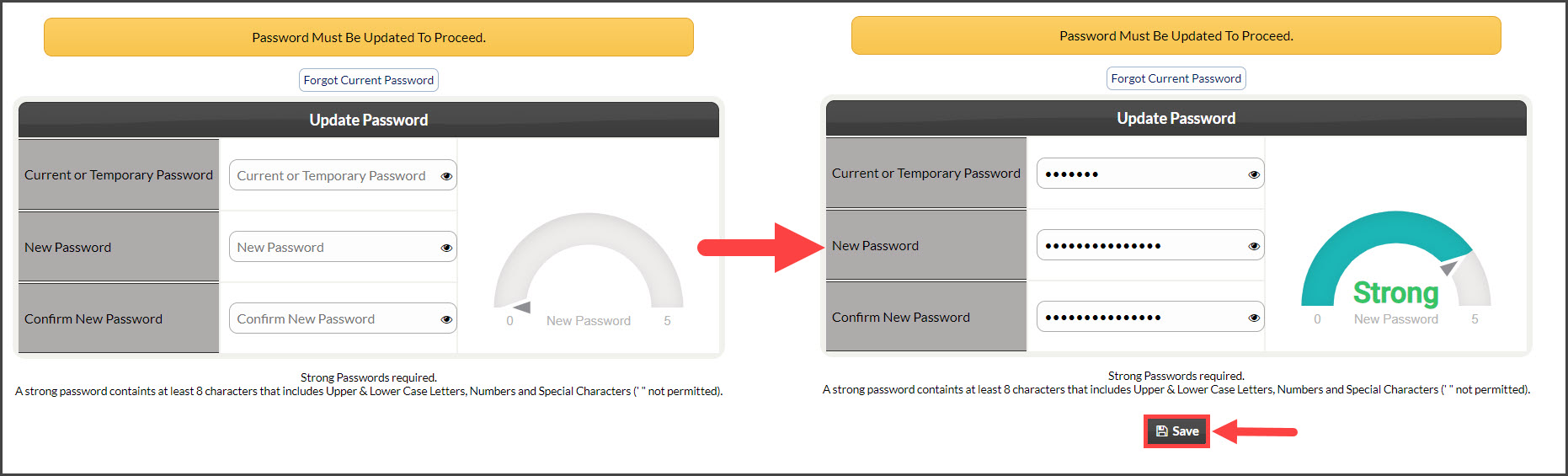
Step 5: Type your temporary password here, then create a new password.
Password help? Click here: Security: How do I make a secure password?
Forgot Username:
Step 1: Go to CashPractice.com → click the words [Log In].
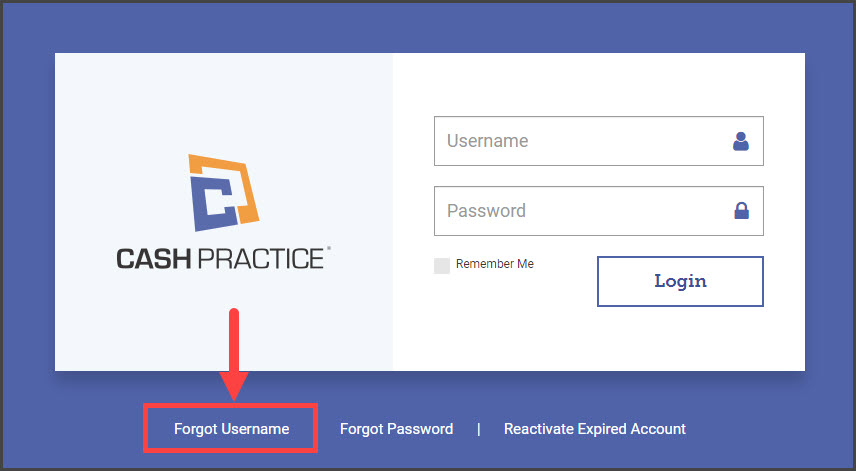
Step 2: Click the [Forgot Username] link.
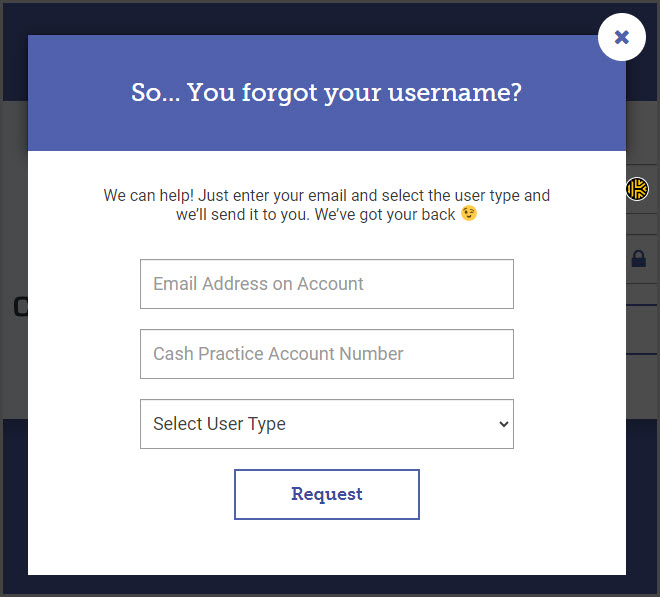
Step 3: Enter the email address attached to your account, Cash Practice Account Number, and select your [User Type] → click [Request].
Step 4: Check your email.
* YOU MAY NEED TO REFRESH YOUR INBOX