

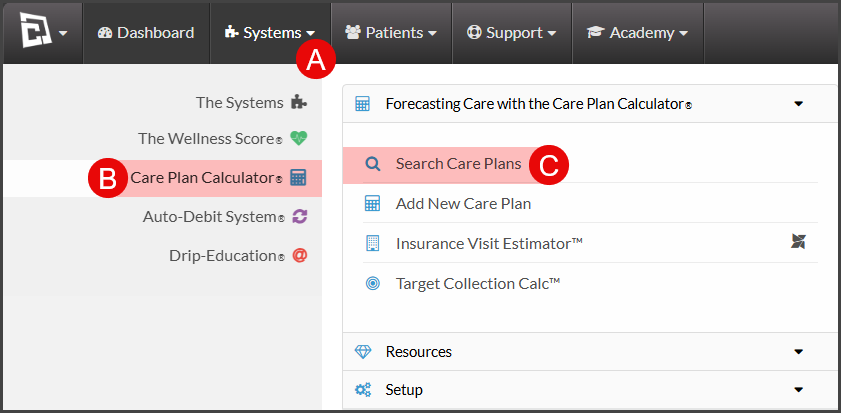
To get started, follow the sequence below.
A: Hover over [Systems]
B: Click [Care Plan Calculator®]
C: Click [Search Care Plans]
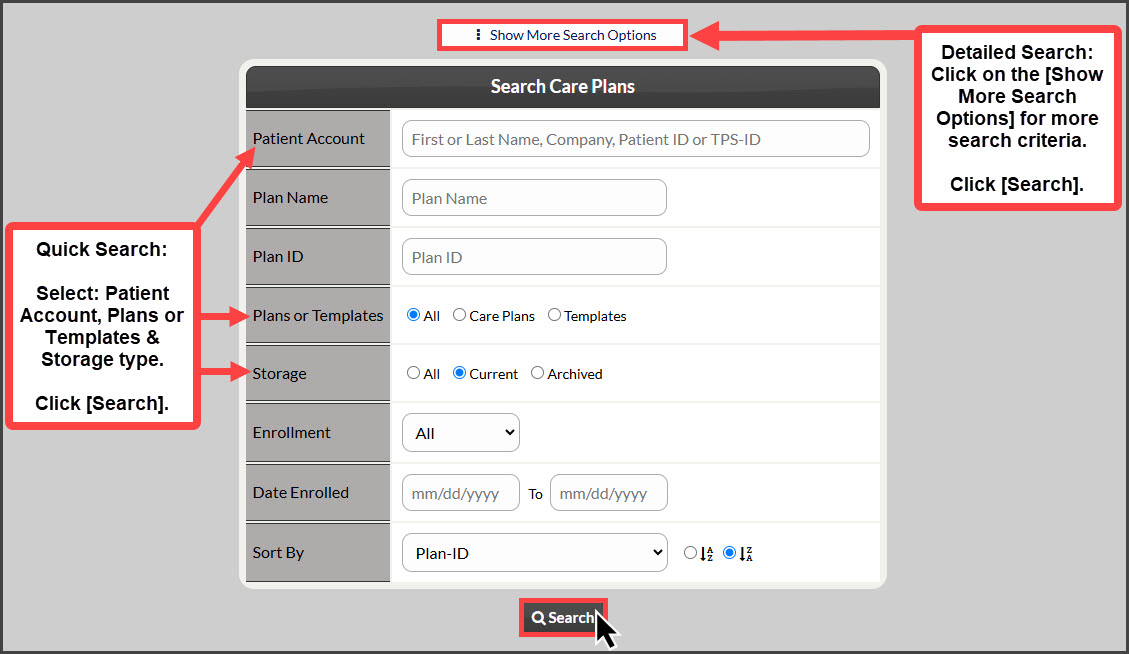
Step 1: The "Search Care Plans" page, narrow your search by entering as little or as much information about the plan that you are looking for, OR click the search button at the bottom of the page to view all [Current] Care Plans.
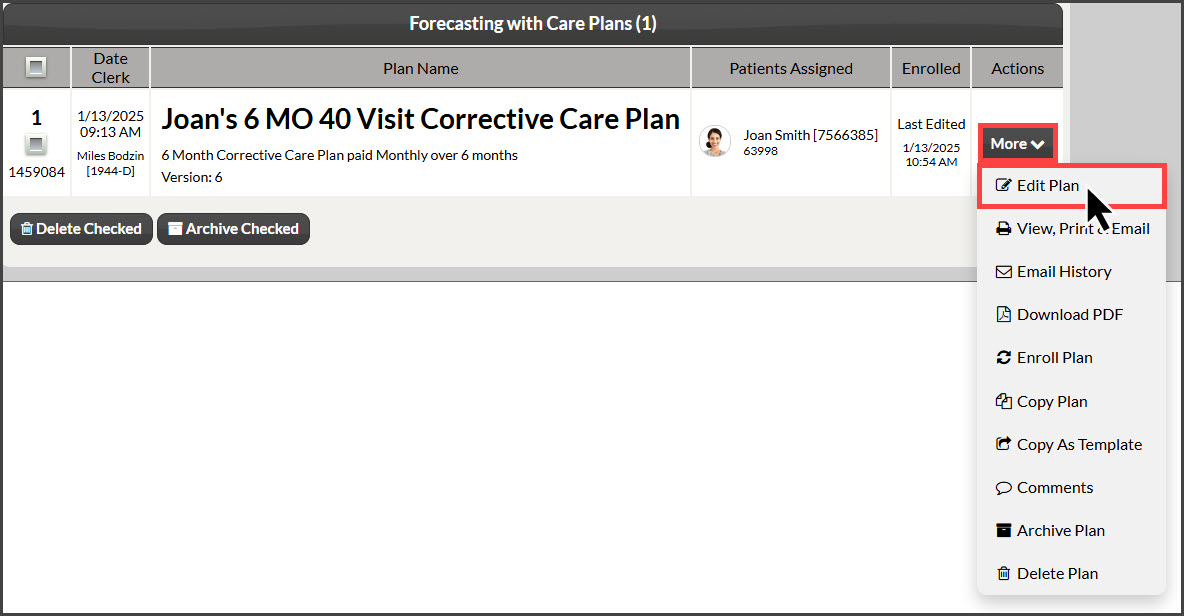
Step 2: From the search results, click on the [More] drop-down menu, and select [Edit Plan] or [Edit Template].
Step 3: Click the [Calculate Care Plan] or [Calculate Template] button once the edits have been made to the plan.